SEO & AI Search
llms.txt Implementation: A Working Example and Honest Verdict
By Bibek Thapa · Updated · 15 min read
Quick Answer
A useful llms.txt implementation is a short Markdown guide to a site's important resources. Publish it at /llms.txt or a relevant subpath, keep its links current, and measure requests in server logs. Google Search says it ignores the file, while OpenAI and Anthropic document robots.txt, not llms.txt, as the publisher control for their crawlers.

Table of ContentsOn this page
- llms.txt implementation: the short answer
- What is llms.txt, and what changed in v2?
- llms.txt vs robots.txt vs sitemap.xml
- Does llms.txt work?
- Anobee's live llms.txt example
- How to create llms.txt step by step
- Implementation options by platform
- llms.txt validation checklist
- How to measure whether your llms.txt implementation is useful
- Common mistakes to remove from older guides
- The bottom line
- Frequently Asked Questions
- Sources and References
Key Takeaways
- llms.txt is a community proposal for helping agents navigate a site; it is not a crawler-access directive or Google ranking signal.
- The August 2026 v2 proposal requires only an H1, although a summary and described link sections make the file more useful.
- Anobee's live file returns 200 as plain UTF-8 text and provides a curated map of 17 category, policy and navigation pages.
- Use robots.txt for crawler permissions and llms.txt only for orientation, context and links to useful resources.
- Treat the file as low-cost infrastructure: check logs and outcomes before assigning it credit for AI citations or traffic.
A sensible llms.txt implementation is a small, public Markdown file that helps an agent find the parts of a site you consider useful. It can describe the site, group important resources and point to cleaner Markdown versions of pages when those exist.
However, it isn't a permission file, a Google ranking signal or proof that ChatGPT will cite you. Google Search explicitly says it ignores llms.txt. OpenAI and Anthropic publish crawler controls through robots.txt, but neither company currently documents llms.txt as a search-ranking or citation input.
Consequently, there is a narrower reason to build one: an agent or tool that chooses to read the file gets a curated map instead of having to infer the site from navigation, scripts and thousands of URLs. The file is cheap to maintain when it is generated from real site data. It is a distraction when it becomes another unmeasured SEO ritual.
This guide was checked on September 6, 2026 against the August 2026 v2 proposal, current Google, OpenAI, Anthropic, Chrome and Yoast documentation, and Anobee's live file. Anobee has not supplied server-log or before-and-after citation data for this refresh, so the article does not claim that its file improved AI visibility.
llms.txt implementation: the short answer
Create a UTF-8 Markdown file with an H1 naming the site or project. Add a short description and a few sections of descriptive links. Publish it at /llms.txt for the whole domain or at a relevant subpath, such as /docs/llms.txt, for one section. Return a successful response, keep every link public and current, and monitor requests to the file.
However, do it after the basics are sound. A working website, crawlable pages, accurate content, a useful sitemap and deliberate crawler permissions matter more. If no consumer reads the file and maintaining it creates work, simplify it or remove it.
What is llms.txt, and what changed in v2?
llms.txt is a proposed Markdown format for giving AI agents a concise orientation to a website. Jeremy Howard published the original proposal in September 2024. Version 2, modified on August 10, 2026, reflects broader use by documentation platforms and agents [1].
The proposal now allows an llms.txt file at the domain root or at any path. A root file can describe the whole site; /docs/llms.txt can describe only the documentation below /docs/. When several files apply, the proposal tells agents to prefer the most specific one [1].
Only the H1 is mandatory. The useful optional pieces are:
- a blockquote with a short description
- a heading-free preamble with context or limitations
- H2 sections containing Markdown link lists
- a section called
Optionalfor resources an agent may skip when context is tight - a short description after each link
The proposal also recommends standard link relations for discovery. rel="describedby" can point to the applicable llms.txt file, while rel="alternate" type="text/markdown" can identify a Markdown version of an HTML page [1].
Nevertheless, this is still a proposal, not an access-control standard. The filename resembles robots.txt, which makes the distinction easy to miss.
llms.txt vs robots.txt vs sitemap.xml
The three files answer different questions.
| File | Main job | Typical consumer | What it does not do |
|---|---|---|---|
robots.txt | Communicates which automated agents may crawl which paths | Search and AI crawlers | Explain which pages best describe the site |
sitemap.xml | Lists canonical URLs a site wants search engines to discover | Search engines | Grant crawl permission or provide a curated reading order |
llms.txt | Describes a site or section and links to selected resources | Agents and tools that support the proposal | Override robots rules, guarantee indexing or earn citations |
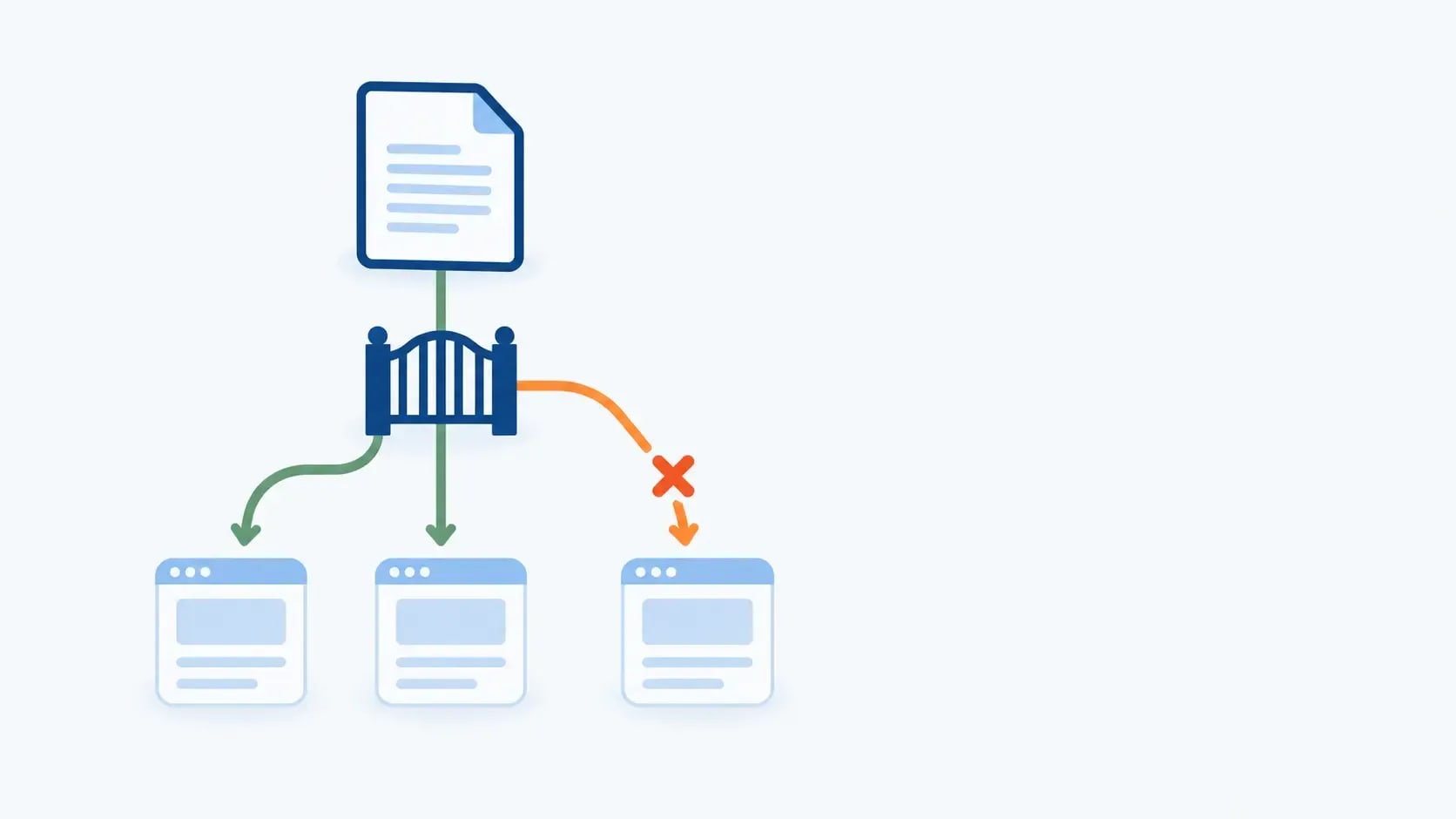
If robots.txt blocks a crawler, llms.txt cannot let it back in. Similarly, if a page is inaccessible, noindex, wrong, or thin, listing it does not repair the page. If a URL redirects or disappears, the llms.txt entry becomes stale.

Instead, use Anobee's robots.txt guide when the task is controlling crawl access. Use llms.txt only when a curated agent-facing map has a clear owner and purpose.
Does llms.txt work?
It depends on what “work” means.
For Google Search rankings: no
Google Search says site owners do not need llms.txt or other special AI files to appear in Search or its generative AI features. Google says it does not use the file and that publishing one neither helps nor harms visibility or rankings [2].
That guidance is unusually direct. Therefore, do not sell an llms.txt deployment as a Google SEO improvement. The technical work that matters to Google remains familiar: useful pages, crawlability, indexability, sensible canonicals, internal links and information that deserves to rank.
For ChatGPT or Claude citations: unproven
However, OpenAI publishes an llms.txt file for its own developer documentation. Its publisher guidance tells site owners to manage ChatGPT Search eligibility through OAI-SearchBot in robots.txt and OpenAI's published IP ranges. GPTBot is a separate control for content that may be used to improve foundation models [3]. The crawler document does not identify llms.txt as a ranking, retrieval or citation signal.
Similarly, Anthropic distinguishes among ClaudeBot for possible training data, Claude-SearchBot for search and Claude-User for user-directed retrieval. Its documented publisher controls are robots.txt directives [4]. The presence of an llms.txt file on Anthropic's own documentation site shows that the format can be useful for documentation consumers; it does not prove a citation advantage for ordinary websites.
For agents navigating documentation: plausible and increasingly supported
The v2 proposal says software documentation is the format's strongest use case. That fits the problem: an agent needs a compact path to API references, tutorials and Markdown pages, not a claim that the file changes search rankings.
Meanwhile, Chrome's Lighthouse agentic-browsing checks now include an llms.txt audit. Chrome calls the file an emerging convention and says providing it is optional; a missing file receives an N/A rather than a failure [5]. That is evidence of tooling support, not evidence of Google Search use.
What the available crawl data says
An Ahrefs study examined 137,210 domains using Ahrefs Web Analytics in May 2026. Twenty-eight percent published llms.txt, but 97% of those files received no request during the month. Among requests that did reach the files, only a small share came from AI retrieval bots. Ahrefs also warns that its sample skews toward technically sophisticated, SEO-aware sites and that a fetch does not prove a system used the file [6].
Therefore, the evidence supports a small claim, not a large one. Some agents and bots fetch llms.txt, but most files in that dataset did not get fetched. There is no clean causal evidence that deployment increases citations or traffic. Measure your own use case instead of borrowing somebody else's certainty.
Anobee's live llms.txt example
Anobee already publishes a working file at anobee.com/llms.txt [8]. A live check on September 6, 2026 found:
- HTTP status
200 Content-Type: text/plain; charset=utf-8- an H1 naming Anobee
- a one-sentence blockquote describing the site
- six category links
- eight links to important navigation, author and editorial-policy pages
- three optional links to the blog archive, sitemap and RSS feed
- absolute URLs and a short description for every link
- an explicit note that the file does not guarantee rankings or AI citations
The file works as a map because it is restrained. Instead, it avoids duplicating the complete sitemap or pretending that every article is essential. It tells an agent what Anobee covers, who publishes it, how the editorial process works and where to browse next.

However, its cache policy needs attention. At the time of the check, the response advertised a shared-cache lifetime of one year. That is safe only when a deployment or CDN purge invalidates the cached file after an update. Otherwise, a corrected link may remain stale long after the source changes.
The live file is proof that Anobee implemented the format correctly. It is not proof that an AI crawler read the file or that a citation resulted. Only Anobee's access logs and a controlled outcome measurement could support those claims.
How to create llms.txt step by step
1. Decide who the file is for
Accordingly, a good llms.txt implementation starts with a real consumer. A developer-documentation site may want coding agents to find its API reference. A university may want an agent to distinguish admissions, fees and course pages. Small publishers may only need a short map of topic hubs and editorial policies.
If you cannot name the job, do not generate a second sitemap and call it strategy.
2. Choose a scope
Use /llms.txt when one file can describe the domain. Use a path-specific file when a large section has a distinct audience or documentation set. The v2 proposal explicitly supports both locations [1].
Therefore, write down the scope before choosing links. That stops product documentation, investor pages, support articles and blog posts from becoming one undifferentiated list.
3. Select the smallest useful resource set
Choose canonical, public URLs that help the intended agent complete its task. Good candidates include:
- a product or site overview
- getting-started documentation
- core reference pages
- pricing, policies or support information when relevant
- authoritative guides for the main topics
- a changelog or status page when current behavior matters
Also, do not include private material, preview URLs, parameters, tag archives, duplicate formats or pages you would not want an agent to rely on. A short curated list is easier to audit than an automatic dump.
4. Write the Markdown file
Here is an abridged example using live Anobee URLs:
# Anobee

> Practical guidance on SEO, AI search, content and website growth.

Use the linked pages for current guidance and the policy pages to check how claims are reviewed.

## Start here

- [SEO and AI Search](https://anobee.com/seo/): Guides to search visibility, crawling and AI answer systems.
- [GEO guide](https://anobee.com/seo/generative-engine-optimization-guide/): A practical framework for eligibility, evidence and measurement.

## Reference

- [Editorial policy](https://anobee.com/editorial-policy/): How articles are researched, written and reviewed.
- [Fact-checking policy](https://anobee.com/fact-checking-policy/): How Anobee verifies claims and sources.

## Optional

- [Blog archive](https://anobee.com/blog/): The full list of published articles.
The example uses more than the mandatory H1 because the extra context makes each link easier to evaluate. Keep descriptions literal. “Authentication, endpoints and errors” is useful; “everything you need to succeed” is not.
5. Publish it as a normal public resource
For a domain-wide file, make it available at:
https://example.com/llms.txtReturn 200 and serve the body as readable Markdown without an HTML template, login wall or script dependency. text/plain; charset=utf-8 is a simple default. text/markdown is also reasonable when your stack supports it.
Set caching according to the update path. An hour or a day is easy to reason about for a generated file. A long cache can also work when every change triggers a reliable purge.
6. Advertise it only with documented mechanisms
The v2 proposal recommends rel="describedby" rather than an invented robots.txt directive. You can expose it as an HTTP response header:
Link: </llms.txt>; rel="describedby"Or add the equivalent link element to applicable HTML pages with rel="describedby" and href="/llms.txt".
However, this discovery step is optional. Do not add a made-up LLMS: directive to robots.txt and imply that crawlers must understand it.
7. Validate the file and its links
Check the response, the Markdown structure and every linked destination. Then give an agent only the llms.txt URL as its starting context and ask it to find a specific resource. That tests whether the file works as navigation, which is the job it can actually perform.

Implementation options by platform
Static sites and Next.js
The simplest implementation is usually a committed static file. Put llms.txt in the directory your build tool copies unchanged to the site root. In a standard Next.js project, that is commonly the public directory.
However, use generation only when the resource list changes often enough to justify it. A build script can read approved content metadata, exclude drafts and noindex pages, and write the final Markdown. Review the result before deployment; generated descriptions can still be vague or wrong.
WordPress with Yoast SEO
Yoast SEO now includes an llms.txt feature, so the old advice that Yoast cannot generate the file is outdated. Yoast's current specification says enabling the feature creates the file at the site root and refreshes it weekly. Automatic selection favors recently updated and cornerstone content, while manual page selection provides more control [7].
Instead, a small site should use manual selection and inspect the output. If a physical or dynamically generated llms.txt file already exists, resolve the conflict before enabling another generator. Two plugins should not compete to serve the same path.
Other CMSs, CDNs and web servers
You need only one exact route that returns the Markdown body. That can be a static file, a CMS route, an edge function or a server handler.
Keep the implementation boring:
- Match the exact path.
- Read or generate approved Markdown.
- Return a successful response with a text content type.
- Cache it for a period your update process can invalidate.
- Test the public response after deployment.
There is no reason to run a fresh database query on every request if the file changes once a week. Generate it during publishing or cache the result.
llms.txt validation checklist
Response checks
- The intended URL returns
200without authentication. - The final response is Markdown text, not a branded HTML error page.
- The file is UTF-8 and starts with an H1 after any optional byte-order mark.
- CDN and application caches update when the file changes.
Content checks
- The site or project name is accurate.
- The summary describes the real scope and audience.
- Every link is absolute, public and canonical.
- Link descriptions tell an agent what it will find.
- Optional material is separated from essential resources.
- No passwords, tokens, private endpoints or unpublished claims appear.
Relationship checks
- robots.txt does not accidentally block the crawlers you chose to allow.
- The sitemap remains the canonical discovery list for search engines.
- Page-level Markdown alternatives, if supplied, match the visible source content.
- The website does not make ranking or citation promises based on the file.
If you are planning a wider AI-search program, Anobee's GEO guide for solo publishers puts this file in the right order: eligibility and useful evidence come before experimental formats.
How to measure whether your llms.txt implementation is useful
Start with server or CDN access logs. Filter requests where the path equals /llms.txt or the applicable subpath. Record:
- timestamp
- response status
- user agent
- verified source IP when the provider publishes ranges
- referrer, if present
- bytes served and cache status
Separate named retrieval bots, training crawlers, user-triggered agents, audit tools and ordinary browsers. OpenAI's OAI-SearchBot and GPTBot have different purposes [3]; Anthropic likewise separates Claude-SearchBot, ClaudeBot and Claude-User [4]. Lumping every request into “AI traffic” hides the result.
However, a request proves only that something fetched the file. It does not prove that the agent followed a link, used the content, cited the site or influenced a person. Therefore, pair logs with outcome evidence:
- repeatable prompt checks for brand mentions and exact cited URLs
- AI referral sessions in analytics
- support or sales interactions where a customer names the assistant used
- agent-task tests that begin from the llms.txt URL
Change one thing at a time when possible. If you publish the file while also rewriting pages, earning links and fixing crawl problems, you can't attribute a visibility change to llms.txt alone. Anobee's ChatGPT citation guide explains how to record prompts, citations and visits without turning one screenshot into a trend.
Common mistakes to remove from older guides
Calling the file a standard that every LLM follows
It is a community proposal with visible adoption, especially in documentation tooling. Support is not universal, and provider crawler documentation should outrank industry assumptions.
Saying the file must exist only at the domain root
The August 2026 v2 proposal also permits path-specific files. Use the location that matches the scope.
Treating the blockquote and H2 sections as mandatory
Only the H1 is required. The other elements are optional, although they usually make a practical file more useful.
Using llms.txt to control training or search access
Instead, use robots.txt and the provider's documented controls for that job. An orientation file is not a consent mechanism.
Publishing llms-full.txt by default
The current v2 proposal focuses on a compact llms.txt file plus linked Markdown versions of relevant pages. A large consolidated file is not required. Publish one only when a known consumer needs it and you can keep every included fact current.
Claiming an AI-visibility lift without a baseline
Anecdotes cannot separate the file from content changes, crawler access, links, brand demand or ordinary answer variation. Record the same outcomes before and after, and keep the conclusion proportional to the evidence.
The bottom line
llms.txt implementation is worth considering when you can generate a concise, accurate resource map and name an agent-facing use case. It is most convincing for documentation, reference material and sites that already publish clean Markdown alternatives.
For Google rankings, skip the speculation: Google says it ignores the file. For ChatGPT and Claude visibility, keep robots.txt permissions, public pages and provider-specific crawler controls separate from llms.txt. The file may help an agent that chooses to read it, but current documentation does not make it a citation switch.
Anobee's version is already live, valid and restrained. The next useful step is not adding more links. It is checking access logs, keeping the current links healthy and deciding whether observed use justifies the maintenance.
Frequently Asked Questions
What is llms.txt?
llms.txt is a proposed Markdown format that gives an AI agent a concise description of a site or section and links to useful resources. It can live at the domain root or a more specific path.
Does llms.txt improve Google rankings?
No. Google Search says it does not use llms.txt for Search or its generative AI features, so the file neither helps nor harms Google visibility or rankings.
Does ChatGPT use llms.txt?
OpenAI publishes an llms.txt file for its own developer documentation, but its crawler guidance does not identify the format as a ChatGPT Search ranking or citation signal. OpenAI tells publishers to manage OAI-SearchBot through robots.txt and published IP ranges.
How is llms.txt different from robots.txt?
robots.txt communicates crawl permissions. llms.txt provides context and a curated resource map. An llms.txt file cannot grant access that robots.txt or another server control has blocked.
How often should llms.txt be updated?
Update it when an included URL changes, redirects, disappears or is replaced by a better canonical resource. Automate link checks and make sure your deployment purges any cached copy.
Sources and References
- llms-txt - The /llms.txt File, v2 ↩
- Google Search Central - Optimizing for Generative AI Features ↩
- OpenAI Developers - Overview of OpenAI Crawlers ↩
- Claude Help Center - Anthropic Web Crawlers and robots.txt ↩
- Chrome for Developers - Lighthouse llms.txt Audit ↩
- Ahrefs - We Analyzed 137K Sites: 97% of llms.txt Files Never Get Read ↩
- Yoast Developer Portal - llms.txt Functional Specification ↩
- Anobee - Live llms.txt File ↩
Was this guide helpful?
Your answer helps Anobee improve future updates.

Written by
Bibek Thapa
AI-Powered Digital Growth Strategist
Bibek Thapa works across AI workflows, SEO, AI search optimization, content strategy, website growth, and productivity systems. Anobee documents practical lessons, tools, experiments, and systems for improving digital presence.
- AI workflows
- Digital growth
- SEO
- GEO
- AEO
- Content strategy
- Website growth