Website Growth
How to Improve Core Web Vitals Without Overcomplicating Your Website
A practical approach to improving LCP, INP, and CLS without chasing every performance score or wasting time on tiny optimizations.

By Bibek Thapa · Published Jul 26, 2026 · Updated Aug 10, 2026 · 5 min read
Quick Answer
Improve Core Web Vitals by fixing the largest user-visible problems first: make the main content load faster for LCP, reduce heavy JavaScript and slow interactions for INP, and reserve space for images, ads, embeds, and dynamic elements for CLS. Use field data when available and lab tools to diagnose causes.
Key Takeaways
- Core Web Vitals are LCP, INP, and CLS.
- Good thresholds are LCP 2.5s or less, INP 200ms or less, and CLS 0.1 or less at the 75th percentile.
- Fix page groups in Search Console, not random single URLs.
- Performance work should improve users first; rankings are not a shortcut.
Table of Contents
Core Web Vitals can sound like a developer exam. In practice, they ask three simple questions: does the important content appear quickly, does the page respond when someone interacts with it, and does the layout stay still while the person is trying to read or click?
The intent for this article is practical. You want to improve performance without turning the site into a science project.
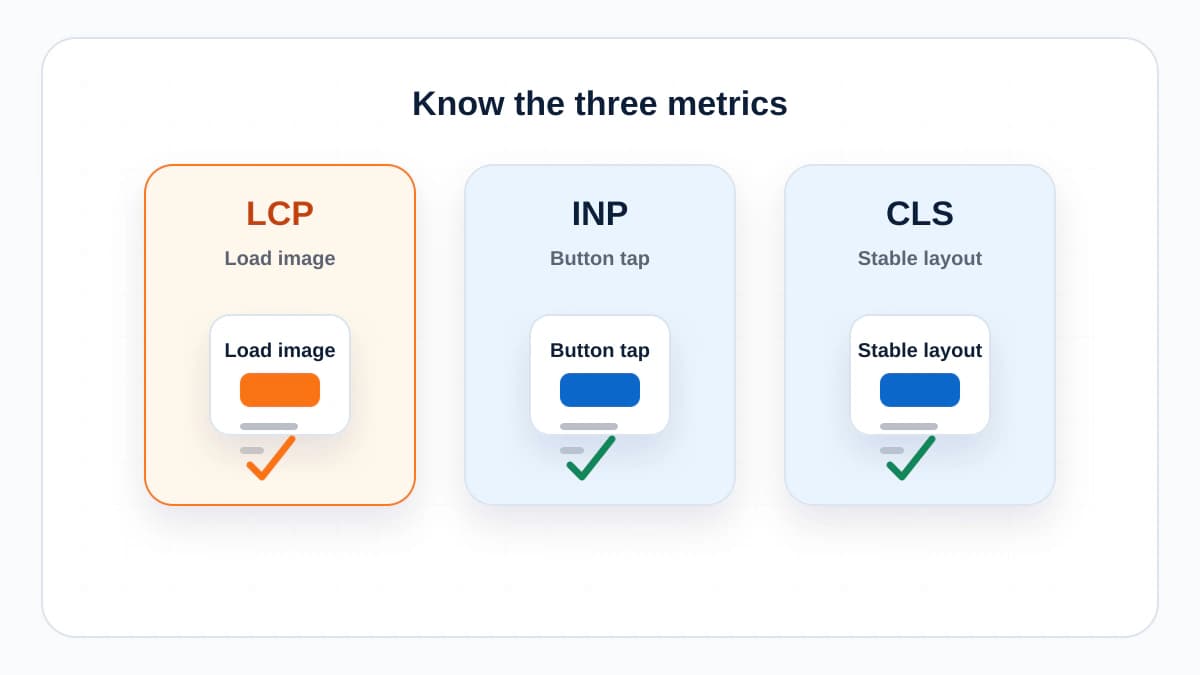
Know the Three Metrics
- Largest Contentful Paint measures loading. Good is 2.5 seconds or less.
- Interaction to Next Paint measures responsiveness. Good is 200 milliseconds or less.
- Cumulative Layout Shift measures visual stability. Good is 0.1 or less.
Google and web.dev evaluate these at the 75th percentile. That means you are trying to give most real visitors a good experience, not just produce one perfect lab run on a fast laptop.
Fix LCP First
LCP is usually about the largest visible element near the top of the page. On many sites, that is a hero image, article image, large heading, or block of text. If it loads late, the page feels slow even if smaller assets arrive quickly.
- Compress and resize hero images.
- Use modern image formats where possible.
- Preload the true LCP image when appropriate.
- Avoid hiding the main content behind slow client-side rendering.
- Reduce render-blocking CSS and unnecessary scripts.
Fix INP by Reducing Main Thread Pressure
INP replaced older interaction metrics because it better reflects how a page responds throughout a visit. If clicks feel delayed, look for heavy JavaScript, long tasks, expensive third-party scripts, and components that re-render too much.
The fix is not always to remove JavaScript. Often it is to delay non-critical scripts, split work into smaller chunks, simplify expensive UI behavior, and avoid loading tools that are not needed on that page.
Fix CLS by Reserving Space
Layout shift is usually caused by things arriving without reserved space: images, ads, embeds, banners, late-loading fonts, or injected content. The user goes to tap a link and the page moves. That is bad UX even when the page looks fine after loading.
- Set width and height on images and embeds.
- Reserve ad and banner space before they load.
- Avoid inserting content above existing content.
- Use font loading settings that reduce late text movement.
- Test on mobile, not only desktop.
Use Field and Lab Data Together
Search Console and CrUX-style field data show what real users experienced. PageSpeed Insights and Lighthouse-style lab data help diagnose causes. Do not panic when they differ. They answer different questions.
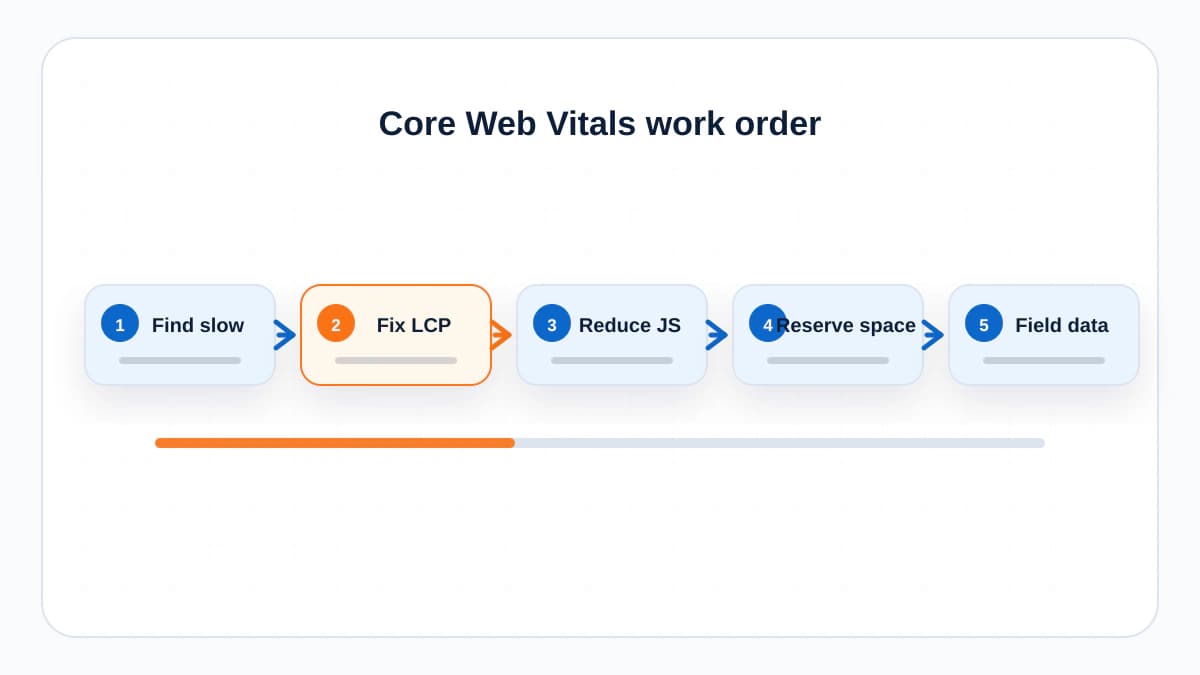
A Practical Order of Work
- Open the Core Web Vitals report in Search Console.
- Choose the affected page group with the most important URLs.
- Test one representative URL in PageSpeed Insights.
- Fix the largest LCP issue first.
- Remove or delay scripts hurting INP.
- Reserve space for shifting elements.
- Deploy, validate, and wait for field data.
The Bottom Line
Core Web Vitals are not about chasing a perfect score. They are about removing the performance problems users actually feel. Fix the visible, repeated issues first, then stop when the page is fast, stable, and pleasant enough to use.
Frequently Asked Questions
What are the current Core Web Vitals?
The current Core Web Vitals are Largest Contentful Paint, Interaction to Next Paint, and Cumulative Layout Shift.
How long does Search Console take to show Core Web Vitals fixes?
Field data updates gradually because it is based on real user visits. Lab tools can show whether a fix works immediately, but Search Console reports may take weeks to settle.
Do Core Web Vitals guarantee better rankings?
No. They are one part of page experience. Relevant, helpful content still matters more, but poor performance can hurt users and conversions.
Sources and References

Written by
Bibek Thapa
AI-Powered Digital Growth Strategist
Bibek Thapa works across AI workflows, SEO, AI search optimization, content strategy, website growth, and productivity systems. Anobee documents practical lessons, tools, experiments, and systems for improving digital presence.
- AI workflows
- Digital growth
- SEO
- GEO
- AEO
- Content strategy
- Website growth