SEO & AI Search
Technical SEO Mistakes Bloggers Make: What to Check, and in What Order
By Bibek Thapa · Updated · 13 min read
Quick Answer
Most technical SEO mistakes fall into three groups: the same page reachable at more than one URL, pages Google cannot crawl or index, and markup that describes the page incorrectly. Check indexing before speed, because a page Google has not indexed cannot be slow in a way that matters. Google's own documentation settles most of these, and Search Console will show you which apply to you.
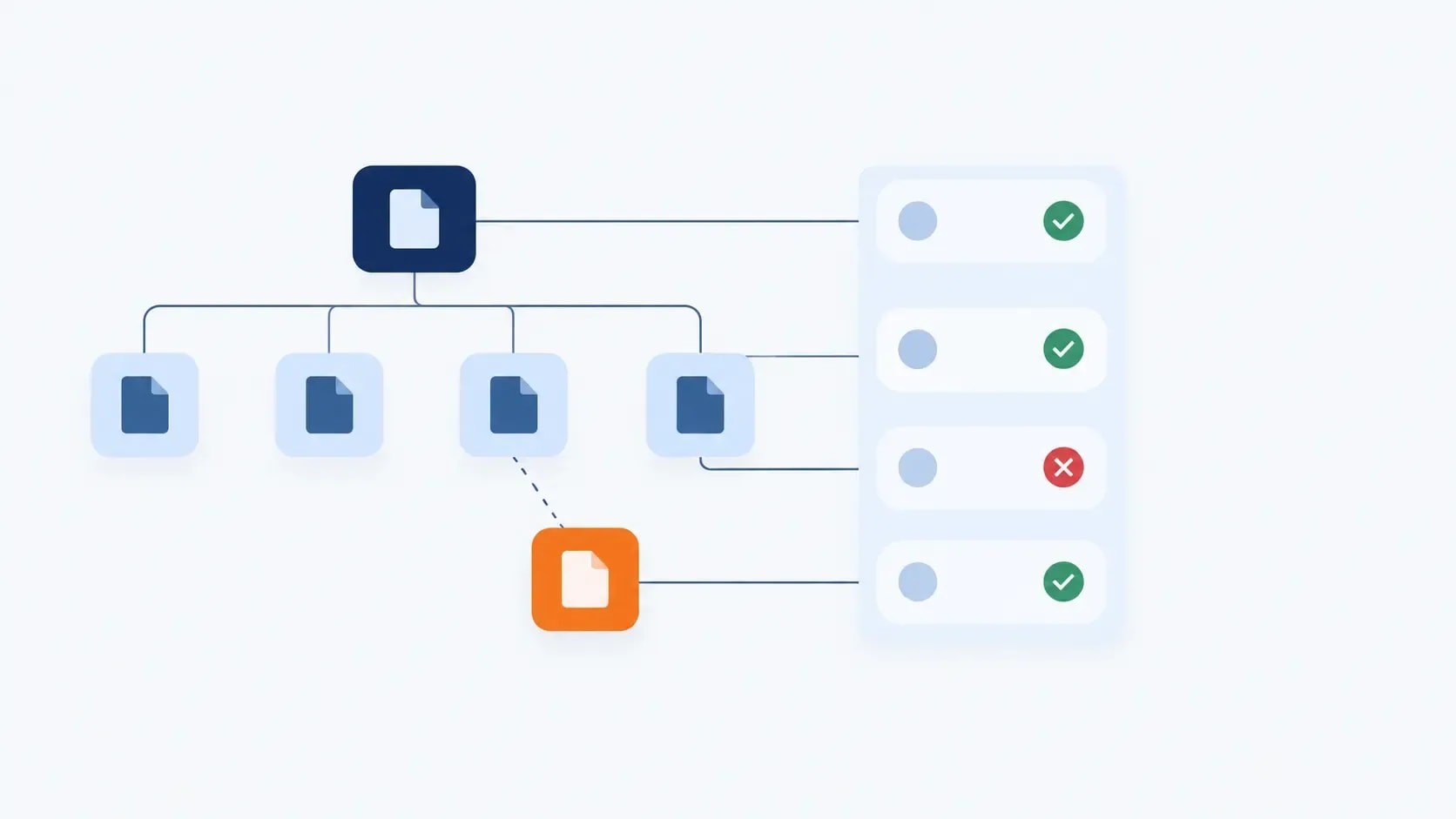
Table of ContentsOn this page
- What counts as a technical SEO mistake
- Technical SEO mistakes found auditing this site
- Mistake 1: The same page reachable at two URLs
- Mistake 2: Using robots.txt to keep pages out of the index
- Mistake 3: Archive pages diluting a small site
- Mistake 4: Redirect chains
- Mistake 5: A sitemap that disagrees with the rest of the site
- Mistake 6: Article markup that omits the useful parts
- Mistake 7: Images failing Core Web Vitals
- Mistake 8: Misreading what blocking AI crawlers does
- The tools that find technical SEO mistakes, and what they cost
- A prioritised technical SEO checklist
- Bottom line on technical SEO mistakes
- Frequently Asked Questions
- Sources and References
Key Takeaways
- Google says robots.txt is not a way to keep pages out of search; a blocked page linked from elsewhere can still be indexed.
- Blocking Google-Extended does not affect inclusion or ranking in Google Search, so it is not an SEO mistake.
- Redirects are the strongest canonical signal, rel=canonical a strong one, and sitemap inclusion only a weak one.
- Article structured data has no required properties; datePublished, dateModified, author and image are recommended.
- Screaming Frog's free version stops at 500 URLs, and a licence costs £199 a year per user.
- This site's own audit found two real defects and one harmless one, all documented below.
Rather than assert a list of technical SEO mistakes and leave you to guess whether they apply, this refresh does two things differently. Every claim is checked against Google's current documentation, and the checks were run against this site, on 28 September 2026, with the results published below whether they were flattering or not.
That turned up a correction in the previous version of this page. It told readers that blocking Google-Extended means "opting out of every AI Overview". Google's crawler documentation says the opposite: Google-Extended "does not impact a site's inclusion in Google Search nor is it used as a ranking signal in Google Search" [3]. It governs Gemini model training, not Search.
Two other things are gone. The SIGNAL framework was invented for the article, and the page never even expanded what the six letters stood for. A claim that early llms.txt adopters were building an advantage "much harder to replicate in two years" was a prediction dressed as a finding, so it has been removed rather than re-dated.
What counts as a technical SEO mistake
A technical SEO mistake is a configuration that stops Google crawling, indexing or understanding a page you intended to rank. However, it is not the same as a page that ranks poorly. That is usually a content problem wearing a technical disguise.
The order matters more than the list. Indexing problems make everything downstream irrelevant. Meanwhile, structured data affects how a page appears rather than whether it appears, and Core Web Vitals sit last. A page Google has not indexed cannot be too slow in any way that counts.
Technical SEO mistakes found auditing this site
Running the checks below against anobee.com on 28 September 2026 produced three findings. Publishing them is the point. Ultimately, an audit you cannot see the results of is a claim rather than evidence.
| Check | Result |
|---|---|
| Duplicate URLs | Defect. The trailing-slash URL 308-redirects to the no-slash form, and canonical, og:url and the sitemap all agree on no-slash. Even so, Search Console reports impressions against the trailing-slash URL, so both forms are in Google's records |
datePublished in Article markup | Defect. The BlogPosting JSON-LD carries dateModified but no datePublished, which Google lists as a recommended property [4] |
| Publisher logo set to the favicon | Not a defect. Google's Article documentation no longer lists a publisher logo among recommended properties [4], so this one looked worse than it is |
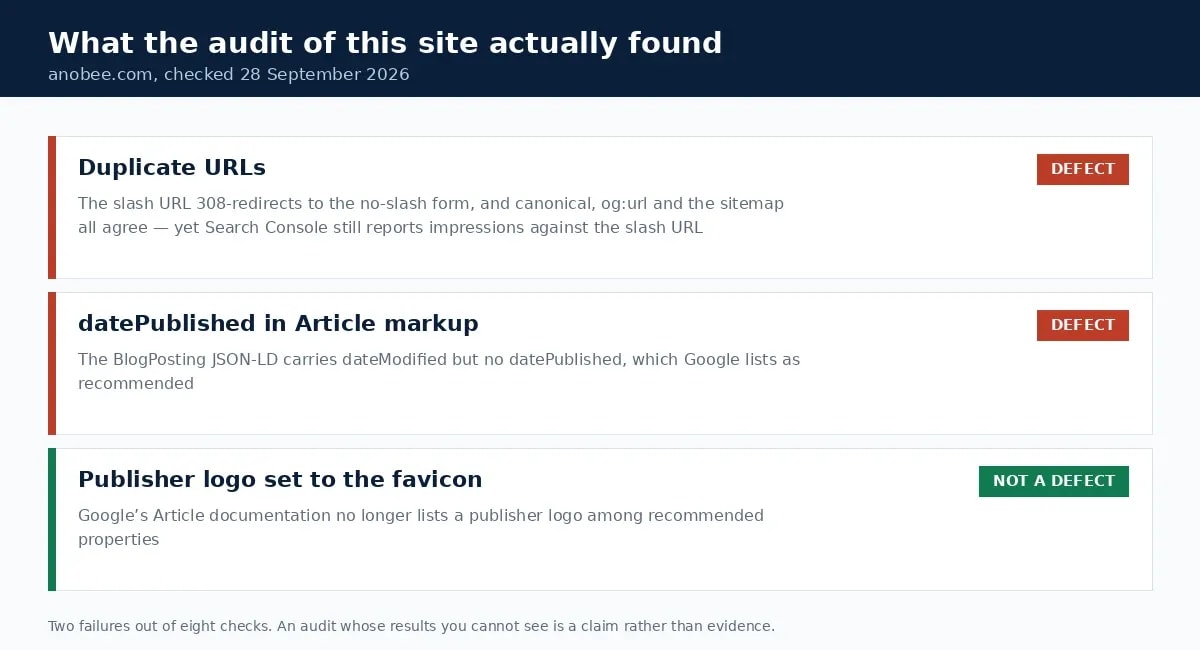
The third line is there deliberately. Technical SEO advice accumulates rules that used to matter. Consequently, re-checking them against current documentation is most of the work in an audit.
Mistake 1: The same page reachable at two URLs
This is the most common finding on small sites, and the one this site has. Trailing slash versus no slash, www versus bare domain, http versus https, or a URL carrying tracking parameters. Each variant is a separate URL to Google, even when the content is identical.
Google's guidance ranks the fixes by strength. A redirect is "a strong signal that the target of the redirect should become canonical", rel="canonical" is a strong signal for the URL it names, and sitemap inclusion is only "a weak signal" [1]. Consequently the reliable fix is a redirect, with the canonical tag agreeing with it.
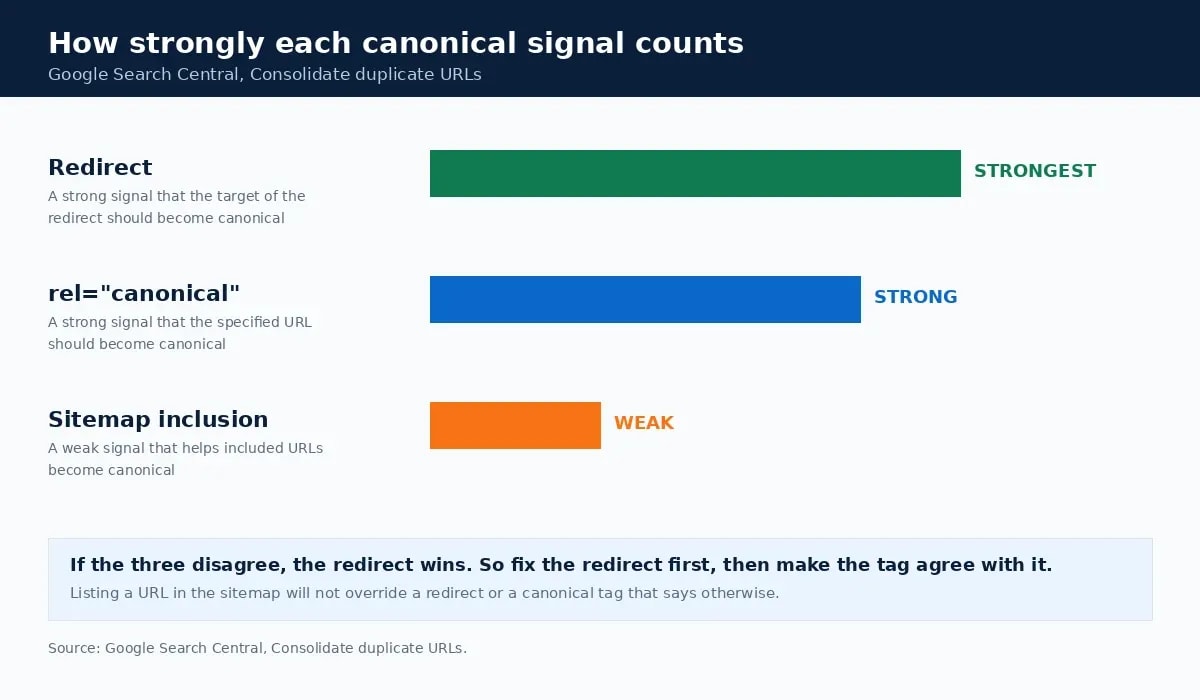
To check your own site, request both variants and read the status code:
curl -s -o /dev/null -w "%{http_code} %{redirect_url}\n" https://example.com/post
curl -s -o /dev/null -w "%{http_code} %{redirect_url}\n" https://example.com/post/
One should return 200 and the other should 308 or 301 to it. Otherwise, if both return 200, you have two pages where you meant to have one.
Mistake 2: Using robots.txt to keep pages out of the index
Google is explicit here: "Don't use a robots.txt file as a means to hide your web pages ... from Google Search results" [2]. A disallowed page that another site links to can still be indexed, appearing without a description [2].
Robots.txt manages crawler traffic. To keep a page out of the index, use a noindex meta tag on a page Google is allowed to crawl, or put it behind a password. Indeed, blocking and noindexing the same URL is self-defeating. The crawler never sees the noindex it was told to obey.
The related mistake is blocking resources. Google allows blocking unimportant script or style files "if you think that pages loaded without these resources won't be significantly affected" [2]. Therefore blocking the CSS and JavaScript your layout depends on is the version that causes harm.
Mistake 3: Archive pages diluting a small site
On WordPress, tag and category archives are generated by default, and a blog with 60 posts can easily produce several hundred thin archive URLs. Search Console's Pages report will show them, usually under "Crawled - currently not indexed" or "Duplicate without user-selected canonical".
The fix is a decision rather than a plugin setting. Keep the archives a reader would use for navigation, and noindex the rest. Category pages with a real description and a curated list earn their place. Conversely, tag pages generated from a single use of a tag do not.
Note the intent behind the query here. Most searches that land on this page are WordPress ones, and this is the technical SEO mistake that is genuinely WordPress-specific. Similarly, on a hand-built or headless site, archives exist only if somebody chose to build them.
Mistake 4: Redirect chains
Of the technical SEO mistakes on this list, redirect chains accumulate most quietly. A redirect pointing at another redirect wastes crawl requests and loses a little at each hop. One hop is normal. Three is a maintenance failure that accumulates after a slug change, a category rename and a domain migration, each done without revisiting the last.
Map old URLs to their final destination in one step. Meanwhile, the audit habit that prevents chains is updating the existing rule when you add a redirect, rather than stacking a new one on top.
Mistake 5: A sitemap that disagrees with the rest of the site
A sitemap should list exactly the URLs you want indexed, in their canonical form. Additionally, three disagreements are common: URLs that redirect, URLs marked noindex, and URLs in a form the canonical tag contradicts.
None of these is fatal, because sitemap inclusion is only a weak canonical signal [1]. Even so, they are cheap to fix, and they make Search Console's reports readable, which matters more than the ranking effect. The XML sitemap guide covers submission and the reports that follow.
Mistake 6: Article markup that omits the useful parts
Markup errors are the technical SEO mistakes that break nothing visible, which is why they last. Google's Article documentation states there are no required properties, and recommends adding the ones that apply [4]. Among those recommendations are datePublished and dateModified in ISO 8601 format, an author following Google's author guidance, and an image that represents the article rather than a logo [4].
That is where this site failed its own audit. dateModified is present and datePublished is not. It is a small omission, and exactly the kind that survives for months because nothing visibly breaks.
Test markup with the Rich Results Test rather than assuming a plugin emitted it correctly. The structured data guide walks through reading the output.
Mistake 7: Images failing Core Web Vitals
The thresholds are LCP under 2.5 seconds, INP under 200 milliseconds and CLS under 0.1, measured at the 75th percentile [6]. On a content page the main image is usually the LCP element, which makes image delivery the dominant variable.
Two rules cover most of it. Never lazy-load the image that paints largest, and always declare width and height so the layout does not shift. Also, the image optimization guide covers format choice and the rest of the sequence.
Mistake 8: Misreading what blocking AI crawlers does
This is where the previous version of this article was wrong, and the distinction is worth stating precisely because the three crawlers do different jobs.
- Googlebot crawls for Google Search. Blocking it removes you from Search, including from AI Overviews, which are built on Search's index.
- Google-Extended governs whether content is used to train Gemini models and for grounding in Gemini Apps and Vertex AI. Google states it "does not impact a site's inclusion in Google Search nor is it used as a ranking signal in Google Search" [3].
- GPTBot, ClaudeBot and PerplexityBot belong to other companies. Blocking them affects those products, not Google.
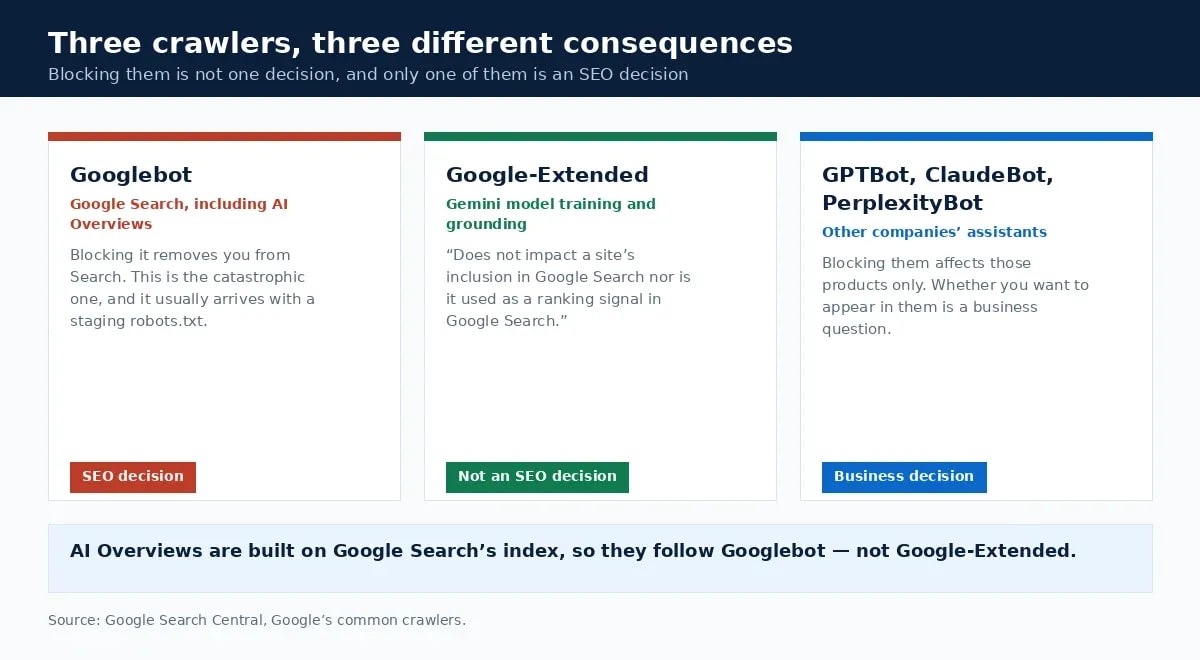

Therefore blocking Google-Extended is a decision about model training rather than a technical SEO mistake. Blocking Googlebot is the actual catastrophe, and it happens most often when a staging site's robots.txt reaches production.
The tools that find technical SEO mistakes, and what they cost
Search Console finds most technical SEO mistakes for free, and it reports what Google actually did rather than what a crawler predicts. The Pages report answers indexing questions, and URL Inspection answers canonical ones for a specific URL.
Crawlers add the site-wide view. Screaming Frog's free version crawls 500 URLs, and a licence is £199 per year per user, lasting one year [5]. For a blog under 500 URLs the free version is the whole tool. Nevertheless, the previous version of this article never mentioned that limit while recommending six different Screaming Frog reports.
A prioritised technical SEO checklist
Work down this list of technical SEO mistakes in order, not across it:
- Both URL variants of one post, checked with
curl: one 200, one redirect. - Search Console Pages report read end to end, starting with anything under "Not indexed".
robots.txtchecked for blanket disallows and for blocked CSS or JavaScript.- Redirects mapped to their final destination in a single hop.
- Sitemap containing only canonical, indexable URLs.
- Article markup carrying
datePublished,dateModified,authorand a representativeimage[4]. - LCP image not lazy-loaded, with width and height declared.
- AI crawler rules reviewed as a business decision rather than an SEO one [3].
Bottom line on technical SEO mistakes
Technical SEO rewards checking over believing. Most rules that circulate were true once, applied to a different platform, or were never true at all. Furthermore, the documentation that settles them is free and public. Run the checks against your own site in the order above, publish or at least record what you find, and fix the indexing problems before you touch a single image. When this site ran its own list, it failed two of the eight checks, which is roughly what an honest audit looks like.
Frequently Asked Questions
What are the most common technical SEO mistakes?
The same page being reachable at more than one URL, using robots.txt to try to keep pages out of the index, letting archive pages dilute a small site, redirect chains, and structured data that omits the dates and author. Each is checkable in Search Console, and none of them needs a paid tool to find.
Does blocking AI crawlers hurt SEO?
Blocking Google-Extended does not. Google states plainly that it "does not impact a site's inclusion in Google Search nor is it used as a ranking signal in Google Search", because it governs Gemini model training rather than Search. Blocking GPTBot or ClaudeBot affects those assistants' access, which is a separate business decision from SEO.
Can robots.txt keep a page out of Google?
No. Google's documentation says not to use robots.txt to hide pages from Search, because a disallowed page that is linked from another site can still be indexed without being crawled. Use a noindex tag or password protection for that, and reserve robots.txt for managing crawler traffic.
Which technical SEO mistake should you fix first?
Anything that affects indexing, before anything that affects speed. A page Google has not indexed gains nothing from a faster Largest Contentful Paint. Start with duplicate URLs and crawl or index errors in Search Console, then move to structured data, then to Core Web Vitals.
Do you need Screaming Frog to audit a blog?
Not for a small site. The free version crawls 500 URLs, which covers most blogs, and a licence is £199 a year per user. Search Console's Pages report and the URL Inspection tool cover indexing and canonical questions at no cost, and they report what Google actually did rather than what a crawler predicts.
Sources and References
Was this guide helpful?
Your answer helps Anobee improve future updates.

Written by
Bibek Thapa
AI-Powered Digital Growth Strategist
Bibek Thapa works across AI workflows, SEO, AI search optimization, content strategy, website growth, and productivity systems. Anobee documents practical lessons, tools, experiments, and systems for improving digital presence.
- AI workflows
- Digital growth
- SEO
- GEO
- AEO
- Content strategy
- Website growth