Content & Marketing
Email Marketing Guide for Beginners: What to Send, and How to Get It Delivered
By Bibek Thapa · Updated · 12 min read
Quick Answer
Email marketing is sending messages to people who asked to hear from you, then measuring what they do next. Start with a welcome email that delivers what was promised, send on a predictable rhythm, and authenticate your domain with SPF, DKIM and DMARC. Do not judge performance on open rates: Apple's Mail Privacy Protection stops senders seeing whether a message was opened.
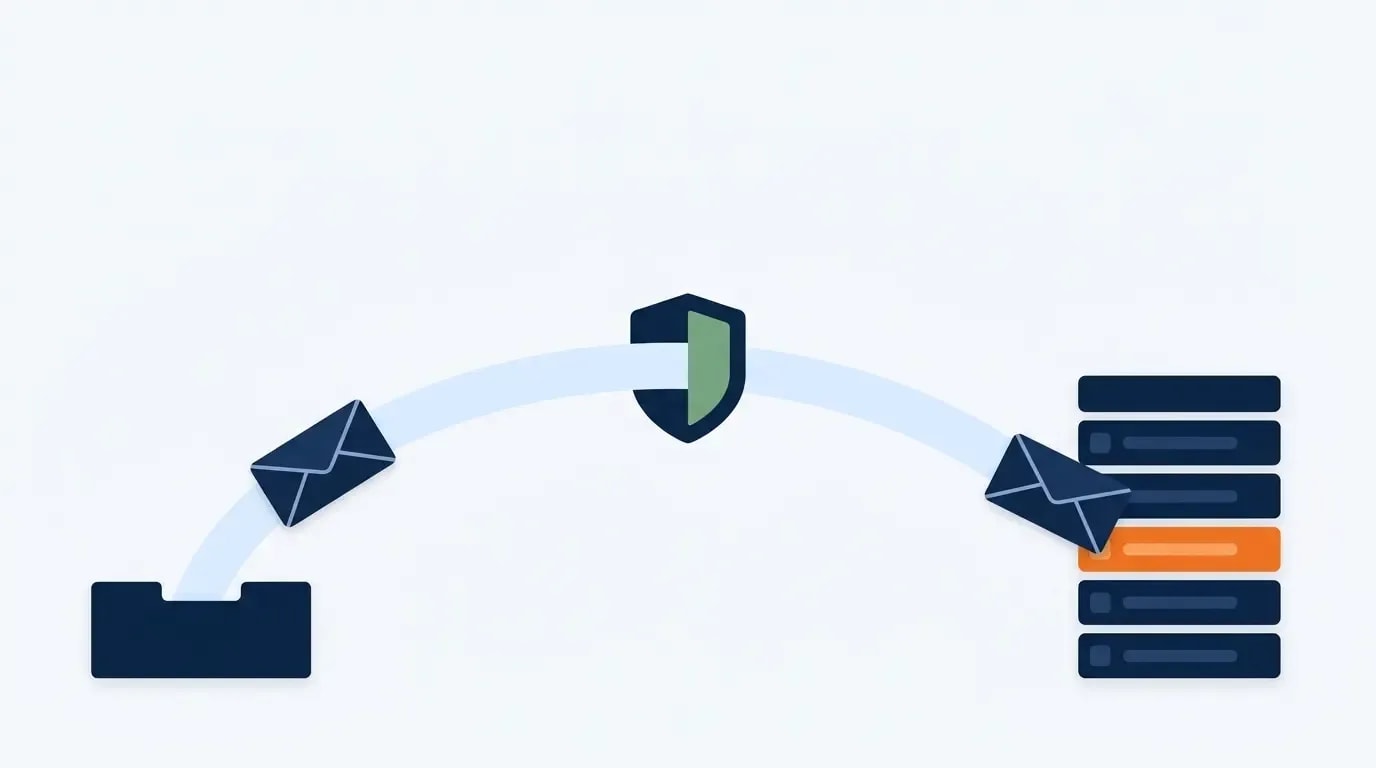
Table of ContentsOn this page
- Why email marketing open rates stopped meaning anything
- What email marketing is, once the list exists
- The five emails worth sending
- Step 1: Pick a platform, then stop thinking about it
- Step 2: Write the welcome email properly
- Step 3: Send on a rhythm people can predict
- Step 4: Meet the inbox providers' requirements
- Step 5: Measure what email marketing can still measure
- Staying legal
- Common beginner mistakes
- Bottom line on email marketing for beginners
- Frequently Asked Questions
- Sources and References
Key Takeaways
- Apple's Mail Privacy Protection prevents senders from seeing whether an email was opened, so open rates are unreliable.
- Google asks senders to keep Postmaster Tools spam rates below 0.10% and never to reach 0.30%.
- Yahoo asks senders to keep spam rates below 0.3% and to honour unsubscribe requests within two days.
- Bulk senders above 5,000 messages a day to Gmail need SPF, DKIM, DMARC and one-click unsubscribe.
- CAN-SPAM requires honouring opt-outs within 10 business days and a valid physical postal address in every email.
- Clicks, replies, unsubscribes and revenue per subscriber still measure honestly; opens no longer do.
One fact makes most beginner email marketing advice obsolete, and this page was repeating it. Apple's Mail Privacy Protection "prevents senders from seeing if you've opened the email message they sent you" [1]. The previous version of this guide told readers to aim for a 20–30% open rate, to expect 40–60% on welcome emails, and to test subject lines for a 10–20% lift. None of those numbers can be measured reliably any more.
Two other things needed fixing. The page rendered a broken sentence on the live site — "generating 36 for every 36 for every1 spent" — where dollar signs had been stripped from a $36-per-$1 ROI claim that no traceable study supports anyway. A second mangled figure appeared further down. Both are gone, along with the invented Email Growth Engine framework and three headings that had the phrase "Email Marketing Guide for Beginners" jammed into them.
The scope has also been tightened. Getting subscribers in the first place is covered properly in the email list building guide, including what each platform's free plan includes. This page starts where that one ends: what to send, how to reach the inbox, and what is still worth measuring.
Why email marketing open rates stopped meaning anything
Mail Privacy Protection hides the recipient's IP address so senders cannot determine their location. Moreover, it stops senders seeing whether a message was opened [1]. It does this by preloading images, including the invisible pixel that open tracking depends on.

The consequence is not that open rates fell. Instead, they became a blend of real human opens and automated preloads, in a proportion that varies with how many of your subscribers use Apple Mail. A reported 45% open rate might be 20% real, or 40%, and nothing in the dashboard tells you which.
Two habits follow from that. Stop setting goals against open rate, and stop declaring subject-line tests won on it. Meanwhile, the metrics further down the funnel still record something a person actually did, which is why the measurement section of this guide starts there.
What email marketing is, once the list exists
Email marketing is the practice of sending messages to people who gave permission, with a specific outcome in mind. The permission part is what makes it work. Similarly, the outcome part is what separates it from publishing a newsletter into the void.
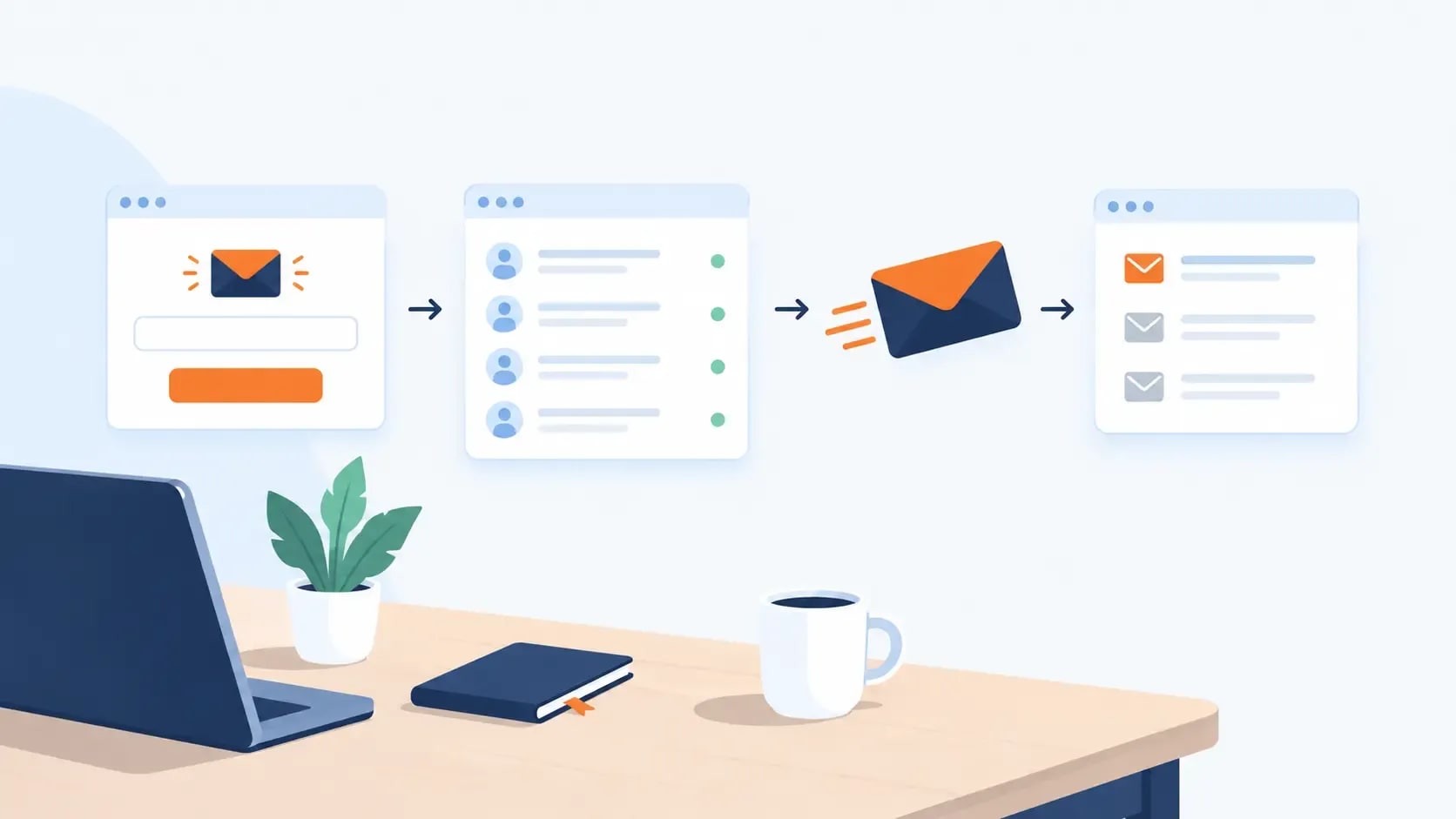
The mechanics are simple enough to describe in a sentence. A platform stores the addresses, you write and send, and the inbox provider decides whether it arrives. However, most beginner difficulty sits in that third step, which is the part almost no beginner guide covers.
The five emails worth sending
Most successful programmes run on a small number of message types. Additionally, each one has a different job, which is why sending the same thing every week rarely works.
- The welcome email. Delivers whatever was promised at signup, immediately, with the link near the top.
- The regular send. One useful idea on a predictable schedule. This is the bulk of the programme.
- The sequence. Three or four messages that run automatically after signup, setting expectations and showing what you do.
- The offer. Clear, occasional, and honest about being an offer. Subscribers mind these far less than most beginners fear.
- The re-engagement email. Sent to people who have not clicked in months, asking plainly whether they want to stay.

That last one matters more than it sounds. Google recommends periodically confirming that recipients still want to be subscribed [2]. Consequently, an unengaged segment quietly drags down deliverability for everyone else on the list.
Step 1: Pick a platform, then stop thinking about it
Platform choice absorbs far more beginner attention than it deserves. Any current provider handles sending, forms, tags and automation competently. Instead, the differences sit in free-tier limits and pricing rather than capability.
For orientation: Kit's free plan covers up to 10,000 subscribers but keeps visual automations on paid tiers [6], while MailerLite's free plan stops at 250 subscribers and does include three automations [7]. The full comparison, including beehiiv and the paid tiers, sits in the email list building guide.
Pick one, connect your domain, and move on. Migrating later is tedious rather than difficult. Ultimately, the cost of deliberating for three weeks is three weeks of not sending.
Step 2: Write the welcome email properly
The welcome email is the only message you can be certain is wanted, because the person requested it seconds earlier. Deliver the thing at the top. No company history, no manifesto, no preamble about your journey.
After the delivery, three short lines do the rest of the work: who you are, what will arrive, and how often. Setting that expectation is the cheapest retention work available in email marketing. Indeed, skipping it is why so many lists shed subscribers in week two.
Ask for a reply in that first message if you can think of a genuine question. Replies are a strong engagement signal to inbox providers. Furthermore, they survive Mail Privacy Protection entirely.
Step 3: Send on a rhythm people can predict
Weekly or fortnightly beats daily for almost every beginner, because the constraint is not appetite but supply. A schedule you can hold for a year builds the habit on both sides. Conversely, a burst of daily sends followed by three silent months does the opposite.
Consistency matters technically as well as editorially. Sudden volume spikes after long silences look like exactly what spammers do. Therefore inbox providers treat them accordingly.
One practical note on content: the content distribution checklist covers turning one article into a send, which is how most small operations keep a weekly rhythm without writing twice.
Step 4: Meet the inbox providers' requirements
This is the step beginner guides skip, although it decides whether any of the previous steps matter. Google and Yahoo both publish what they expect.
| Requirement | Google [2] | Yahoo [3] |
|---|---|---|
| Authentication, all senders | SPF or DKIM, plus valid forward and reverse DNS | SPF or DKIM at minimum |
| Authentication, bulk senders | SPF, DKIM and DMARC, with an aligned From header | SPF, DKIM and DMARC; a DMARC policy is strongly urged |
| Spam complaint rate | Below 0.10%, never reaching 0.30% | Below 0.3% |
| One-click unsubscribe | Required above 5,000 messages a day | Supported via the List-Unsubscribe header |
| Unsubscribe handling | Easy opt-out in every message | Honour unsubscribes within two days |

Two practical readings of that table. First, the spam-complaint thresholds are tiny. One complaint per thousand sends is the ceiling Google asks for, which is why mailing people who barely remember subscribing does so much damage. Second, authentication is a one-time setup inside your platform's domain settings, and every provider documents it.
Do it before the first send. Thus you never have to repair a sender reputation, which is considerably harder than establishing one.
Step 5: Measure what email marketing can still measure
With opens compromised, five numbers carry the weight:
- Clicks on the primary link. One link per email makes this readable rather than ambiguous.
- Replies. Low volume, high signal, and impossible to fake through a preloaded image.
- Unsubscribe rate. A rising number means the content drifted from what was promised.
- Spam complaint rate, watched in Postmaster Tools against Google's 0.10% line [2].
- Revenue or conversions per subscriber. The only metric that answers whether the programme pays.
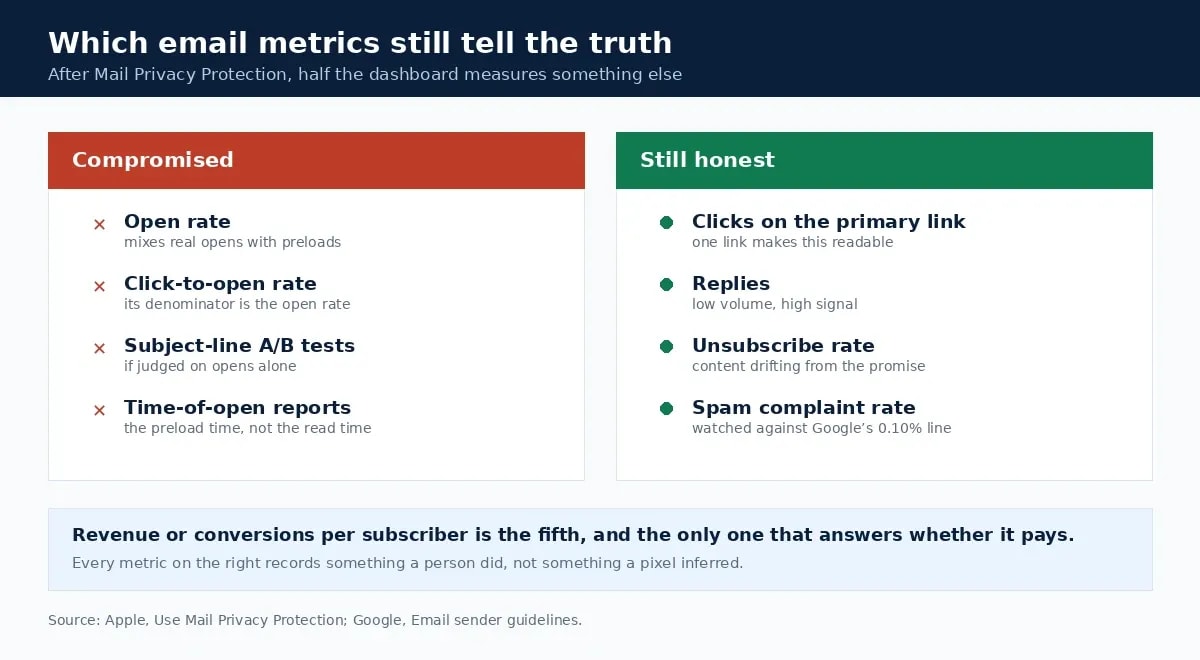
Click-to-open rate deserves a specific warning. It divides clicks by opens, and since the denominator is now unreliable, the ratio is too. Ultimately, if a tool reports it prominently, treat that as a sign the tool has not adapted.
Staying legal
In the United States, CAN-SPAM requires honouring an opt-out within 10 business days, including a valid physical postal address in every message, and never charging a fee or demanding extra information to unsubscribe. The FTC puts penalties at up to $53,088 per email in violation [4].
In the UK and EU, PECR generally requires consent before emailing an individual. Nevertheless, a narrow soft opt-in covers existing customers who bought something similar and were given an opt-out at collection and in every message since [5]. Bought lists satisfy none of that, and they damage the sender reputation your real subscribers depend on.
Common beginner mistakes
- Judging the programme on open rate. The number no longer measures what its name says [1].
- Skipping authentication. SPF, DKIM and DMARC take an afternoon and decide everything downstream.
- Waiting for a bigger list. A hundred engaged readers are worth more than a thousand who forgot signing up.
- Sending only when selling. Subscribers who hear from you only at launches learn to ignore launches.
- Importing contacts who never subscribed. Conference badges and old client lists are not consent [5].
- Putting six links in one email. Clicks become unreadable, and so does the intent behind them.
Bottom line on email marketing for beginners
The channel still works. However, the dashboard lies about one metric, and beginners keep building strategies on it. Send a welcome email that delivers immediately, keep a rhythm you can hold, authenticate the domain before the first send, and judge the programme on clicks, replies, complaints and revenue rather than opens. Everything else in email marketing is refinement on top of those four.
Frequently Asked Questions
What is email marketing?
Sending messages to people who gave you permission to contact them, with the aim of a specific outcome: a reply, a click, a purchase or a booking. It differs from every other channel in that you hold the addresses. No algorithm decides who sees the next message, and no platform change can take the list away.
Are email open rates still accurate?
No. Apple's Mail Privacy Protection prevents senders from seeing whether a message was opened, and it also hides the recipient's IP address and location. Any reported open rate now mixes real opens with automated preloads, so it is a directional signal at best and should never be the number a decision rests on.
How often should a beginner send emails?
On a rhythm you can hold, which for most people means every week or every two weeks rather than daily. Predictability matters more than frequency: subscribers who know when to expect you complain less and unsubscribe less, and inbox providers reward consistent sending volume over sudden bursts.
What do Gmail and Yahoo require from senders?
Both want authenticated mail and low complaint rates. Google asks for SPF or DKIM from every sender, plus DMARC and one-click unsubscribe above 5,000 messages a day, with spam rates below 0.10% and never at 0.30%. Yahoo asks for a spam rate below 0.3%, one-click unsubscribe support, and unsubscribes honoured within two days.
What should a beginner measure instead of opens?
Clicks on the one link that matters, replies, unsubscribe rate, spam complaint rate in Postmaster Tools, and revenue or conversions per subscriber. All five survive Mail Privacy Protection because they record something the recipient actually did rather than something an image pixel inferred.
Sources and References
Was this guide helpful?
Your answer helps Anobee improve future updates.

Written by
Bibek Thapa
AI-Powered Digital Growth Strategist
Bibek Thapa works across AI workflows, SEO, AI search optimization, content strategy, website growth, and productivity systems. Anobee documents practical lessons, tools, experiments, and systems for improving digital presence.
- AI workflows
- Digital growth
- SEO
- GEO
- AEO
- Content strategy
- Website growth