Quick Answer
Google AI Overviews use generative AI grounded in Google Search. For a query, Google may retrieve relevant pages through its ranking and quality systems, run related searches through query fan-out, and synthesize an answer with supporting links. An Overview appears only when Google's systems decide it adds value beyond classic Search, so not every query triggers one.

Table of ContentsOn this page
- Google AI Overviews explained in one minute
- What triggers a Google AI Overview?
- How do Google AI Overviews work step by step?
- How does Google choose AI Overview sources?
- How query fan-out changes Google AI Overviews
- AI Overviews vs AI Mode
- Why can Google AI Overviews change?
- Can you turn off Google AI Overviews?
- How Google AI Overview reporting works in 2026
- What Google AI Overviews mean for a website owner
- The bottom line
- Frequently Asked Questions
- Sources and References
Key Takeaways
- Google shows an AI Overview only when its systems decide a generated answer adds value beyond classic Search.
- AI Overviews can use retrieval-augmented generation and query fan-out to find current information across related subtopics.
- Supporting links come from Google's Search index, but Google does not publish a fixed trigger list or source-selection formula.
- AI Overviews and AI Mode can use different models and methods, so their answers and supporting links may differ.
- Search Console now provides a dedicated Generative AI report and a site-level control for inclusion in Google's AI features.
Google AI Overviews can make a search page feel less predictable. One query shows a generated answer with several links. Another gives you the familiar list of results. Even a small change in wording can lead to a different response.
The basic process is clearer than it looks. Google uses generative AI grounded in its Search index. Its systems can retrieve relevant pages, search related subtopics and combine useful information into a response with supporting links. An AI Overview appears only when Google decides that the generated response adds something beyond classic Search [1].
That last point matters. There is no public switch that a query must meet and no guaranteed list of trigger words. Google AI Overviews are part of Search, but they do not appear for every search.
This guide explains the documented process. It does not claim a private test, a hidden trigger score or access to Google's source-selection system.
Google AI Overviews explained in one minute
An AI Overview is a generated response inside Google Search. It aims to give the searcher a quick understanding of a complicated topic or question, then provides links for deeper reading [1].
A simplified flow looks like this:
- A person enters a search.
- Google's systems decide whether an AI Overview would add value.
- Search systems retrieve relevant and current web pages from the index.
- The feature may run related searches across subtopics through query fan-out.
- A generative model creates a response grounded in the retrieved information.
- Google displays links that support the response or help the person explore further.

This is not a separate search engine placed on top of Google. Google's current documentation says its generative features are rooted in the same core ranking and quality systems used by Search [2].
What triggers a Google AI Overview?
Google gives one firm answer: an AI Overview appears when its systems determine that the feature is additive to classic Search. Google also says the feature often does not trigger [1].
The word “additive” is important. A generated response may be useful when a question needs context from several angles or when the searcher wants the gist of a complicated subject. That does not create a rigid rule. An informational query is not guaranteed to show an Overview, and another type of query is not automatically excluded.

You may find third-party studies that report trigger rates by keyword length, industry or intent. Those studies describe the queries and locations they measured. They do not reveal Google's trigger formula, and their percentages should not be treated as universal rules.
What Google does not publish
Google does not provide:
- a fixed list of keywords that trigger AI Overviews
- a minimum query length
- a public trigger probability for each search
- a content format that makes an Overview appear
- a guarantee that the same supporting links will remain in place
The useful distinction is simple. Google controls whether an Overview appears. A publisher controls whether a page is crawlable, indexable and useful enough to be considered as a supporting source.
How do Google AI Overviews work step by step?
Google publishes enough information to explain the main stages, although it does not disclose the full ranking or generation system.
1. Google interprets the search
The system first has to understand what the person is trying to find. That includes the words in the query, their meaning and the context needed to produce a useful result.
Search intent is only one part of this step. A short query can hide several possible needs. A longer question may contain multiple subproblems. The system has to decide what information belongs in the answer before it can retrieve useful sources.
2. The system decides whether an Overview adds value
AI Overviews were designed for searches where a generated summary can provide additional help beyond the existing results page [1]. If the system does not see that benefit, classic results can appear without an Overview.
This decision is separate from source selection. A page cannot make Google trigger the feature. It can only be eligible for consideration if the feature does appear.
3. Google retrieves information from the Search index
Google describes its process as retrieval-augmented generation, often shortened to RAG. In plain language, the model does not rely only on what it learned during training. Search systems retrieve relevant, current pages from Google's index and use information from those pages to ground the response [2].
This corrects a common oversimplification. AI Overviews do not merely “scan the top ten results” and summarize them. Google's core ranking and quality systems help retrieve relevant pages, but the company does not publish a rule that limits supporting links to a fixed organic position.
4. Query fan-out explores related subtopics
AI Overviews and AI Mode may use query fan-out. The model creates several related searches, runs them across subtopics or data sources, and uses the retrieved results to address the original question [1].
Imagine a search for “how do Google AI Overviews work.” A useful response may need information about triggering, retrieval, supporting links and reporting. Query fan-out lets the system look for those connected parts instead of treating the original wording as one narrow lookup.

Google says the technique may be used. That wording matters. It does not mean every AI Overview runs the same number of searches or follows a public, repeatable query tree.
5. A model synthesizes the answer and adds links
The generative system combines information from the retrieved material into a response. Google then shows links that support the answer or give the searcher a useful route into the wider web.
Those links are not decoration. They let a person check the source, read more detail or explore another angle. Google continues to change how links, article suggestions and source previews appear in its AI search experiences, so the layout should not be treated as permanent.
How does Google choose AI Overview sources?
Google does not publish a complete source-selection formula. It does publish the eligibility floor and the role of its Search systems.
To appear as a supporting link, a page must be indexed and eligible to appear in Google Search with a snippet. There are no extra technical requirements created only for AI Overviews [1]. The retrieval process then uses Google's core ranking and quality systems to find relevant, current web pages [2].
This means two separate decisions are involved:
| Decision | What is documented |
|---|---|
| Can the page enter the candidate pool? | It must be indexed, snippet-eligible and compliant with Search requirements. |
| Will the page become a supporting link? | Google's systems assess relevance and quality for the search; the full selection logic is not public. |
Eligibility is not a promise. Google states that meeting its requirements and best practices does not guarantee crawling, indexing or serving [1].
Do sources have to rank in the top ten?
Google does not state that only top-ten organic pages can appear as supporting links. It also does not offer a second, public “AI citation rank” that replaces normal Search systems.
The safest conclusion is narrower: normal Search eligibility, relevance and quality still matter, while query fan-out can retrieve information across related searches. Claims about a required position or an ideal paragraph format go beyond what Google documents.
How query fan-out changes Google AI Overviews
Classic search can match one query with a ranked set of results. Query fan-out lets an AI feature break a more complicated need into related searches and retrieve information for several parts at once.
That can change the response in three ways:
- Broader coverage: The answer can include connected subtopics that were not stated word for word.
- More source opportunities: Different pages may support different parts of the response.
- More variation: A change in the interpreted subtopics can change both the answer and its links.
It does not mean Google creates a permanent cluster of fan-out queries for every keyword. Nor does it mean publishers should create a separate page for every guessed variation. Google's current guidance warns against making many pages for possible fan-out queries when the purpose is to manipulate rankings or generated responses [2].
AI Overviews vs AI Mode
AI Overviews and AI Mode are related, but they are not identical.
| Feature | Main job | Interaction | Sources |
|---|---|---|---|
| AI Overviews | Give the gist of a topic or question within Search | A generated snapshot with routes to explore further | Supporting web links appear with the response |
| AI Mode | Support deeper research, reasoning and comparison | A conversational experience with follow-up questions | Links support the answer and further exploration |
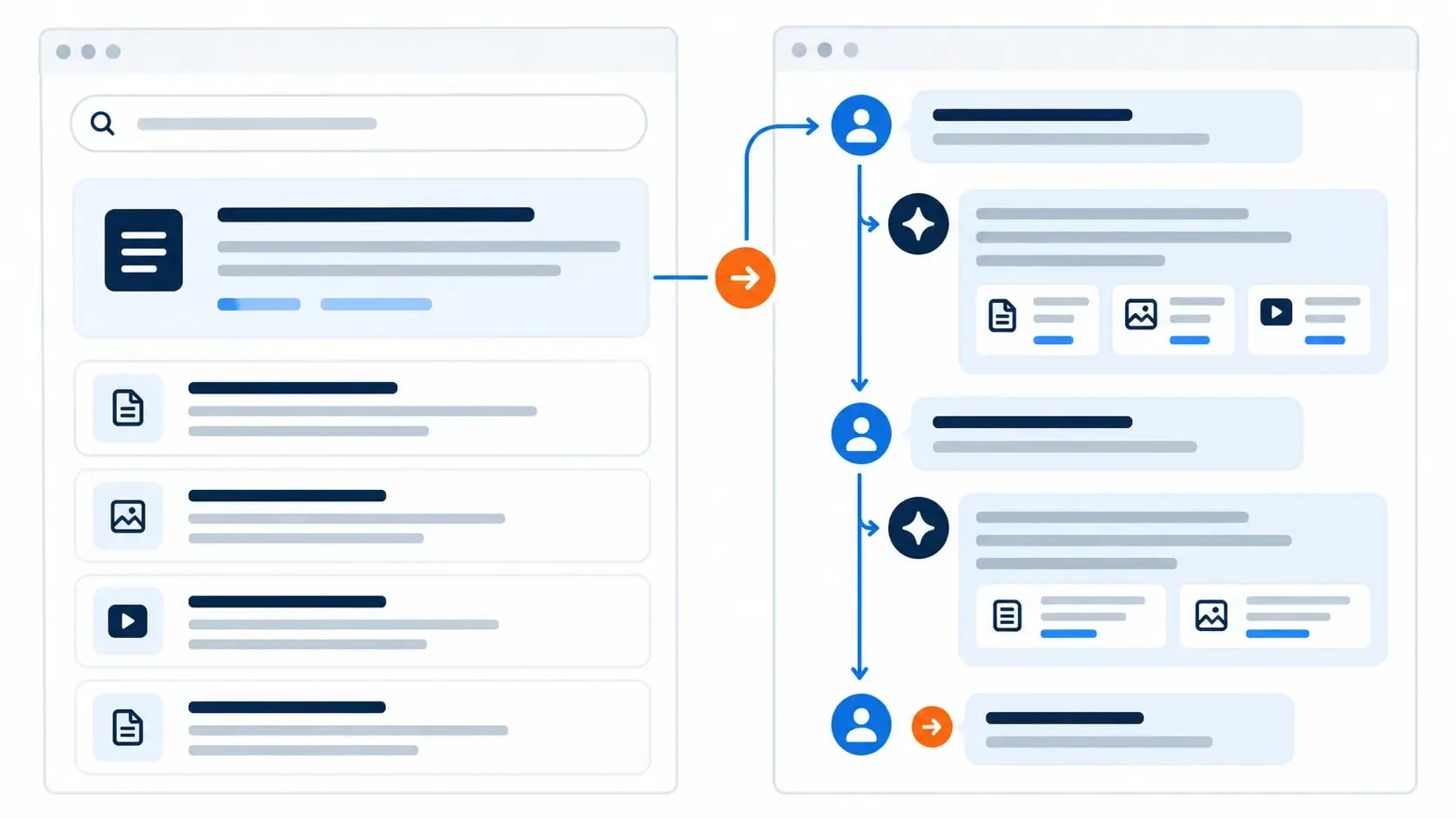
Google says the two features may use different models and techniques. Their responses and supporting links can therefore vary [1]. On supported mobile experiences, a person can also move from an expanded AI Overview into a conversation in AI Mode while carrying over the original context [3].
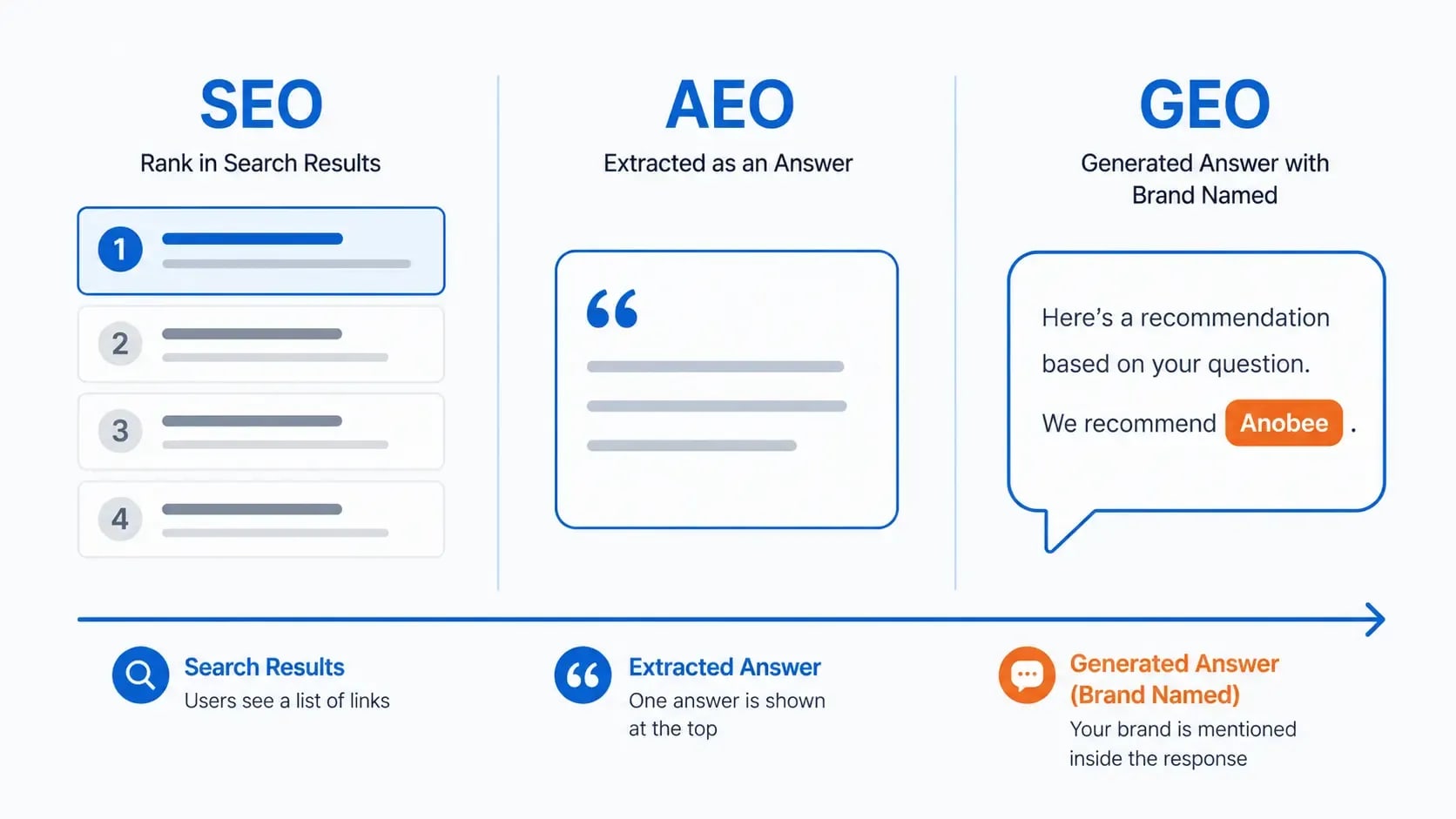
If the terminology feels crowded, Anobee's SEO, GEO and AEO comparison separates the publishing disciplines from the Google product labels.
Why can Google AI Overviews change?
An AI Overview is generated for a search; it is not a fixed paragraph attached permanently to one keyword. The interpreted need, retrieved pages, available information and models used by the feature can all affect the response.
Google explicitly says AI Overviews and AI Mode may use different models and methods, so their answers and links will vary [1]. Search results also change as pages are added, removed, updated or re-evaluated.
This is why one screenshot is evidence of what appeared at that moment, not proof of a permanent trigger pattern. A useful test record needs the exact query, date, location, device, signed-in state and visible sources. Without those details, “I tested it” tells the reader very little.
Can you turn off Google AI Overviews?
The answer depends on whether you are a searcher or a site owner.
For a person using Google Search
Google describes AI Overviews as a core Search feature, so there is no permanent switch to turn them off. After running a search, you can choose the Web filter to view text-based links without features such as AI Overviews [3].
For a verified site owner
Search Console now has a Search generative AI control. As of August 31, 2026, Google says the control is available to websites worldwide. The default option includes a site's links and content in supported generative AI features. A verified owner can instead exclude the site, which prevents its content from appearing as links or grounding those responses [4].
The control covers AI Overviews, AI Mode and supported generative AI features in Discover. Excluding a site also removes the opportunity to receive traffic or impressions from those features. That makes it a publishing decision, not a cosmetic preference.
How Google AI Overview reporting works in 2026
Search Console reporting changed after the original version of this article was published.
Google rolled out a dedicated Generative AI performance report to websites worldwide on August 31, 2026. The report includes impressions from AI Overviews and AI Mode. It can group the data by page, country, date and device [5].
The dedicated report is useful, but its scope is specific:
- it reports impressions rather than a complete citation-by-query log
- it groups pages by their final or canonical URL
- it does not include experiments running in Search Labs
- it may not appear when a property has too little qualifying data

Clicks from AI Overviews still count when a person follows an external link. For position reporting, Google treats an AI Overview as one Search position and assigns that position to all links inside it [6].
That measurement model answers “Was my site shown?” more clearly than before. It does not show the full generated answer, the exact wording around every link or every prompt that led to an impression. If you need a wider record across Google and other answer engines, Anobee's AI citation-checking workflow explains how to keep a consistent manual log.
What Google AI Overviews mean for a website owner
Understanding the system is useful. It should not turn into a second set of invented SEO rules.
Google says there are no special technical requirements for AI Overviews beyond normal Search eligibility. It also says publishers do not need AI-specific text files, special schema or a required “chunking” format [1] [2].
The practical boundary is straightforward:
- You cannot force an AI Overview to trigger.
- Keep important pages crawlable, indexable and useful.
- Google does not guarantee that it will select your page as a source.
- Review official reporting and improve pages that fail the reader's task.
For the implementation side, use Anobee's working guide to generative engine optimization. It covers eligibility, evidence, trust, corroboration and measurement without presenting them as a citation guarantee.
The bottom line
How do Google AI Overviews work? Google decides whether a generated response will add value, retrieves relevant information through its Search systems, may explore related subtopics through query fan-out, and uses generative AI to produce an answer with supporting links.
The trigger and source-selection formulas are not public. The parts Google does document are enough to avoid the common myths: not every query triggers an Overview, sources are not limited to a stated top-ten rule, and no special markup forces inclusion.
Use the supporting links when an answer matters. For your own site, use Search Console to check impressions and control inclusion, then keep normal SEO and reader value at the center of the work.
Frequently Asked Questions
What triggers a Google AI Overview?
Google says an AI Overview appears when its systems decide a generated response adds value beyond classic Search. Complicated questions and topics may benefit from synthesis, but Google does not publish a fixed list of query types or a trigger score.
Does every Google search show an AI Overview?
No. Google says AI Overviews often do not trigger. The system decides whether the feature is useful for the particular search, and the response and supporting links can vary.
Where do Google AI Overview sources come from?
Supporting links come from pages in Google's Search index. A page must be indexed and eligible to appear in Search with a snippet. Google uses its core ranking and quality systems to retrieve relevant, current information, but it does not publish the complete source-selection formula.
Can I turn off Google AI Overviews?
A searcher cannot switch off AI Overviews as a core Search feature, but the Web filter shows text-based links without AI features. Verified site owners can use Search Console's Search generative AI control to include or exclude their site from supported Google AI features.
Can Google AI Overviews give a wrong answer?
Yes. Google warns that AI Overviews can make mistakes. Check important information in more than one place and open the supporting links, especially for decisions involving health, money, law or safety.
Sources and References
- Google Search Central - AI Features and Your Website ↩
- Google Search Central - Optimizing for Generative AI Features ↩
- Google Search Help - AI Overviews in Google Search ↩
- Google Search Console Help - Search Generative AI Control ↩
- Google Search Console Help - Generative AI Performance Report ↩
- Google Search Console Help - Clicks, Impressions and Position ↩
Was this guide helpful?
Your answer helps Anobee improve future updates.

Written by
Bibek Thapa
AI-Powered Digital Growth Strategist
Bibek Thapa works across AI workflows, SEO, AI search optimization, content strategy, website growth, and productivity systems. Anobee documents practical lessons, tools, experiments, and systems for improving digital presence.
- AI workflows
- Digital growth
- SEO
- GEO
- AEO
- Content strategy
- Website growth