SEO & AI Search
How to Check If AI Is Citing Your Website (2026 Test)
By Bibek Thapa · Updated · 12 min read
Quick Answer
To check if AI is citing your website, run the same audience-focused prompts in ChatGPT Search, Perplexity, Gemini and Google AI features. Open every source link and record the engine, date, exact prompt, cited URL, supported claim and whether your brand was merely mentioned. Repeat the fixed test monthly; one answer is an observation, not a trend.

Table of ContentsOn this page
- What counts as an AI citation?
- How to check AI citations across four platforms
- Use a free sheet to check AI citations
- Anobee's recorded citation test
- How to check AI citations when the result is zero
- Use Search Console and analytics for supporting evidence
- When a paid tracker becomes useful
- What to improve after the test
- Frequently Asked Questions
- Sources and References
Key Takeaways
- A brand mention names you; a citation links a specific page; a referral is a resulting visit. Track each outcome separately.
- Use identical, realistic prompts and record the engine, mode, market, account state and date so later checks remain comparable.
- Open each cited URL and verify the claim it supports instead of counting source cards without checking them.
- Anobee recorded one ChatGPT Search citation on July 26, 2026; that single result does not establish a citation rate or cause.
- Start with a free monthly prompt log, then consider paid monitoring only when repeated manual checks become too slow.
To check AI citations, inspect the answers your audience is likely to see. You do not need a visibility score to begin.
Run one useful prompt in ChatGPT Search, Perplexity, Gemini and Google's AI search features. Open the sources. Note whether your brand is absent, mentioned without a link or cited with a link to a specific page. Then repeat the test under the same conditions.
But a promising screenshot can still tell you very little. One answer does not show how often your site appears, whether the result will repeat or why the page was selected.
Research note: Platform interfaces and publisher controls were verified on September 2, 2026. This refresh also preserves a first-person Anobee test recorded in the earlier version of this article. The result is reported with its original date and limits rather than presented as a current platform-wide benchmark.
What counts as an AI citation?
An AI citation is a source link in or beside a generated answer that points to a specific webpage. The link gives the reader a way to check the source.
Also, a citation is different from a mention: an assistant can name your brand without linking your site. A referral happens only when somebody clicks the source link and reaches your website.
| Outcome | What appears in the answer | What to record |
|---|---|---|
| Absent | No brand name and no page from your domain | Prompt, engine, date and competing sources |
| Mention | Your brand is named without a linked page | Exact wording, context and sentiment |
| Citation | A source link points to a specific URL on your domain | Exact URL, cited claim and source position |
| Referral | A person clicks through to your site | Landing page, source or campaign data and engagement |
Accordingly, give each outcome its own column. A mention does not prove that your page was used, and a citation does not guarantee a visit.
How to check AI citations across four platforms
You can run a useful test for free. Choose a small set of questions, check them separately in each platform, inspect the sources and save enough context to repeat the work later.
Step 1: choose prompts that reflect real search intent
Instead, start with 10 to 20 questions your audience might ask before they know your brand exists. Each prompt should map to a page you actually publish.
Build the list around questions such as:
- informational questions your guides answer
- problem-solving questions tied to a clear task
- comparisons or alternatives relevant to a buying decision
- questions with a market, audience or constraint when location changes the answer
Also, include one or two branded prompts as a separate entity-recognition check. Keep those results apart from non-branded visibility. A prompt that contains your brand makes a mention easier and answers a different question.
Skip vague head terms that no single page can answer well. Instead, keep the wording identical across platforms so you do not compare different questions.
Step 2: define the test conditions
Before you open an assistant, write down the conditions you will keep fixed:
- exact prompt wording
- engine and product surface
- model or search mode when the product displays it
- country and language
- signed-in or signed-out state
- personalization or memory state when you can control it
- test date and local time
Use a new conversation for each independent prompt. Save the raw answer or a screenshot when the platform allows it.
You cannot make four different products behave identically. However, you can make your own process consistent enough to see what changed between two observations.

Step 3: check ChatGPT Search
Open ChatGPT and confirm that the response uses web search. Paste the exact prompt from your test sheet.
ChatGPT Search responses may include inline citations. On desktop, you can open a citation directly or use the Sources panel when it appears. Because OpenAI warns that search results and citations can be incomplete, outdated or incorrect, clicking the source is part of the test [1].
Save five details:
- whether Anobee or your brand is named
- whether a source points to your domain
- the exact cited URL
- which statement appears to use that source
- whether the linked page supports the statement
If ChatGPT names the brand but provides no source from the domain, mark it as a mention. Do not upgrade it to a citation because the wording sounds accurate.
OpenAI uses OAI-SearchBot as the publisher control for ChatGPT Search discovery. GPTBot is a separate control for potential model training [2]. If your site should appear in search, check both robots.txt and any CDN or firewall rules for OAI-SearchBot access.
Step 4: check Perplexity
Run the same prompt in Perplexity and inspect its numbered source links. Perplexity describes its answers as web-backed responses with citations linking to original sources [3].
The domain name alone is not enough. Open the source and save the full page URL. A homepage citation, an old URL and the page you intended to surface are three different outcomes.
Also, save the competing domains. They may point to a missing source type or a page that matches the question better. But the answer cannot explain the cause by itself.
Perplexity recommends allowing PerplexityBot and its published IP ranges when a site wants to appear in its search results [7]. This access check establishes eligibility. It does not guarantee that the platform will select the page.
Step 5: check Gemini without misclassifying related links
Gemini Apps may show a Sources button or inline related links, but not every response includes them. Google also explains that a link found through Gemini's double-check feature is not necessarily a source used to generate the original response [4].
Therefore, keep two fields so the distinction survives your reporting:
- source or citation shown with the original Gemini response
- related or double-check link found afterwards
Only the first belongs in your citation count. A double-check link can help you verify the answer, but it is not proof that Gemini used that page to produce the response.
Step 6: check Google AI Overviews and AI Mode
Search the same topic in the target country and language. If an AI Overview appears, open its supporting links. Run the prompt in AI Mode separately when that product is available to you.
Google says AI Overviews and AI Mode use its core Search ranking and quality systems. A page must be indexed and eligible to appear with a snippet before it can appear as a supporting link, but eligibility does not guarantee inclusion [5].
Do not treat Google-Extended as the control for Search visibility. Google states that the token does not affect inclusion or ranking in Google Search [8]. For Google AI Overviews and AI Mode, ordinary Google Search crawl and index controls remain the relevant foundation.
Step 7: verify every cited URL
Finding a source card is only half the check. Open it and answer six questions:
- Does the URL load successfully?
- Does it resolve to your domain without an unexpected redirect?
- Is it the canonical page you intended?
- Which statement in the AI answer does the link appear to support?
- Does the page actually support that statement?
- Is the answer using current information?
Also, keep incorrect citations as a separate outcome. Visibility is not useful when an assistant sends readers to an obsolete page or attaches your source to an unsupported claim.
Use a free sheet to check AI citations
You do not need specialist software for the first baseline. A spreadsheet works. Give every prompt-and-engine combination its own row.
| Field | Example or purpose |
|---|---|
| Test date | 2026-09-02 |
| Prompt ID | P01 |
| Exact prompt | The question copied into the platform |
| Engine | ChatGPT Search, Perplexity, Gemini or Google AI Mode |
| Mode or model | Record only what the interface shows |
| Country and language | Nepal, English |
| Account context | Signed out, clean session, or named test profile |
| Mention status | Absent, mentioned or recommended |
| Citation status | No citation or cited |
| Cited URL | Full source URL, not only the domain |
| Supported claim | The statement connected to the source |
| Accuracy | Supported, partly supported, unsupported or stale |
| Competing sources | Other cited domains and URLs |
| Evidence | Saved answer or screenshot reference |
| Next action | Technical, editorial, authority or no action |

Also, keep the raw observations beside any summary. A score without the cited URLs and answers is difficult to audit.
Calculate a simple within-engine citation rate
For one engine and one fixed test period:
Citation rate = prompts with at least one citation to your domain ÷ total prompts tested × 100
Calculate mention rate separately. Do not combine results from engines with different prompt counts, dates or markets into one headline number.
But this is your own measurement convention, not an official platform metric. It becomes useful only when the prompts and test conditions stay stable.
Anobee's recorded citation test
This page already contains one result worth keeping from its earlier version.
| Test field | Recorded observation |
|---|---|
| Date | July 26, 2026 |
| Platform | ChatGPT with web search enabled |
| Query | “keyword research for nepali blog” |
| Result | ChatGPT linked anobee.com as a source alongside one other domain |
| Cited page | Anobee's keyword-research guide for Nepali blogs |
The result is a genuine citation observation, but it is not a citation-rate study.
However, only one prompt and one platform were recorded. No comparable Perplexity, Gemini or Google AI result was documented for the same date. The result also does not show why ChatGPT selected the page or whether it would return the same citation today.
The record proves one narrow point: the test captured a linked citation for a non-branded query. It also shows why a repeatable process to check AI citations matters. The next useful step is to rerun a fixed multi-platform prompt set and publish the positive and zero results together.
A separate technical check on September 2, 2026 found that Anobee's robots.txt allowed general crawling except for the site's internal search path. That removes one obvious access block. It does not prove that any assistant crawled, indexed or selected a particular article.
How to check AI citations when the result is zero
Zero citations is a result, not a diagnosis. Check the possible causes in a sensible order.
Confirm the test itself
Check that web search was active where required, the prompt matched a real page and the same wording was used across observations. Make sure you did not count Gemini's double-check links as original sources.
Check technical eligibility
Confirm that the intended page:
- returns a successful status
- is not blocked by a noindex directive
- declares the intended canonical
- is internally linked from relevant pages
- appears in the site's sitemap when appropriate
- can be accessed by the search crawler or bot you intend to allow
For ChatGPT Search, inspect OAI-SearchBot access rather than assuming GPTBot controls search. For Perplexity, inspect PerplexityBot and the related firewall rules. For Google AI features, start with ordinary Search indexing and snippet eligibility.
Compare the cited pages with yours
Read the pages the assistant selected. Look for something concrete they contribute:
- a clearer answer to the exact question
- original data, documentation or first-hand evidence
- a page type better matched to the prompt
- stronger corroboration from other sources
- more current information
These are clues, not confirmed causes. Therefore, treat each one as a question to investigate rather than a conclusion about the platform's selection logic.
Check whether the problem is a mention, citation or accuracy gap
Match the next action to the outcome.
| Observed gap | Useful next check |
|---|---|
| No mention and no citation | Entity clarity, relevance, crawl/index eligibility and external corroboration |
| Mention without a citation | Whether a first-party page answers the prompt and adds source-worthy evidence |
| Citation to the wrong page | Canonicals, redirects, internal links and which page best satisfies the intent |
| Citation to a third-party page about you | Accuracy of that description and whether your own source supports the missing facts |
| Citation to your page with a wrong claim | Correct the page if needed and preserve evidence of the inaccurate answer |
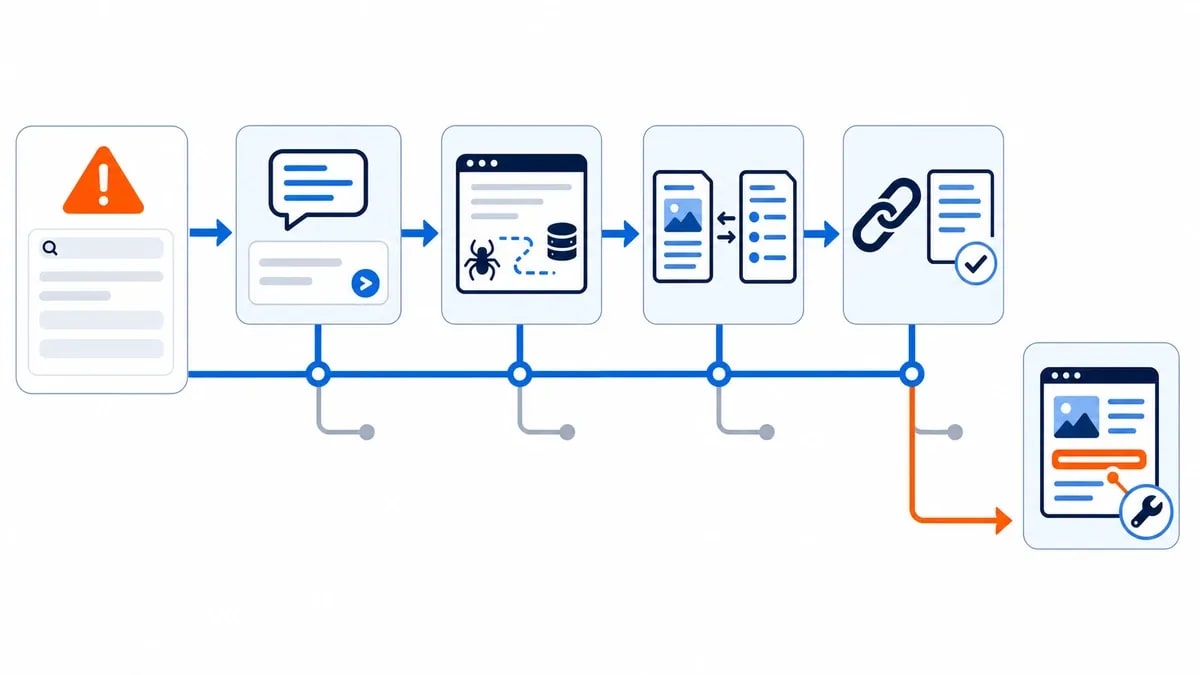
Do not rewrite every page after one zero. One response is too small a sample to distinguish a stable gap from ordinary variation.
Use Search Console and analytics for supporting evidence
Manual tests show the answer and its sources. Meanwhile, platform and website data show different parts of the journey.
Google introduced dedicated Generative AI performance reports in Search Console in June 2026. The rollout began with a subset of websites, and the report can show impressions, pages, countries, devices and dates for Google's generative AI features when it is available in your property [6].
For ChatGPT referrals, OpenAI says referral URLs include the utm_source=chatgpt.com parameter [2]. Use that source value in analytics to identify visits, then inspect landing pages and engagement.
Neither dataset replaces the prompt log. Search Console does not report ChatGPT, Perplexity or Gemini citations. Analytics records visits, not unclicked citations or answers where your site was absent.
When a paid tracker becomes useful
Although manual testing is manageable with a small prompt set and one market, it becomes slow once you add engines, locations, competitors and frequent checks.
Before paying, make sure the tool preserves:
- the exact prompt
- engine, mode, date and location
- the raw answer
- mention and citation outcomes separately
- exact cited URLs
- competing brands and sources
- exportable history
Anobee's comparison of AI visibility tracking tools explains the tradeoffs between a free prompt log and paid monitoring. Start with the method in this guide so you know which prompts are worth automating.
What to improve after the test
Ultimately, your test should lead to a specific next step.
Fix technical access when the intended page cannot enter the candidate pool. Improve the page when its answer is buried, stale or unsupported. Add real evidence when competing pages contribute something yours does not. Strengthen entity consistency when the assistant confuses the brand with another organization.
For ChatGPT-specific eligibility and publishing work, continue with Anobee's guide to earning ChatGPT citations. For the wider operating system, use the generative engine optimization guide.
Once you can check AI citations consistently, keep the routine small: fix the prompt, inspect the source, record the conditions and repeat the test. That gives you evidence you can act on without pretending one answer is a ranking.
Frequently Asked Questions
How do I know if ChatGPT cites my website?
Use ChatGPT Search for a question your target reader would ask. Open the inline citation or Sources panel, confirm the link resolves to your domain and record the exact URL. A brand name without a clickable source is a mention, not a citation.
Can an AI assistant mention my brand without citing my website?
Yes. A response can name a brand without linking any page from its website. Record that as a mention. It shows presence in that answer, but it does not prove that the assistant retrieved or relied on your page.
How often should I check AI citations?
A monthly check is a manageable starting point for a small site. Keep the prompts and test conditions fixed. Check more often only when a launch, correction or fast-moving topic gives you a clear reason.
Why does the same AI citation change between checks?
Answers may vary with the engine, model or mode, date, location, account context and available web results. Save the raw answer and test conditions so you can separate normal variation from a meaningful trend.
Do I need a paid AI citation checker?
No. A spreadsheet and direct checks in each platform are enough for a small baseline. Paid tools become useful when you need recurring checks across many prompts, markets, engines or competitors.
Sources and References
- OpenAI Help Center - Searching the Web with ChatGPT ↩
- OpenAI Help Center - Publishers and Developers FAQ ↩
- Perplexity Help Center - What Is Perplexity? ↩
- Google Gemini Apps Help - View Related Sources and Double-Check Responses ↩
- Google Search Central - Optimizing Your Website for Generative AI Features ↩
- Google Search Central - Introducing Generative AI Performance Reports in Search Console ↩
- Perplexity Documentation - Perplexity Crawlers ↩
- Google Crawling Infrastructure - Google-Extended ↩
Was this guide helpful?
Your answer helps Anobee improve future updates.

Written by
Bibek Thapa
AI-Powered Digital Growth Strategist
Bibek Thapa works across AI workflows, SEO, AI search optimization, content strategy, website growth, and productivity systems. Anobee documents practical lessons, tools, experiments, and systems for improving digital presence.
- AI workflows
- Digital growth
- SEO
- GEO
- AEO
- Content strategy
- Website growth