Automation & Productivity
A Simple Weekly Productivity System for Digital Work
A calm weekly system for planning, producing, reviewing, and improving digital work without adding unnecessary complexity.
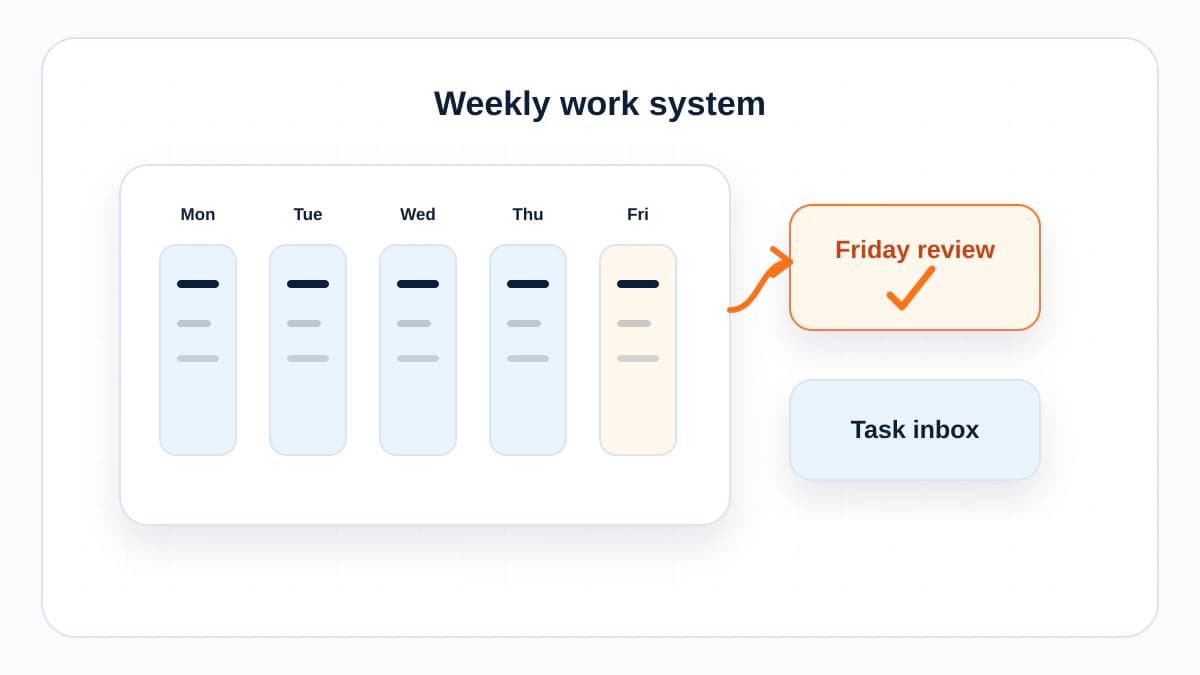
By Bibek Thapa · Published Jul 30, 2026 · Updated Aug 10, 2026 · 5 min read
Quick Answer
A useful weekly productivity system has four parts: plan the week around outcomes, block focused production time, capture and process loose tasks, and run a short weekly review. Keep the system small enough to use when work gets busy, because that is when it matters most.
Key Takeaways
- A productivity system should reduce decisions, not create another project.
- Plan outcomes before tasks so busy work does not crowd out important work.
- Use AI for drafts, summaries, and checklists, but keep priorities human.
- A weekly review turns scattered work into a repeatable improvement loop.
Table of Contents
Most productivity systems fail because they ask for a calmer life than you actually have. Digital work is messy: messages arrive mid-task, priorities shift, tools multiply, and half-finished ideas hide in five different places.
The goal is not to become perfectly organized. The goal is to make Monday less vague, protect a few serious work blocks, and end Friday knowing what changed.
The Weekly Loop
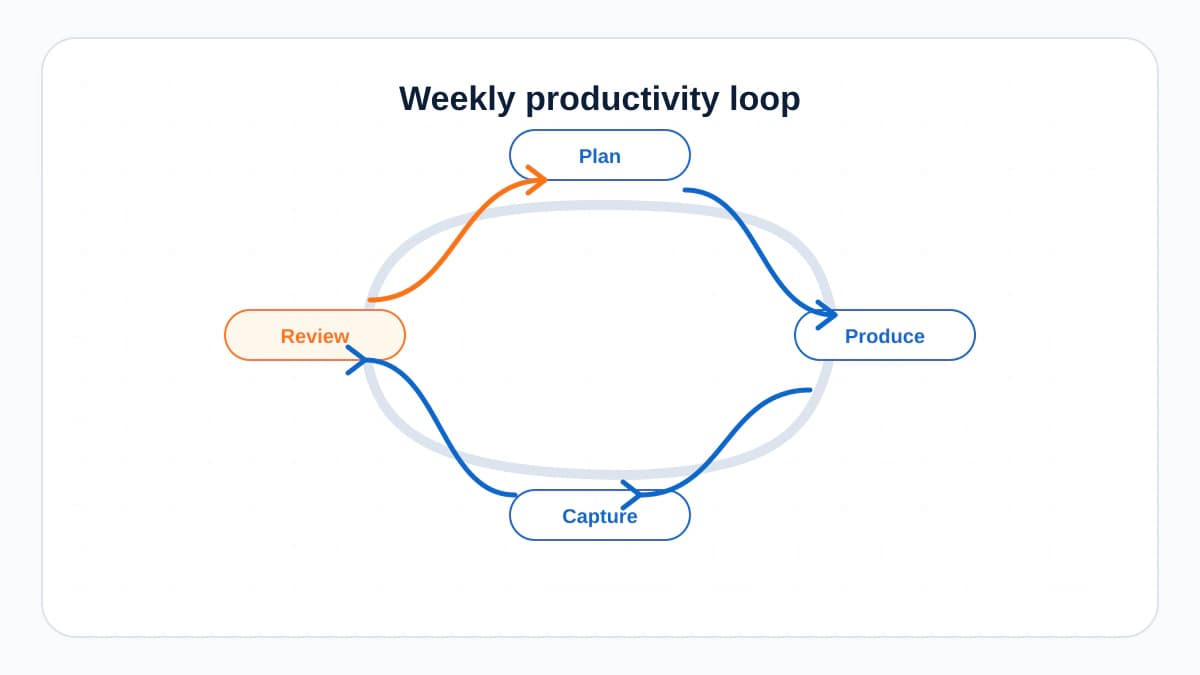
A simple weekly system has four movements: plan, produce, process, and review. If those happen every week, the system is working. If the tool looks beautiful but those movements do not happen, the system is decoration.
1. Plan Outcomes, Not Just Tasks
Start the week by choosing three outcomes. An outcome is a finished result, not an activity. Write article draft is weaker than publish the Core Web Vitals article and add internal links from the SEO hub.
- What must be true by Friday?
- Which work creates the most leverage?
- Which task is blocked by someone else?
- What can be delayed without real damage?
2. Protect Production Blocks
Digital work often requires context: writing, editing, analysis, design, planning, coding, and review. Put the highest-value work into protected blocks before the week fills with reactive tasks.
A useful block is specific. Instead of deep work, write: Draft H2 to H4 of technical SEO article. Instead of admin, write: Process invoices and send two follow-up emails.
3. Capture Loose Tasks
A task system only works if there is one trusted capture point. It can be Notion, Todoist, a notebook, a simple notes app, or a spreadsheet. The tool matters less than the rule: do not keep tasks in your head.
4. Use AI as a Support Layer
AI is useful for turning messy inputs into something easier to process. Ask it to summarize a meeting, extract action items, turn a goal into a checklist, draft an email, or compare two possible plans. Do not ask it to decide what matters most. That is your job.
5. Review Before Planning Again
The weekly review is where the system improves. Spend 20 minutes answering four questions: What shipped? What got stuck? What created value? What should change next week?
A Friday Review Template
- Shipped: list finished outcomes.
- Carried forward: list unfinished work that still matters.
- Dropped: remove tasks that no longer deserve attention.
- Learned: note one process improvement.
- Next week: choose the first draft of your top three outcomes.

Keep It Small
The more complex a productivity system becomes, the more likely you are to avoid it when work gets busy. A useful system should survive a bad week. If it needs perfect discipline, it is not a system. It is a wish.
The Bottom Line
Plan three outcomes, protect focused blocks, capture loose work, and review every Friday. That is enough structure to make digital work calmer without turning productivity into another job.
Frequently Asked Questions
What should a weekly productivity system include?
It should include outcome planning, task capture, focused work blocks, communication windows, and a short review at the end of the week.
How can AI help with productivity?
AI can summarize notes, turn meetings into tasks, draft checklists, organize ideas, and help prepare first drafts. It should not decide your priorities for you.
Why do productivity systems fail?
They usually fail because they are too complex, too tool-focused, or disconnected from real weekly work.
Sources and References

Written by
Bibek Thapa
AI-Powered Digital Growth Strategist
Bibek Thapa works across AI workflows, SEO, AI search optimization, content strategy, website growth, and productivity systems. Anobee documents practical lessons, tools, experiments, and systems for improving digital presence.
- AI workflows
- Digital growth
- SEO
- GEO
- AEO
- Content strategy
- Website growth