
Automation & Productivity
n8n vs Zapier vs Make for a One-Person Business
A practical n8n, Zapier and Make comparison based on billing units, free limits, workflow complexity and the maintenance a solo operator must absorb.
By Bibek Thapa · Published Aug 30, 2026 · 13 min read
Quick Answer
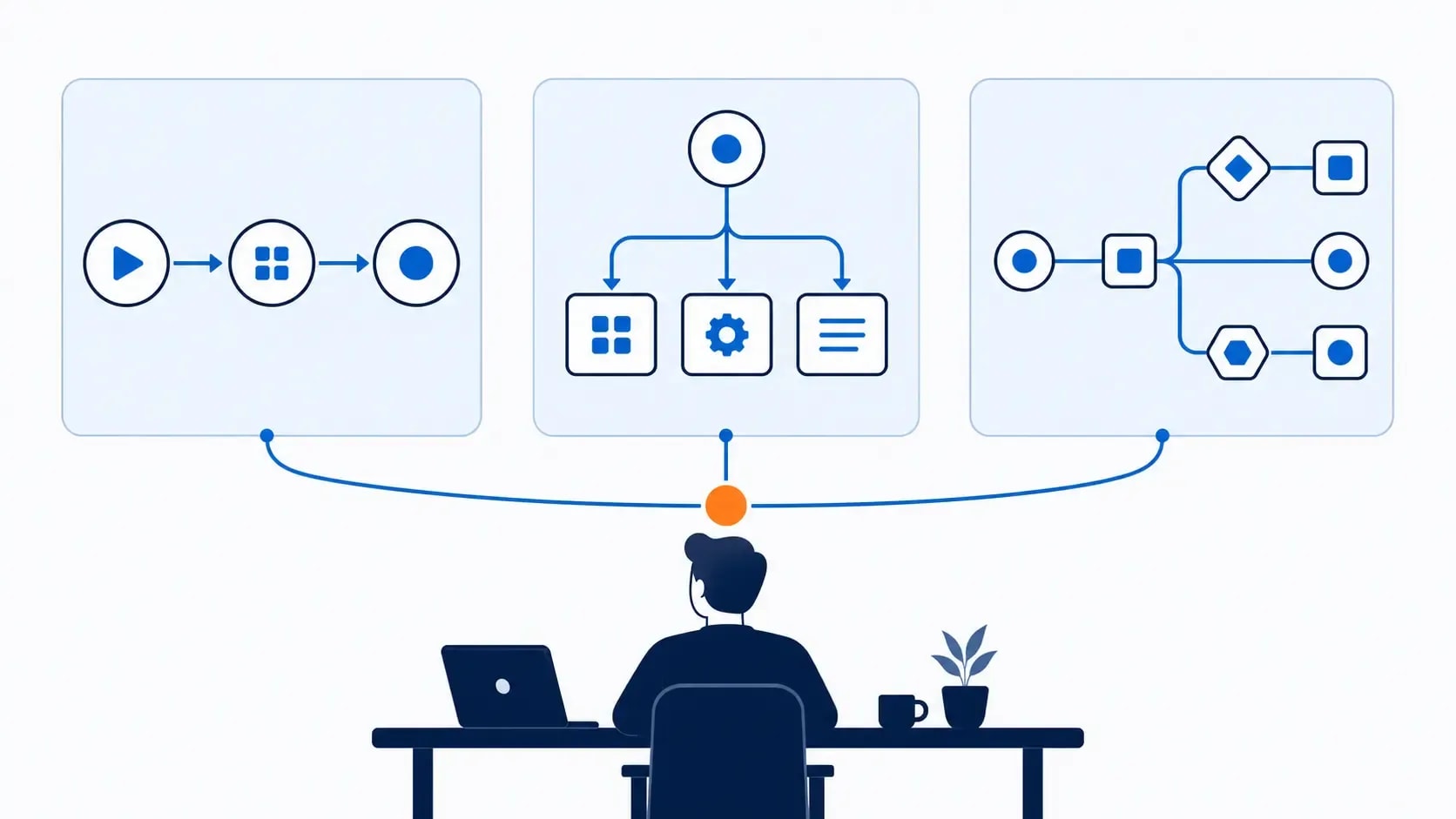
For simple app automations, start with Zapier. Choose Make for visual branching and credit-based workflows, or n8n for technical, API-heavy or self-hosted setups. Compare billing units, not just monthly price: Zapier charges mainly per successful action, Make by credits, and n8n Cloud by workflow executions.
Table of ContentsOn this page
- n8n vs Zapier vs Make at a glance
- The billing unit matters more than the sticker price
- One workflow modeled across all three tools
- When Zapier is the best choice
- When Make is the best choice
- When n8n is the best choice
- n8n vs Make: which is better for complex workflows?
- Make vs Zapier: which is better for beginners?
- Which automation platform should a solopreneur choose?
- A fair three-platform trial
- The bottom line
Key Takeaways
- Zapier is a practical starting point for simple workflows and broad app coverage, although each successful action can consume a task.
- Make's visual builder gives multi-step workflows room to grow, but credit use can multiply as data moves through modules.
- n8n counts a complete workflow run as one execution regardless of step count, which can work well for longer automations.
- For a solo operator, the real cost includes failed runs and maintenance time as well as the subscription.
- This draft uses official documentation and modeled usage; Anobee still needs to run the calendar's required hands-on test before publication.
Monthly price is a poor way to compare automation tools. The real cost depends on what the platform counts, how often your workflow runs and who has to fix it when something breaks.
That is where an n8n vs Zapier vs Make comparison gets messy. Zapier mainly meters successful actions. Make uses credits as modules process data. n8n Cloud counts complete workflow runs, even when they contain many steps. A $9 plan, a $19.99 plan and a €20 plan may sit in the same pricing table, but they do not buy the same thing.
The short version:
- Start with Zapier if you have a few straightforward automations and care most about quick setup and app coverage.
- Look at Make when you need to branch, transform and route data through a visual workflow.
- Consider n8n once workflows become longer or more technical and code, self-hosting or execution-based billing can earn baxck the extra maintenance.
The figures below come from official pricing and usage documents checked on August 30, 2026. Anobee has not yet built and timed the same workflow in all three products. Because the content calendar requires that hands-on test before publication, the worked example here is a transparent cost model, not a test result.
n8n vs Zapier vs Make at a glance
| Decision factor | Zapier | Make | n8n |
|---|---|---|---|
| Best fit | Simple automations and common app connections | Visual, multi-step scenarios with branching | Complex workflows, code, APIs and self-hosting |
| Main billing unit | Successful action task | Credit, usually tied to a module operation | Complete workflow execution |
| Permanent hosted free option | Yes: 100 tasks per month | Yes: 1,000 credits per month | No; cloud trial plus self-hosted Community Edition |
| Published entry paid price | From $19.99/month | $9/month for 10,000 credits on the annual view | €20/month billed annually for 2,500 executions |
| Important free limitation | Two-step Zaps | 15-minute minimum interval | Trial ends; self-hosting shifts the cost to you |
| Main cost risk | Each successful action can add a task | Bundles, modules and AI can multiply credits | Paying for unused capacity or maintaining your own instance |
| Main ownership risk | Task limits and platform dependence | Hard-to-read scenarios and credit surprises | Updates, security and debugging if self-hosted |
Treat those prices as a dated snapshot. Billing frequency, usage tier, currency and tax can all change the amount shown at checkout. On August 30, 2026, Zapier listed 100 free monthly tasks and Professional from $19.99 per month [2]. Make listed 1,000 free credits and a Core price of $9 per month for 10,000 credits on its annual-billing view [4]. n8n listed Starter at €20 per month, billed annually, for 2,500 executions [1].
The billing unit matters more than the sticker price
Before comparing plans, sketch one workflow you genuinely expect to run. Then answer three questions:
- How many times will the workflow start each month?
- How many actions or modules will each item pass through?
- Will the workflow process one item at a time or split into several bundles?
The same answers produce very different bills on these platforms.
How Zapier counts tasks
Zapier's arithmetic is the easiest to follow. A task is a successful action. The trigger does not count, nor do Filters, Paths or actions that error or halt. Most successful action steps consume one task each [3].
Take a form submission followed by three actions:
- Add a row to Google Sheets.
- Create a Trello card.
- Send a confirmation email.
Each completed submission consumes three Zapier tasks. At 100 submissions, that becomes 300 tasks.
The free plan's 100-task allowance would cover only 33 complete runs of that task pattern, with one task left. More importantly, Zapier Free permits only two-step Zaps, so this four-step trigger-plus-three-actions workflow cannot run as one free Zap at all [2].
Zapier may still be worth paying for. Just count the actions first; the number of workflow runs alone will understate what you need.
How Make counts credits
Make's arithmetic needs more care. The platform replaced “operations” with credits as its billing currency. Most non-AI apps use a fixed rate of one credit per operation, while some AI and advanced modules consume credits dynamically based on tokens, file size, page count, processing time or other usage factors [5].
Model the same workflow as four credit-consuming module operations: receive the webhook, add the spreadsheet row, create the task and send the email. If each module processes one item once, a completed submission uses roughly four Make credits. One hundred submissions use roughly 400 credits.
At that clean rate, the 1,000-credit free allowance could process about 250 submissions. Real scenarios do not always stay that clean. A search may return several bundles; a router may send an item down two paths; an iterator may turn one submission into ten operations. AI modules can introduce dynamic credit use as well.
This is why counting boxes on the Make canvas is unreliable. Run sample data through the complete scenario and inspect the credit record after each test.
How n8n counts executions
n8n flips the calculation. Its standard Cloud plans are priced by workflow execution: one complete run counts as one execution, regardless of the number of steps or the amount of data processed [1].
The trigger-plus-three-actions example uses one n8n execution per submission, so 100 submissions use 100 executions.
Longer workflows are where this model starts to look attractive. Add a validation node, a transformation, a branch and an alert, and one run does not automatically become five billed executions. The trade-off sits elsewhere. n8n Cloud has no permanent free hosted plan, while a self-hosted setup leaves deployment, updates, backups, security and incidents in your hands.
One workflow modeled across all three tools
Test something close enough to real work that failure would matter. For a one-person business, lead intake is a useful candidate: it touches revenue, crosses several apps and exposes billing differences quickly.
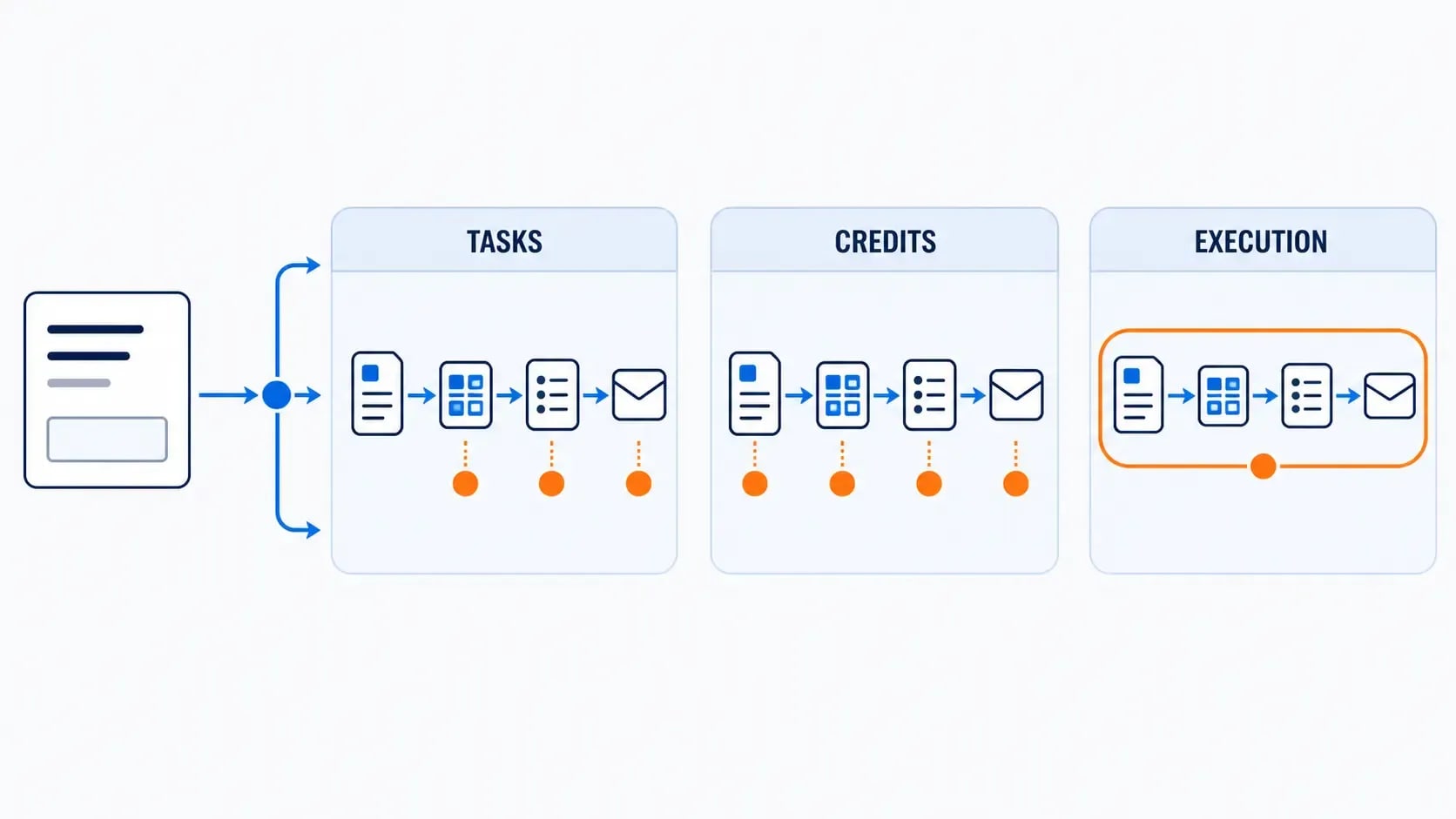
Test workflow: A prospect submits a form. The automation records the lead in Google Sheets, creates a Trello follow-up card and sends a confirmation email.
| At 100 successful submissions | Zapier | Make | n8n |
|---|---|---|---|
| Modeled usage | 300 tasks | About 400 credits | 100 executions |
| Can the complete flow run on the hosted free option? | No; Free is limited to two-step Zaps | Yes in principle, subject to app and schedule limits | Trial only; no permanent free cloud plan |
| What can change the estimate? | Extra successful actions, searches and certain products | Extra modules, bundles, routers, iterators and dynamic AI use | Additional workflow starts, retries and execution settings |
These figures are calculated from the vendors' documented billing rules. They are not observed account records. A proper hands-on comparison still needs the flow built in all three products, the same submissions sent through each one and the resulting dashboard usage recorded.
If you want to automate lead follow-up, map the stages before opening a builder. Anobee's freelance client pipeline guide gives you a process to work from. A fuzzy process does not become clearer just because it runs automatically.
When Zapier is the best choice
Zapier is a sensible default when the workflow is short, the apps are common and you would rather not think about the automation platform very often.
Zapier says its platform connects with more than 9,000 apps [2]. That breadth matters when your business depends on a niche tool and you do not want to build an API request. The Professional plan also unlocks multi-step Zaps, premium apps and webhooks, while the free plan stays limited to two steps [2].
It fits particularly well when:
- you have one to three actions after each trigger
- a native connector exists for every important app
- the workflow has little branching or data transformation
- the cost of a missed lead is higher than the software fee
- you do not want to maintain servers or custom code
You are partly paying to avoid platform work, and that can be a perfectly rational trade. The limitation is that usage rises with successful actions. A ten-action process running 500 times is a very different purchase from a two-action process at the same volume.
Before paying, build the shortest revenue-linked Zap you can. Feed it realistic sample data, check the task history, then multiply the measured usage by your expected monthly volume. That result is more useful than a generic list of Zapier alternatives.
When Make is the best choice
Make starts to pull ahead when a linear trigger-action workflow becomes awkward. Its canvas makes filters, routers and transformations visible, which helps when the path through the workflow matters as much as the apps at either end.
Make's free plan includes the visual builder, routers and filters, more than 3,000 apps and 1,000 monthly credits. Its published Core tier adds unlimited active scenarios and scheduling down to the minute [4].
It is worth a closer look if:
- one event needs to branch into different paths
- you transform, search, aggregate or reshape data between apps
- Zapier's action-based usage becomes expensive for the same volume
- you are willing to inspect bundles and credit consumption
- a visual scenario helps you debug the process
The catch is easy to miss on a tidy canvas. One incoming record can become several bundles, and every module that handles those bundles can create more operations. A six-module scenario may use far more than six credits if a search returns twenty items.
AI makes the accounting less predictable. Make documents both fixed and dynamic credit usage. If you connect a third-party AI app with your own API key, Make may charge credits for the operation while the AI provider charges separately for tokens [5]. Anyone automating research, classification or content needs to check both bills.
When n8n is the best choice
If a workflow is beginning to resemble a small internal app, n8n deserves a serious look. It gives a technical operator more room to work than a simple app-to-app handoff.
n8n includes code steps, custom API requests and webhooks, and it counts a full workflow run as one execution on its standard Cloud plans [1]. It also publishes a standard self-hosted Community Edition [1].
That becomes useful when:
- workflows contain many steps per trigger
- you need custom API calls or code
- self-hosting or data-location control matters
- a technical owner can investigate failures
- execution-based billing matches your volume better than per-step billing
Self-hosting is not free automation. You may avoid a cloud subscription, but the server, backups, monitoring and your own time still have a cost. If an expired certificate stops a lead workflow on Friday night, the monthly platform fee is no longer the expensive part; the unnoticed failure is.
For a non-technical solo operator, n8n Cloud is the more realistic trial. Move to your own instance only when you can name the benefit clearly enough to justify the maintenance.
n8n vs Make: which is better for complex workflows?
Make and n8n both handle workflows that have outgrown a simple linear Zap. The difference is where they put the complexity.
Pick Make when the visual canvas is the main advantage. It is a better starting point for a marketer or operations-focused freelancer who needs routers, filters and data mapping without owning infrastructure.
Pick n8n when technical flexibility is the advantage. Code, custom requests, self-hosting and whole-workflow execution billing can make more sense when one run contains many steps.
Put bluntly, Make keeps the infrastructure out of sight and charges as work moves through modules. n8n weakens the link between step count and billed usage, but exposes more of the technical system for someone to own.
Make vs Zapier: which is better for beginners?
For a first two-step automation, Zapier is usually the cleaner starting point. The trigger-action model is easy to follow, and broad app coverage lowers the odds that you will need a workaround before anything useful happens.
Make becomes more useful when your process needs a branch, several transformations or higher volume. Its canvas shows the entire scenario, but it also introduces modules, bundles and credit accounting earlier.
More power is tempting when you first open these builders. Resist it. Pick the smallest tool that can run the next useful workflow. Once that automation reliably saves an hour each week, you have a reason to expand it.
Which automation platform should a solopreneur choose?
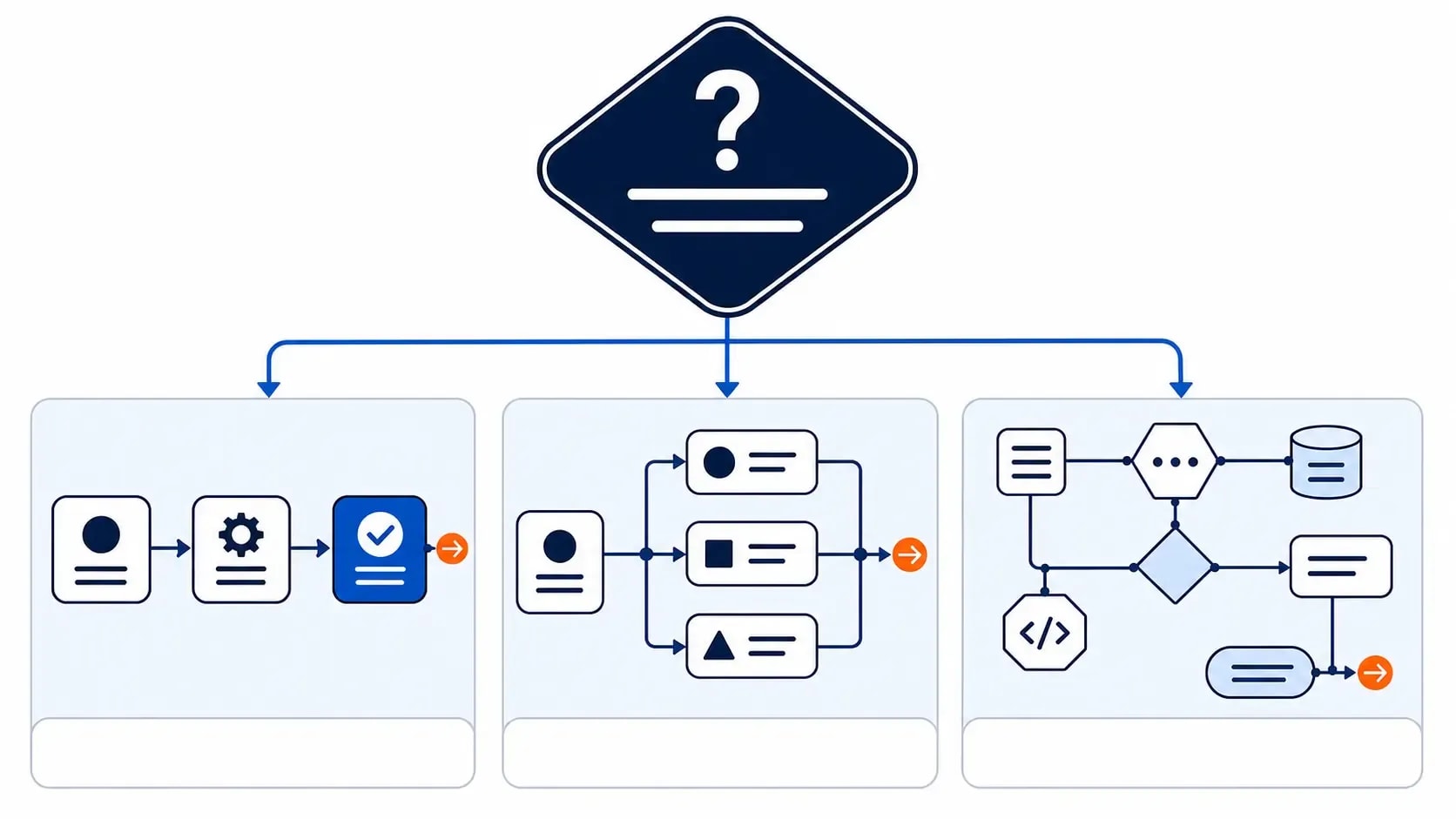
Ignore the feature lists for a moment. Which constraint is actually getting in your way?
- If it is setup time, start with Zapier.
- If it is visual branching or usage value, investigate Make.
- If it is technical flexibility, long workflows or self-hosting, investigate n8n.
Then apply these five checks.
1. Confirm every critical integration
Total app counts do not settle this. Search for the exact trigger and action your workflow needs. A platform can support an app without supporting the event, field or authentication method that matters to you.
2. Model units per successful business event
Choose one business event: a qualified lead, a paid order or a published article. Calculate how many tasks, credits or executions it consumes, then price 100, 1,000 and 10,000 events. The breakpoints become much easier to see.
3. Test the failure path
Disconnect a credential. Submit a blank field. Make one app reject the data. Then check the alert, history and retry process. A polished demo tells you very little about the moment an automation fails in production.
4. Add the maintenance cost
Estimate the monthly time needed for log checks, credential updates, changed fields and documentation. Put an hourly value on it. A cheaper platform that needs two extra hours of attention may not be cheaper at all.
5. Keep a manual escape route
Write down how the work continues when automation stops. Keep the source record, owner and status visible. Removing repetitive work is helpful; making the underlying process impossible to recover is not.
If the workflow includes AI writing or analysis, choose that tool separately from the automation layer. Anobee's ChatGPT vs Claude writing comparison explains why the task should decide the model. Zapier, Make or n8n can then move approved inputs and outputs between systems.
A fair three-platform trial
The content calendar for this article calls for one real workflow built three times. That test still needs to happen before publication. Use fresh accounts and the same sample data:
- Build the lead-intake workflow in Zapier, Make and n8n Cloud.
- Use the same form fields, spreadsheet, Trello board and email account.
- Send ten valid submissions, one blank submission and one duplicate.
- Record setup time, successful runs, failed runs and reported usage units.
- Change one spreadsheet field and measure the repair work.
- Capture dated screenshots of the builder, run history and usage dashboard.
- Recalculate the monthly cost at 100, 1,000 and 10,000 submissions.
Do not turn the result into a universal score. Report what broke, what each dashboard counted and how much repair work each version needed. That is the evidence a one-person business can actually use.
The bottom line
Zapier, Make and n8n can all handle a solo business workflow. They stop feeling interchangeable as soon as that workflow gains actions, branches and technical requirements.
For a short handoff between common apps, Zapier is the sensible default. Make earns its place when branching and transformation need a visual canvas. n8n is for the operator who wants longer workflows, APIs, code or self-hosting and is prepared to own the extra machinery.
There is no prize for migrating everything at once. Build one workflow tied to revenue or delivery, run it for a month, and compare the measured usage with the time it saved. The right tool is the one you can afford, understand and repair when Friday's run does not go to plan.
Frequently Asked Questions
Which is better, n8n or Zapier?
Zapier is usually the better fit when you want a simple setup, common app connections and less infrastructure work. n8n is stronger when workflows have many steps, need code or API flexibility, or must be self-hosted. The better choice depends on who will maintain failed runs and credentials.
Is Make cheaper than Zapier?
Make can be cheaper for multi-step, non-AI workflows at the published entry tiers, but the billing units are not equivalent. Make consumes credits as modules process operations, while Zapier counts successful actions as tasks. Model your monthly runs before deciding.
Does n8n have a free plan?
n8n offers a cloud trial rather than a permanent free n8n Cloud plan. It also publishes a standard self-hosted Community Edition, but self-hosting still creates infrastructure, security, update and maintenance costs.
What is the best automation tool for solopreneurs?
Zapier fits a solopreneur with a few simple automations. Make fits a visual builder who needs branching and more runs for the budget. n8n fits a technical solopreneur building longer workflows or wanting self-hosting. Start with one revenue-linked workflow, not a platform-wide migration.
Sources and References

Written by
Bibek Thapa
AI-Powered Digital Growth Strategist
Bibek Thapa works across AI workflows, SEO, AI search optimization, content strategy, website growth, and productivity systems. Anobee documents practical lessons, tools, experiments, and systems for improving digital presence.
- AI workflows
- Digital growth
- SEO
- GEO
- AEO
- Content strategy
- Website growth