Automation & Productivity
AI Automation for Solo Creators: What to Build First
A practical guide to automating repetitive solo work while keeping human approval, error alerts and a manual fallback where judgment matters.
By Bibek Thapa · Published Sep 5, 2026 · 13 min read

Quick Answer
Start AI automation with one frequent, predictable handoff that is easy to reverse: capture a lead, create a task, prepare a follow-up draft or compile a weekly digest. Use fixed rules for reliable steps and AI only where the input is messy or language must be drafted. Keep human approval before publishing, sending sensitive messages, spending money or changing important records.
Table of ContentsOn this page
- AI automation for solo creators: the short answer
- Start with the handoff, not the tool
- Six automations worth building when you work alone
- Build a small solopreneur automation stack
- How to build your first AI workflow automation
- How to automate a content workflow without losing quality
- What should you stop automating?
- Measure whether the automation is worth keeping
- The bottom line
Key Takeaways
- Automate frequent, rules-based handoffs before adding an AI agent.
- Use AI for classification, summaries and drafts; keep high-consequence decisions with a person.
- Every useful workflow needs an owner, a run log, an error alert and a manual fallback.
- A small workflow that survives real edge cases is more valuable than a complicated automation demo.
- For content, automate movement and preparation—not factual approval or final publication.
AI automation for solo creators is most useful when it removes a dull handoff. A form submission becomes a clean task. A meeting produces a follow-up draft. Five scattered status updates arrive as one useful digest.
The strongest first workflow is frequent, predictable and easy to reverse. Build the rules first, then add AI where a step needs to classify messy input, summarize material or prepare language. Put a person between the machine and any action that could damage a client relationship, publish an error, spend money or erase data.
That sounds less exciting than an autonomous agent running the business. But when you are the only person available to repair the workflow, it is far more useful.
This guide is based on workflow design and current platform documentation. It does not dress unpublished Anobee automations up as test results. One constraint shapes every recommendation: a single operator must be able to understand what happened when a run fails.
AI automation for solo creators: the short answer
Start with one workflow that moves information between tools without forcing you to copy, paste or remember a routine follow-up. A good first automation has five parts:
- A clear trigger, such as a submitted form or a completed meeting.
- Validation that rejects missing or malformed information.
- A small set of predictable actions.
- Human approval before a consequential action.
- A log and alert that make failure visible.
However, AI is optional. A normal rule can create a task, update a record or schedule a reminder more reliably than a language model. Instead, use AI when the workflow meets ambiguity: deciding which category fits a request, condensing long notes or drafting a response from approved facts.
The distinction matters because automation and AI solve different problems. Automation repeats a process. AI interprets or generates. Combining them can save time, but it also introduces another place where the output can vary.
Start with the handoff, not the tool
Do not begin by shopping for an “AI automation stack.” Write down one process you already repeat. Follow it from the first event to the final result and mark every place where you retype information, change an app, wait for a reminder or check whether somebody responded.
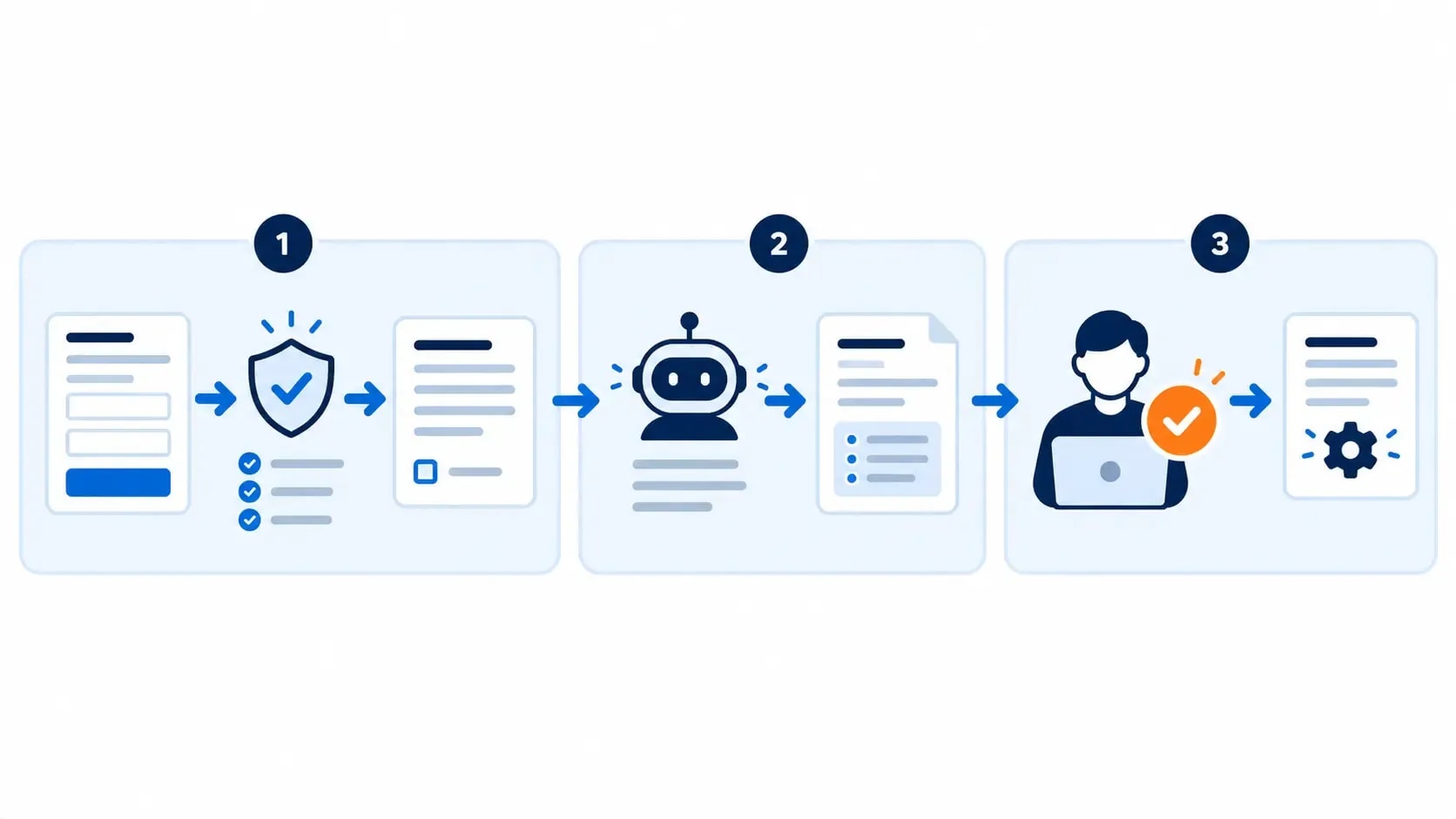
Then sort the steps into three lanes:
| Lane | Best method | Typical examples |
|---|---|---|
| Predictable | Fixed automation rules | Copy a form response, create a task, update a status, schedule a reminder |
| Ambiguous but reviewable | AI-assisted step | Categorize an enquiry, summarize notes, draft a reply, suggest tags |
| Consequential | Human decision | Approve a proposal, publish an article, issue a refund, send sensitive feedback |
The predictable lane can run by itself. Meanwhile, the AI-assisted lane prepares an output. The consequential lane waits for you.
NIST's voluntary AI Risk Management Framework recommends defining the task an AI system will support, documenting how people will oversee its output and monitoring the system in production [1]. However, a one-person business does not need a governance department to use that logic. It needs a short workflow note that says what the automation may do, where it must stop and how the owner will detect a bad run.
Six automations worth building when you work alone
Although none of these examples is flashy, each removes recurring coordination while leaving judgment with the person who owns the business.
1. Lead capture and follow-up preparation
A lead should not disappear because you forgot to copy an email into a spreadsheet. When a contact form is submitted, an automation can validate the required fields, create a lead record, add a follow-up task and prepare an acknowledgement.
AI belongs in a bounded step here: tagging the enquiry by service or summarizing a long project description. However, a model should not reject a prospect, quote a final price or send a detailed proposal without review.
A safe flow looks like this:
- Form submitted.
- Email and consent fields validated.
- Lead record created or updated using the email as the unique key.
- AI suggests a category and short summary.
- Follow-up draft enters a review queue.
- You approve, edit or discard it.
If the process behind the automation is still unclear, map the stages first. Anobee's freelance client pipeline guide provides a useful structure for turning an enquiry into a tracked next action.
2. Meeting notes into tasks and a draft recap
Meeting software can generate a transcript, but the transcript is not the deliverable. The useful automation starts after the call: store the notes in the right client folder, extract possible actions, assign dates and prepare a recap email.
Check names, commitments, deadlines and anything that changes scope. A model can confuse a suggestion with an agreement. Therefore, approval belongs before the recap is sent and before tasks become client-facing promises.
This workflow earns its place when meetings happen often and the same administrative steps follow each one. For a quarterly call, a template may be faster than maintaining an integration.
3. Content production handoffs
Content work contains plenty of repeatable movement: creating a project folder, copying an approved brief, assigning a status, running formatting checks and sending a draft to review. Because their success is observable, those steps are good automation candidates.
AI can also help with source organization, an initial outline, title alternatives or a repurposing draft. However, it should not silently turn unverified source notes into published claims.
Google says generative AI can help with research and structure, while automatically generating many pages without adding value may violate its scaled-content-abuse policy. Google also tells publishers to focus on accuracy, quality and relevance when content is generated automatically [5]. The practical boundary is straightforward: automate preparation and quality checks; keep evidence, original contribution and final approval under human control.
If the bottleneck is choosing a writing assistant rather than connecting the workflow, use Anobee's AI writing tools guide for bloggers to match the product to the task.
4. Published-content repurposing queue
Repurposing is safer after the source article has been reviewed and published. A new post can trigger drafts for a newsletter note, a short social post and a video outline, all linked back to the approved source.
Instead, let the workflow create drafts rather than spraying the same text across every channel. Because each platform has a different context, length and audience expectation, leave the final rewrite and publish action manual until the drafts reliably preserve the original claim.
Attach the source URL, publication date and content owner to every generated item. Those three fields speed up review and prevent an old draft from floating around without context.
5. Invoice and deadline reminders
Dates and statuses usually need ordinary automation, not AI. A workflow can notice that an invoice is approaching its due date, create a reminder and prepare a polite message. It can also flag a project whose next milestone has no completed prerequisite.
Handle payment changes, refunds, disputes and unusual client circumstances yourself. The automation knows the date in a field. It does not know that a client called yesterday to explain a problem unless you deliberately gave it that context.
Therefore, this is a good place to skip AI entirely. A pre-approved message template plus accurate account data is often safer than a freshly generated email.
6. A weekly operations digest
A solo operator often opens five tools just to learn what needs attention. A weekly digest can collect overdue tasks, unanswered leads, upcoming deadlines, failed automation runs and content waiting for review.
The digest should point back to each task or client record rather than becoming a second database. AI can summarize the list, but the underlying items still need to be one click away.
This is a sensible first AI-assisted automation because it reads and condenses information without changing the source systems. If the summary is poor, the damage is limited and easy to correct.
Build a small solopreneur automation stack
AI automation for solo creators works best when each layer has one clear job and one owner. Accordingly, a practical solopreneur automation stack covers a few necessary roles; it does not need a long list of subscriptions.
| Layer | Job | Minimum requirement |
|---|---|---|
| Source of truth | Holds the authoritative record | One clear home for leads, projects, content or invoices |
| Capture | Receives the event | Form, calendar event, email label or status change |
| Automation | Moves and validates data | Rules, filters, branches and retries |
| AI | Handles a bounded ambiguous step | Approved context and a defined output format |
| Approval | Stops consequential actions | A review queue with approve, edit and reject options |
| Monitoring | Shows what happened | Run history, error alert and owner |
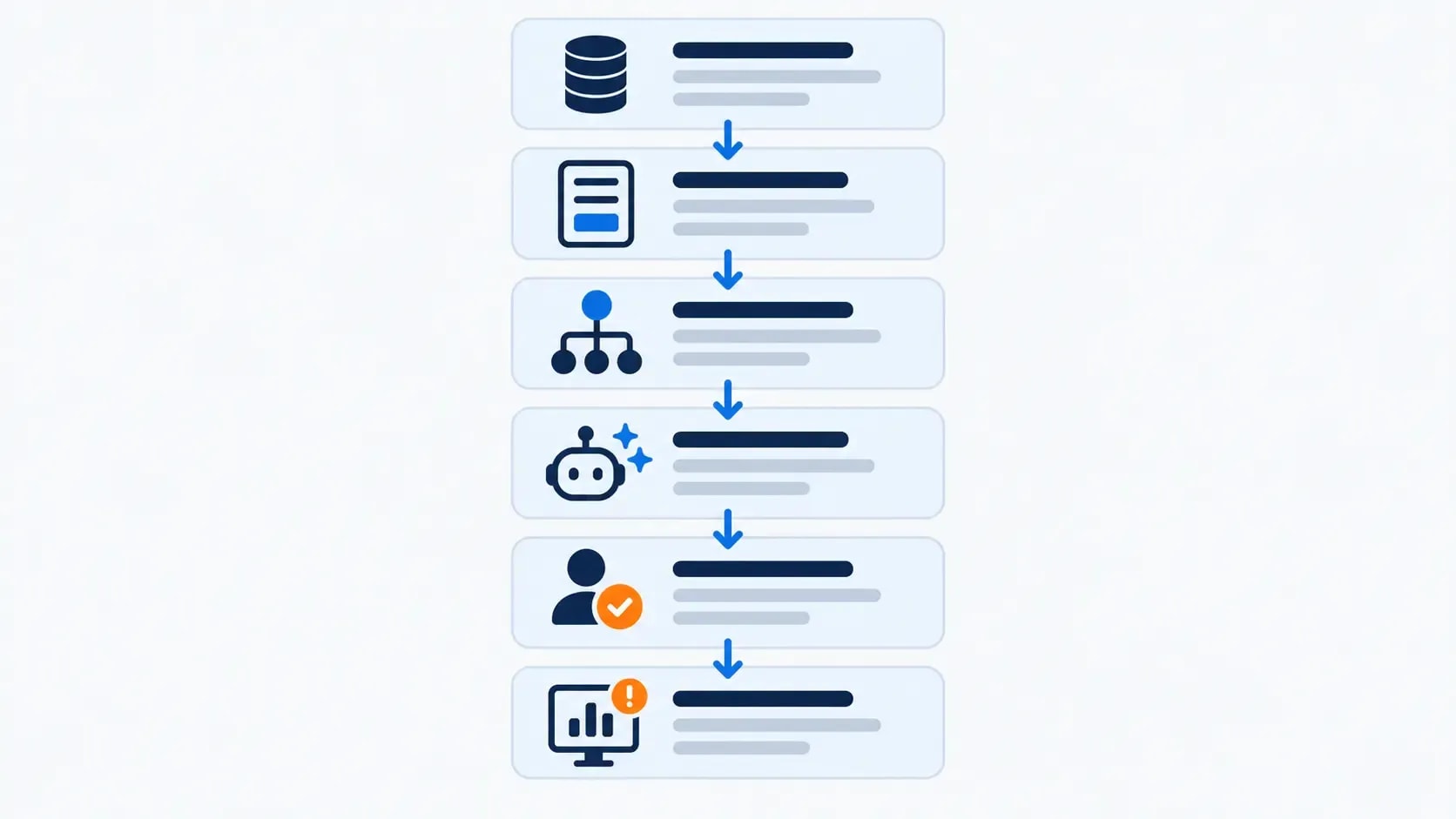
You may already own tools that cover several layers. Native automations inside a form, email platform or project manager are often enough for the first workflow. Add a dedicated automation platform only when you need to connect systems or control branching.
If you are deciding between the common builders, Anobee's n8n vs Zapier vs Make comparison explains how their billing units, complexity and maintenance differ. Ultimately, pick the platform after you can describe the trigger, actions, monthly runs and failure path.
How to build your first AI workflow automation
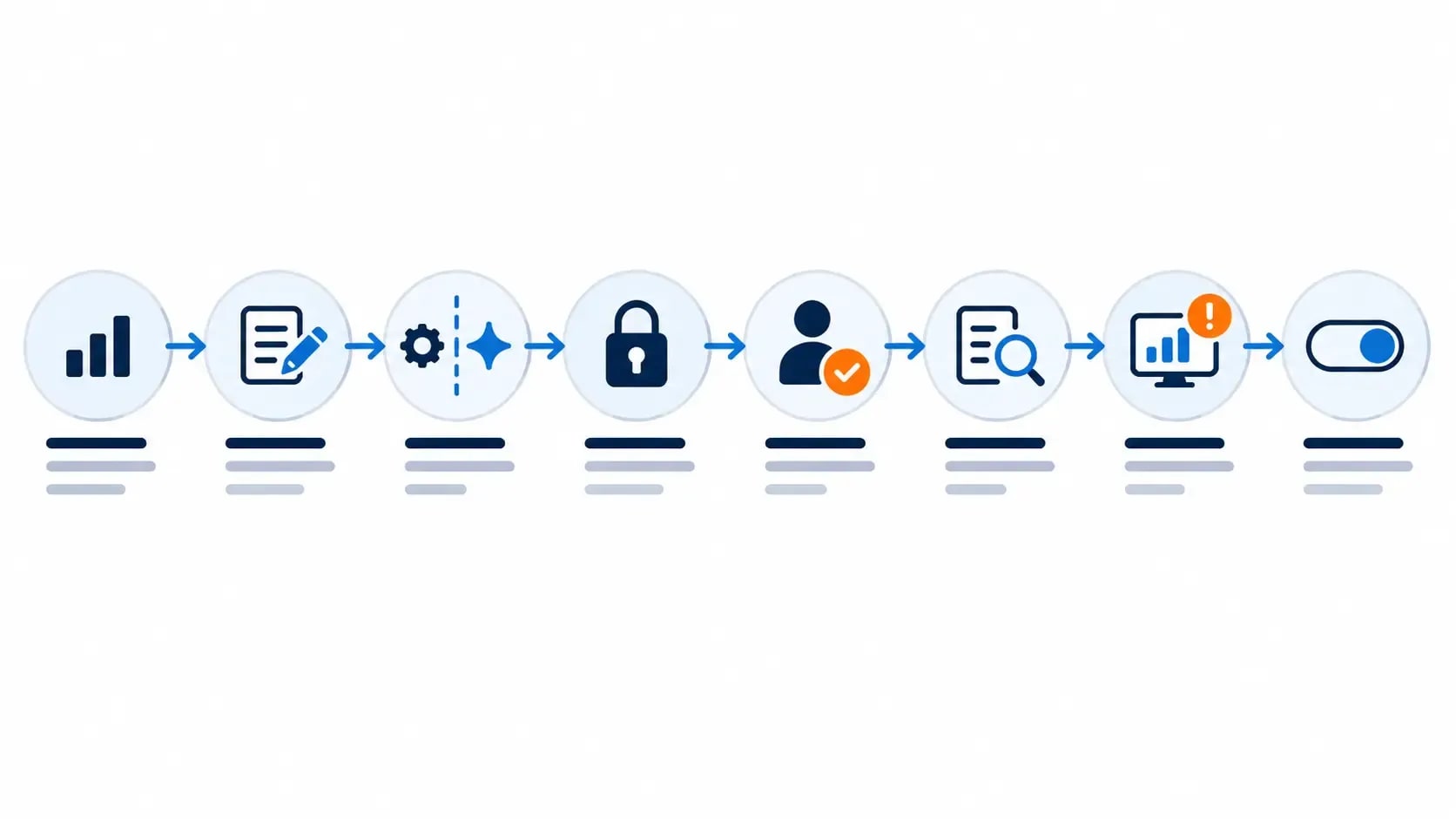
The following process works for a lead workflow, a content handoff or an operational digest. Your first version should be small enough to test in one sitting.
Step 1: measure the manual task
Track how often the task happens and how long it takes for two weeks. Note the common exceptions. A workflow that runs twice a year rarely deserves a custom build, while a five-minute task repeated every day may.
Step 2: define one successful output
Write the result in observable terms: “Every valid form creates one lead record and one reviewable follow-up draft.” Instead, avoid goals such as “AI handles leads,” which leave the boundaries undefined.
Step 3: separate rules from AI
Required fields, dates, duplicate checks, file paths and status changes belong in fixed logic. Give AI one narrow job with a structured output. For example, ask for a service category, a three-sentence summary and a draft reply—not unrestricted control of the client record.
Step 4: limit access
Connect only the accounts and actions the workflow needs. If it drafts emails, it does not automatically need permission to send them. If it reads a content folder, it does not need permission to delete files.
Step 5: add the approval point
Put approval immediately before the consequential action. Current Zapier documentation, for example, allows an agent to pause and request confirmation, and a Zap can insert a Human in the Loop step after an agent action [2]. Although the exact feature differs by platform, the design rule stays the same: draft first, approve second, act third.
Step 6: test ugly inputs
Do not test only the perfect example. Instead, try a missing email, a duplicate form, an unusually long note, a cancelled meeting, an expired connection and a destination app that rejects the data. Confirm the workflow stops or routes the item for review without creating a second record.
Step 7: make failure visible
Turn on error notifications and decide who owns the repair—you. Zapier, for instance, can send immediate or scheduled summaries when workflows error [3]. Make can store a failed scenario as an incomplete execution so it can be inspected and retried instead of losing the unfinished run [4].
Whatever platform you use, retain a run history, an error alert and enough input data to reproduce the problem. Once failures become invisible, you stop trusting the system and check everything manually anyway.
Step 8: run in review mode
For the first week, let the workflow prepare actions without completing the final step. Compare each proposed result with what you would have done manually. When the common cases are reliable and exceptions route correctly, allow the low-risk actions to run automatically.
Also, write down the manual fallback before expanding. You should know how to process a lead, publish a post or send an invoice if the automation platform is unavailable.
How to automate a content workflow without losing quality
For bloggers and solo publishers, the safest design is a staged workflow with visible gates:
- An approved topic creates the project record and folder.
- The brief identifies the reader, search intent, claims and required sources.
- Research sources enter a reviewable source list.
- AI prepares an outline or draft from that approved context.
- Automated checks flag missing fields, broken links and formatting errors.
- A human verifies claims, adds original value and edits the voice.
- The CMS receives a draft, not an automatically published page.
- Publication triggers a separate repurposing queue.
Accordingly, this approach automates the handoffs around editorial judgment while leaving the judgment with the editor.
Avoid an end-to-end workflow that scrapes search results, writes a generic article and publishes it without review. Besides the quality risk, it creates a brittle system: a changed source, malformed response or model error can reach the website before you see it.
What should you stop automating?
Remove or simplify an automation when maintenance costs more than the task it replaced. Warning signs include frequent credential failures, duplicate records, exceptions that need manual repair, and a workflow nobody can explain without opening every step.
Some work should remain human by design:
- a first conversation with a serious prospect
- a response to conflict, a complaint or sensitive feedback
- approval of contracts, refunds or financial transfers
- final factual review and publication
- deletion of important records or files
- any decision where the person affected expects context and accountability
AI can summarize the background or prepare options. The final decision still needs a visible owner.
Retire low-frequency “clever” workflows too. If the process changes every time, a checklist or template is often faster to maintain. A sophisticated diagram earns nothing by itself.
Measure whether the automation is worth keeping
Track outcomes for a month before building the next workflow. Use a short scorecard:
- completed runs
- failed or delayed runs
- duplicate or incorrect actions
- minutes of human intervention
- time saved after maintenance
- cost per completed business event
Measure net time saved:
Net monthly time saved = manual time avoided − review time − repair time − maintenance time
If the workflow saves two hours but needs ninety minutes of checking and repair, the result is modest. If a simple reminder prevents one valuable lead from being forgotten, the benefit may be larger than its time saving suggests.
Review access, prompts, templates and error history monthly. Retire the workflow when the underlying process disappears. A solo operator cannot afford an attic full of automations that still have credentials but no clear owner or purpose.
The bottom line
AI automation for solo creators should make routine work quieter. Start with one stable handoff, use fixed rules wherever possible and add AI for a narrow interpretive step. Require approval before decisions that affect money, trust, publication or permanent data.
The best first workflow is rarely an autonomous agent. It is the boring system that captures the event, prepares the next action, tells you when it fails and lets you take over without drama.
Build that. Measure it for a month. Then decide whether the next automation will remove more work—or merely create another system to maintain.
Frequently Asked Questions
What should a solopreneur automate first?
Automate one frequent, stable handoff with an obvious success condition. Good starting points include form-to-task capture, meeting reminders, invoice-status alerts or a weekly operations digest. Start with the task whose failure is easy to detect and reverse.
Do I need AI for workflow automation?
No. Most reliable workflows begin with ordinary rules: when this happens, validate the data and do that. Add AI only when a step must classify messy input, summarize information or prepare language that a person will review.
How can a blogger automate content without losing quality?
Automate brief creation, file movement, task assignment, formatting checks and repurposing drafts. Keep source verification, original insight, factual approval and the publish decision with a human editor.
What work should not be fully automated?
Keep human control over sensitive client messages, refunds, contracts, financial transfers, destructive file actions and public content that could damage trust. AI can prepare the next step, but approval should remain explicit.
Which automation platform is best for a solo creator?
Choose the smallest platform that connects your current apps and that you can debug. Zapier suits straightforward handoffs, Make suits visual branching, and n8n suits longer or more technical workflows. The workflow should determine the tool.
Sources and References

Written by
Bibek Thapa
AI-Powered Digital Growth Strategist
Bibek Thapa works across AI workflows, SEO, AI search optimization, content strategy, website growth, and productivity systems. Anobee documents practical lessons, tools, experiments, and systems for improving digital presence.
- AI workflows
- Digital growth
- SEO
- GEO
- AEO
- Content strategy
- Website growth