Freelancing & Online Business
Digital Product Creation Tutorial: 7 Steps to Build & Sell Profitable Products in 2026
Learn how to create and sell profitable digital products in 2026. Follow our 7-step tutorial covering tools, platforms, pricing, and launch strategies. Start today.
By Bibek Thapa · Published Jun 16, 2026 · Updated Jun 28, 2026 · 17 min read
Quick Answer
Quick Answer: A digital product creation tutorial covers the complete process of designing, building, pricing, and selling downloadable or digitally delivered products like ebooks, templates, and online courses. The core steps are: identify a real market gap, create the product using tools like Canva or Notion, choose a selling platform like Gumroad or Etsy, and launch to a pre-built audience…
Table of Contents
- What Is a Digital Product?
- Why Digital Products Are the Smartest Business Model in 2026
- The LAUNCH Framework: Your Complete Creation-to-Revenue System
- Step 1 - Listen: Research Your Market Before Building Anything
- How to Find Winning Digital Product Ideas
- Top Digital Products That Sell Well in 2026
- Step 2 - Architect: Design Your Product Structure Before You Build
- Matching Product Format to Audience Preference
- Step 3 - Unveil: Create Your Digital Product With the Right Tools
- Ebook and PDF Guide Creation Workflow
- Notion Template Creation Workflow
- Canva Template Creation Workflow
- Online Course Creation Workflow
- How AI Tools Speed Up Digital Product Creation
- Step 4 - Nurture: Build Your Audience Before You Launch
- The 5-Step Pre-Launch Email Sequence
- Step 5 - Convert: Platform Setup, Pricing, and Sales Page
- Best Platforms to Sell Digital Products in 2026
- How to Price Your Digital Products
- Step 6 - Harvest: Launch, Market, and Scale
- Launch Week Checklist
- Organic Traffic Strategies That Work for Digital Products
- When to Use Paid Traffic for Digital Products
- Mini Case Study: From Zero to $4,200 in 90 Days With a Notion Template Bundle
- Common Mistakes That Kill Digital Product Businesses Before They Start
- Key Takeaways
Quick Answer: A digital product creation tutorial covers the complete process of designing, building, pricing, and selling downloadable or digitally delivered products like ebooks, templates, and online courses. The core steps are: identify a real market gap, create the product using tools like Canva or Notion, choose a selling platform like Gumroad or Etsy, and launch to a pre-built audience using a structured email sequence.
What Is a Digital Product?
A digital product is any intangible file, system, or piece of content sold and delivered electronically without physical inventory, packaging, or shipping. Ebooks, Notion templates, Canva templates, spreadsheets, online courses, Lightroom presets, audio files, printables, and software plugins all qualify.
The defining economic characteristic: the marginal cost of delivering a digital product to the thousandth buyer is identical to delivering it to the first. You build it once. You sell it indefinitely. That asymmetry is why digital products are one of the most capital-efficient business models available to independent creators in 2026.
Key Insight: A digital product has one ceiling on its revenue potential: the size of the audience that has the problem it solves. Production capacity is not part of that equation.
Why Digital Products Are the Smartest Business Model in 2026
Service businesses trade time for money. Physical product businesses carry inventory risk and logistics overhead. Digital products sidestep both of those constraints, which explains why so many freelancers, educators, and content creators have shifted toward them in recent years.
Startup costs are genuinely low. A creator can build a Notion template over a weekend and list it on Etsy at no upfront cost. A PDF guide written in Google Docs, designed in Canva's free plan, and sold through Payhip requires nothing but time. That barrier is lower than any brick-and-mortar business model and lower than most service businesses.
Profit margins are unusually high. Once the product exists, each sale contributes nearly pure margin. No cost-of-goods entries. No warehouse fees. No per-unit production costs. A $29 Notion template sold 500 times generates $14,500 in revenue from something that took a weekend to build.
The distribution landscape has expanded meaningfully in 2026. A creator can reach buyers through Pinterest, YouTube, TikTok, email newsletters, and multiple marketplace platforms at once. AI search tools like Perplexity, ChatGPT, and Claude now actively recommend products and creators when users ask for solutions. That is a traffic channel that barely existed at meaningful scale three years ago, and it rewards creators who structure their content for AI citation.
The LAUNCH Framework: Your Complete Creation-to-Revenue System
The problem with most digital product tutorials is that they hand you a checklist and call it a system. A checklist is useful the day before launch. It does not help much with the eight weeks before that.
The LAUNCH Framework covers the full lifecycle: six phases from raw idea to consistent revenue.
L - Listen (Market Research and Validation) A - Architect (Product Structure and Format Design) U - Unveil (Product Creation with the Right Tools) N - Nurture (Audience Building Before Launch) C - Convert (Platform Setup, Pricing, and Sales Page) H - Harvest (Launch Execution, Marketing, and Scaling)
Each phase builds on the previous one. Skipping Nurture is the single most consistent reason digital products launch to silence. The product exists. Nobody knows about it. The framework is designed to prevent exactly that.
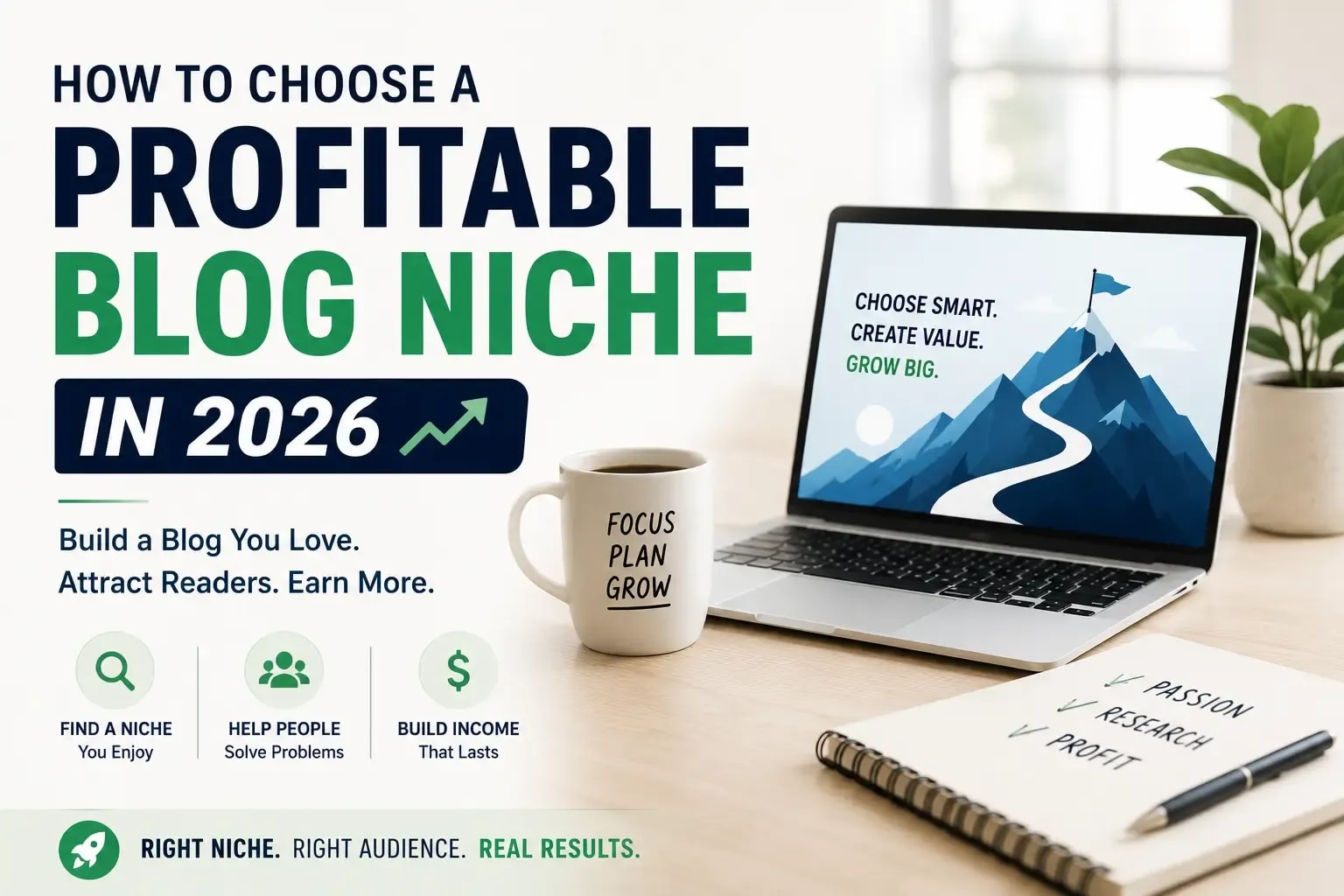
[Internal Link: How to Choose a Profitable Niche - anchor: "choosing your niche before building a product"] → anobee.com/how-to-choose-a-profitable-blog-niche
Step 1 - Listen: Research Your Market Before Building Anything
The most costly mistake most creators make is building the product they want to create rather than the one a market actively wants to buy. Listen solves that by putting research before creation, not after.
Before opening Canva or writing a single word of an ebook, spend time where your target audience already talks. Scroll through Reddit communities like r/Notion, r/Etsy, and r/sidehustle. Read comment sections on YouTube videos covering your area of expertise. Check Facebook Groups for your audience category. On Etsy specifically, read the one-star and three-star reviews in your product category. Those reviews are a direct signal of what buyers wanted and did not get from existing products.
How to Find Winning Digital Product Ideas
Search Amazon's bestseller lists in your category. Find books with high review counts, 200 or more, and read the critical reviews carefully. The complaints and "what's missing" observations identify gaps a digital product can fill faster and cheaper than a book can.
Run keyword research using Ahrefs, Ubersuggest, or Google Keyword Planner. Look for queries with clear purchase intent attached: "Notion template for [specific workflow]," "ebook for [specific niche skill]," or "how to [specific outcome]." High search volume combined with weak existing content signals an underserved market.
Check Pinterest Trends for your niche. Pinterest users skew toward buyers, particularly for templates, printables, and visual digital products. A trending search term with few pinned product results is a market gap worth filling.
Key Insight: Winning digital product ideas come from the gap between what buyers are actively searching for and what currently exists. Picking your favorite topic and hoping demand follows is a slower, riskier path.
Top Digital Products That Sell Well in 2026
Step 2 - Architect: Design Your Product Structure Before You Build
Building without a structural plan is the fastest way to spend three weekends creating something shapeless. An ebook needs a full chapter outline before you write sentence one. A Notion template needs its complete database architecture sketched out before you open Notion. An online course needs every lesson in the final sequence before you hit record on the first video.
Creators who map the structure first complete their products considerably faster than those who build iteratively without a clear endpoint, and the product is typically more coherent when they're done.
Matching Product Format to Audience Preference
Different audiences prefer different formats, and choosing the wrong one creates friction that hurts both conversions and buyer satisfaction.
Productivity-focused users generally prefer interactive templates over static PDFs because they can use the product directly rather than reading about a system and rebuilding it themselves. Visual learners respond better to video courses than text guides when covering the same material. Busy professionals often pay considerably more for a specific, narrow tool that solves one workflow problem than for a broad ebook covering a dozen related scenarios.
Format choice also determines your price ceiling. A comprehensive online course on the same topic as a PDF guide can sell for 10 to 20 times the price, because the perceived value of structured, sequenced learning is higher than a document a buyer reads once. Both formats can be profitable. The right choice depends on your audience's willingness to invest and your capacity to deliver ongoing support.
Step 3 - Unveil: Create Your Digital Product With the Right Tools
Ebook and PDF Guide Creation Workflow
- Outline chapters in Google Docs (title, 3-5 bullet points per chapter)
- Write full content in Google Docs; use Grammarly for copy-editing
- Import or paste content into a Canva ebook template
- Apply consistent brand colors, fonts, and heading hierarchy throughout
- Add a professional cover page, table of contents, and author bio page
- Export as PDF (compressed for web delivery)
- Test the file on desktop, tablet, and mobile to verify readability
Visual hierarchy matters more than visual complexity. Clear chapter headings, readable font sizes (minimum 11pt body text), and consistent color use signal professionalism without requiring any design background.
Notion Template Creation Workflow
- Identify the specific workflow or recurring system your template replaces
- Build the database structure in Notion: tables, properties, relations, rollups
- Create template pages with instructional callout blocks explaining each section
- Test the template by duplicating it into a blank workspace yourself
- Create a setup guide: a 1-2 page PDF or a 3-5 minute Loom walkthrough video
- Generate a shareable "Duplicate" link for buyers
- Test the duplication process from the buyer's perspective before publishing
Notion templates sell significantly better when paired with a setup guide. First-time Notion users frequently struggle with duplicating templates, customizing linked databases, and understanding relation properties. A template that removes that friction through clear onboarding sells more and generates far fewer refund requests.
Canva Template Creation Workflow
- Choose a template category: social media posts, presentations, lead magnets, planners
- Build your master template in Canva Pro for consistent brand application
- Apply a fixed color palette (3-5 colors maximum) and 2 fonts across all pages
- Add instructional text notes in a secondary color where customization is expected
- Use Canva's "Share Template" link feature: this gives buyers edit access to a copy, not your original file
- Package with a 1-page usage guide PDF explaining how to edit and export
One licensing point worth knowing: Canva's commercial license allows selling templates only if buyers use them for their own projects. Stating this clearly on your product listing prevents buyer confusion and protects your account from disputes.
Online Course Creation Workflow
- Record lesson videos using Loom (screen share + webcam) or Descript
- Edit in Descript using its text-based editing interface: transcript edits update the video automatically, and filler-word removal takes seconds
- Create downloadable worksheets or workbooks in Canva for each module
- Upload to Kajabi, Teachable, or Podia for structured course delivery
- Set up a lesson completion sequence so students move through content in order
- Add a community space via Circle or Discord for course questions: this raises perceived value and completion rates considerably
How AI Tools Speed Up Digital Product Creation
AI tools have meaningfully compressed the production timeline for solo creators, and the difference is not marginal.
ChatGPT can draft a complete ebook outline in under 10 minutes. The chapter content it produces needs expert review, fact-checking, and rewriting in your voice before it's usable, but the structural scaffolding alone saves hours. Canva's AI generates design suggestions, expands image frames, and removes backgrounds in seconds. Notion AI structures databases and generates template content from a text prompt. Descript removes filler words and silences from video recordings automatically, cutting editing time from hours to minutes. ElevenLabs generates professional-quality audio narration for creators who prefer not to record their own voice.
Used well, these tools cut creation time by an estimated 50-70% without reducing output quality. The operative word is "used well." Treating AI output as a finished product produces the kind of generic content buyers recognize immediately and ignore.
Key Insight: AI tools accelerate digital product creation significantly. The subject-matter expertise that makes the product actually useful to buyers is still entirely on you.
[Internal Link: AI Tools for Content Creation - anchor: "using AI tools to build content faster"] → anobee.com
Step 4 - Nurture: Build Your Audience Before You Launch
Launching to an empty room is the most reliable way to have a disappointing first week. Without an audience that knows the product exists, launch day is indistinguishable from any other day. The product might be excellent and the setup perfect, but none of it matters without someone on the other end.
Building an audience before the product is finished, even by just 2-3 weeks, changes launch outcomes measurably. You don't need thousands of followers. An engaged list of 300 people who signed up because they specifically want your product consistently outperforms a passive social audience of 10,000 following you for entertainment.
The 5-Step Pre-Launch Email Sequence
A pre-launch sequence builds anticipation, educates potential buyers on the problem your product solves, and surfaces objections before your sales page goes live.
Email 1 - The Problem Email Describe the specific pain point your product solves in vivid, concrete terms. No product mention yet. The goal is recognition: the reader should think "this person understands exactly what I'm dealing with." Length: 150-250 words. Send: 14 days before launch.
Email 2 - The Possibility Email Show what life looks like with the problem solved. Include a real example, a mini case study, or a before-and-after scenario. Make the outcome tangible and believable. Length: 200-300 words. Send: 10 days before launch.
Email 3 - The Behind-the-Scenes Email Share a product preview: a screenshot of a template page, a 60-second Loom clip of the course interface, or a sample PDF page. Tangible previews create desire more effectively than descriptions. Length: 100-150 words plus the preview. Send: 7 days before launch.
Email 4 - The Objection Email Address the most common reasons a potential buyer might hesitate. The price feels high. They're not sure they'll find time to use it. They've tried similar products before and been disappointed. Tackle 2-3 objections with honest, specific responses. Length: 250-350 words. Send: 3 days before launch.
Email 5 - The Launch Email Announce that the product is live. Include a single, clear call-to-action link to the sales page. Add an optional early-bird incentive, a $5 discount or a bonus template, to create genuine urgency without manufactured scarcity. Length: 150-200 words. Send: Launch day.
Key Insight: Creators who run a pre-launch email sequence before going live consistently generate 3-5x more first-week revenue than those who announce their product on launch day without prior audience preparation.
Step 5 - Convert: Platform Setup, Pricing, and Sales Page
Best Platforms to Sell Digital Products in 2026
Choosing the Right Platform for Your Situation:
Starting today with no monthly budget: Payhip (free plan) or Gumroad (free plan). Both handle checkout and file delivery without upfront cost.
Want marketplace traffic without running your own marketing campaigns: Etsy. Its built-in search discovery is the platform's core value proposition for template and printable sellers.
Building a course-first business and want everything in one place: Kajabi. Despite the higher monthly cost, it eliminates the need for separate email marketing, course hosting, and community tools.
How to Price Your Digital Products
Price based on outcome value, not creation time or file length.
A Notion template that saves a freelancer 5 hours per week is worth considerably more than the 8 hours it took to build. A 15-page PDF guide that reliably helps buyers land their first client is worth $47, even if a competing 80-page guide sells for $9.
Recommended pricing tiers by product type:
Price anchoring is worth understanding and using. A product listed at $47 with a sale price of $27 consistently converts better than the same product listed at $27 without any context. The original price signals what the buyer is getting relative to what they're paying. It's not a trick. It's information.
Key Insight: Digital product pricing should reflect the outcome the buyer achieves, not the hours the creator invested. A 10-page guide solving a $500 problem can legitimately sell at $49.
Step 6 - Harvest: Launch, Market, and Scale
Launch Week Checklist
Before going live, confirm every item:
- [ ] Sales page is live and mobile-tested on at least two devices
- [ ] Payment processing works (place a real test order and verify)
- [ ] Product file delivers correctly and opens on buyer's device
- [ ] Thank-you email sends automatically within 2 minutes of purchase
- [ ] Refund policy is visible on the sales page (reduces disputes)
- [ ] Launch email is scheduled to send to your list on day 1
- [ ] 3-5 social posts are scheduled for launch day and days 3-5
- [ ] Affiliate program is activated (Gumroad, Payhip, and Shopify all support this natively)
- [ ] Analytics is tracking (Google Tag Manager with purchase conversion event)
[Internal Link: Google Tag Manager Setup - anchor: "setting up purchase conversion tracking in Google Tag Manager"] → anobee.com/google-tag-manager-setup-guide
Organic Traffic Strategies That Work for Digital Products
Pinterest is the highest-ROI free traffic channel for template, printable, and guide creators. Pins have a long discovery lifespan: a well-designed pin can drive consistent traffic for 6-12 months after it's published. Create 5-10 pin variations per product, test different designs and copy, and link directly to your sales page or Etsy listing.
YouTube drives high-intent buyer traffic. A video showing your product in use, a Notion template walkthrough or a Canva customization demo, naturally attracts buyers who want to evaluate before purchasing. Link directly to the product page in the video description.
SEO through your own site compounds over time in ways that social and marketplace traffic doesn't. A well-optimized article targeting buyer-intent keywords around your product type can generate consistent organic sales for years without ongoing promotion effort.
[Internal Link: Social Media Marketing Strategy - anchor: "driving traffic to digital products through social media"] → anobee.com/social-media-marketing-strategy
When to Use Paid Traffic for Digital Products
Paid advertising is worth running only after you've proven your organic conversion rate. Before committing ad spend, you need three numbers:
- Your conversion rate (sales divided by product page visits)
- Your average order value
- Your maximum acceptable cost-per-acquisition
A product converting at 2% with a $37 average order value supports a maximum cost-per-click of roughly $0.74 before breaking even on ad spend. If your actual CPC is below that threshold, ads are profitable. If it's above it, optimizing organic traffic is the smarter use of resources.
Most beginners who run paid traffic before validating their conversion rate lose money and conclude digital products don't work. The product is rarely the problem. The sequencing is.
Mini Case Study: From Zero to $4,200 in 90 Days With a Notion Template Bundle
One creator, a freelance project manager with no prior online business experience, noticed a clear gap in the Notion template market. Existing templates for construction project management were either too generic to be useful for small contractors or too complex for a three-person team to implement on Monday morning.
She spent two weekends building a template bundle covering three specific workflows: project timelines with milestone tracking, client communication logs, and material cost tracking. She priced the bundle at $29 and listed it on Etsy and Gumroad on the same day.
In the first 30 days, Etsy's internal search drove 64 organic visits and 7 sales ($203) without any promotion. Her Pinterest account with 400 followers drove 112 additional visits and 11 sales ($319). No email list. No ads.
By month two, she had 14 verified reviews on Etsy, which pushed her listing higher in marketplace search. She added two more templates to the bundle and raised the price to $37.
At the 90-day mark: $4,200 in total revenue. Marketing spend: $0. Time invested in creation: approximately 25 hours.
What worked was specificity. She picked a defined niche audience (small construction contractors, not "project managers"), solved a real workflow problem she found documented in Etsy reviews of competing products, and chose a platform that provides discovery traffic without requiring a pre-built audience.
Key Insight: Specificity in niche selection is the most reliable predictor of early digital product success. "Templates for freelancers" is a category. "Notion templates for freelance designers managing multiple client projects" is a product with a defined buyer.
Common Mistakes That Kill Digital Product Businesses Before They Start
1. Building before validating.
The most costly mistake in this business model. Spend 1-2 weeks testing demand before investing months in creation. A pre-sale at 60% of your planned price tells you more about market demand than any amount of competitive research, and it produces revenue while you build.
2. Pricing too low out of uncertainty.
Many first-time creators price at $5-$7 because they're not confident anyone will buy. Low prices attract bargain hunters and erode perceived quality. A $27 product often outsells a $7 product for the same item because buyers associate price with quality, fairly or not.
3. Skipping the pre-launch audience-building phase.
Announcing "my product is live!" on launch day without prior audience preparation consistently produces disappointing results. Even a brief 2-3 week pre-launch sequence on social media or a small email list changes first-week revenue noticeably.
4. Targeting too broad an audience.
"Productivity templates" is a category. "Notion templates for freelance designers managing 5+ active client projects" is a product. Specificity converts because it speaks directly to the reader's exact situation rather than gesturing at a general problem and hoping someone recognizes themselves.
5. Neglecting the post-purchase experience.
The experience after checkout determines whether someone becomes a repeat customer or a one-time sale. A clear setup guide, a welcome email with actionable first steps, and a simple FAQ document convert one-time buyers into people who come back for your next product and recommend you to others.
Key Takeaways
- Digital products require minimal startup cost and scale without inventory, shipping, or storage overhead
- The LAUNCH Framework covers six phases from market research to scaled revenue in a single repeatable system
- Validate demand before building: pre-sales, waitlists, and community research reduce wasted creation time
- Gumroad and Payhip are the strongest fee-free starting platforms; Etsy provides built-in marketplace traffic for templates and printables
- Price based on outcome value: a 15-page guide solving a $500 problem can sell at $49
- The 5-step pre-launch email sequence is the most impactful single lever for improving first-week launch revenue
- AI tools (ChatGPT, Canva, Notion AI, Descript) reduce creation time by an estimated 50-70% when used as drafting tools rather than final-output generators
- Specificity in niche targeting converts better than broad positioning at every price point
Frequently Asked Questions
What are digital products?
Digital products are intangible goods delivered electronically: ebooks, templates, online courses, presets, audio files, and software tools. They require no physical inventory, shipping, or storage, and can be sold repeatedly from a single creation.
How do beginners create digital products?
Beginners should start with a format completable within 1-2 weeks: a focused PDF guide or a Notion template. Use Canva for design, Google Docs for writing, and Payhip or Gumroad for selling. Validate the idea first, then build.
What is the most profitable digital product to sell?
Online courses carry the highest revenue ceiling ($197-$997+) but require the most creation time and established credibility. For beginners, mid-range template bundles ($27-$79) offer the best balance of creation speed, price point, and conversion likelihood.
How do you market digital products online?
Pinterest for visual products, YouTube for tutorials showing the product in use, email marketing for direct launch campaigns, and SEO for long-term organic discovery. Each channel suits different product types and audience behaviors.
Can you make passive income from digital products?
Yes, with an important caveat: "passive" income requires active marketing to sustain. A digital product generates revenue without additional creation effort per sale, but driving traffic, testing new listings, and growing your email list require ongoing work. The revenue-to-effort ratio improves significantly after the initial setup phase.

Written by
Bibek Thapa
AI-Powered Digital Growth Strategist
Bibek Thapa works across AI workflows, SEO, AI search optimization, content strategy, website growth, and productivity systems. Anobee documents practical lessons, tools, experiments, and systems for improving digital presence.
- AI workflows
- Digital growth
- SEO
- GEO
- AEO
- Content strategy
- Website growth