SEO & AI Search
8 Best Keyword Research Tools for Freelancers (2026)
By Bibek Thapa · Updated · 15 min read
Quick Answer
Start with Google Search Console for sites that already receive impressions. Add Google Keyword Planner for demand estimates and geographic filtering. Keywords Everywhere, LowFruits, Mangools, or Ubersuggest can reduce manual work on smaller budgets. Ahrefs and Semrush become easier to justify when competitor, backlink, tracking, audit, or reporting work is part of paid client delivery.

Table of ContentsOn this page
- The short list
- How to choose keyword research tools for freelance work
- The eight best keyword research tools for freelancers
- Best keyword research tools for freelancers by use case
- A simple purchase test for freelancers
- Common keyword-tool mistakes
- Final recommendation
- Frequently Asked Questions
- Sources and References
Key Takeaways
- Choose a tool for a repeatable client deliverable, not for the longest feature list.
- Search Console provides first-party performance data; third-party difficulty and traffic figures remain estimates.
- Free and low-cost tools can cover discovery, validation, SERP review, and existing-site opportunities.
- Ahrefs and Semrush make more sense when their broader research and reporting features replace billable manual work.
- Check the vendor's live checkout before buying because prices, taxes, limits, and regional offers can change.
The best keyword research tools for freelancers are the ones that fit the work being sold. A writer planning four articles has different needs from an SEO consultant running competitor analysis, tracking rankings, and preparing monthly reports for six clients.
Start with the data already available. Google Search Console shows how a verified site performs in Google Search. Google Keyword Planner helps explore new topics and locations. Paid tools become useful when they shorten a recurring workflow, expose data you cannot gather efficiently by hand, or make a client deliverable easier to repeat.
This comparison is based on current public product documentation, pricing, and limits checked on September 10, 2026. It is not a hands-on performance test, and it does not assign made-up “accuracy” scores. Google notes that third-party SEO tools do not have access to its internal ranking data; their forecasts and predictions are their own [1].
The short list
| Tool | Best fit for a freelancer | Public entry price checked September 10, 2026 | Main constraint |
|---|---|---|---|
| Google Search Console | Existing-site queries and page opportunities | Free | Shows data for verified properties, not the whole market |
| Google Keyword Planner | Topic discovery, locations, and PPC-adjacent demand estimates | Free with Google Ads account setup | Built for advertising research, not organic competition analysis |
| Keywords Everywhere | Fast browser-based volume, CPC, trend, and related-query lookups | $84/year for Bronze | Credit use can add up across widgets and bulk research |
| LowFruits | Long-tail discovery and SERP screening | $29.90/month or $20.75/month billed yearly | Narrower than a full SEO suite |
| Mangools/KWFinder | Straightforward keyword, SERP, rank, and backlink workflow | $30.50/month or $226.20/year | Lower plans have daily and reporting limits |
| Ubersuggest | Lower-cost all-in-one work for one or a few sites | $29/month for Individual | Project and usage limits rise by plan |
| Ahrefs | Competitor, backlink, content-gap, and keyword research | $29/month Starter; $129/month Lite | Starter is credit-limited and does not include exports |
| Semrush SEO Toolkit | Multi-client research, tracking, audits, and scheduled reporting | $139.95/month for Pro | Broad interface and higher starting cost |
Public prices are in USD before tax unless a vendor says otherwise. Annual equivalents, regional pricing, promotions, credit rules, and checkout totals can change. Recheck the vendor page before purchasing.
How to choose keyword research tools for freelance work
Pick the tool after defining the deliverable. “Keyword research” can mean several different jobs:
- finding new queries around a seed topic;
- checking what a site already appears for;
- comparing the pages and domains in a live SERP;
- estimating demand by country or city;
- mapping questions and search intent;
- finding competitors' visible keywords;
- grouping ideas into pages or topic clusters;
- tracking whether selected queries improve after publication.
No single metric answers all of those questions. Search volume is an estimate of demand. A difficulty score is a vendor model. CPC and advertising competition describe paid-search behavior, not an organic ranking verdict. A useful workflow combines several signals with a manual review of the current results.

For an existing site, begin with the Google Search Console setup guide. Search Console lets you filter and compare queries, pages, countries, devices, and dates. Google recommends paying more attention to trends in clicks and impressions than to position alone [2].
For a new topic, use a discovery source, group candidates by intent, and then inspect the search results. The competitor content analysis process helps separate a plausible opportunity from a keyword that merely looks easy in a tool.
The eight best keyword research tools for freelancers
1. Google Search Console: start with real site performance
Google Search Console should be the first research screen for a site that already receives impressions. Its Performance report shows queries, pages, clicks, impressions, click-through rate, and average position for a verified property. You can filter a page, compare periods, and see which queries gained or lost visibility [2].
That makes it particularly useful for refresh work. A freelancer can find pages with rising impressions, relevant queries sitting just outside strong positions, or a title that earns impressions but few clicks. The data comes from the site's own presence in Google Search rather than a third-party estimate.
Its limitation is equally important: Search Console is not a complete market-discovery database. It mainly reveals queries for which the property already has some visibility, and some queries are omitted for privacy. Pair it with Keyword Planner or another discovery tool when the site has little history or the brief covers a new topic.
Where it earns a place: auditing an existing site, planning refreshes, checking query drift, or measuring a completed SEO project.
Where it stops: a new domain with almost no impressions, or any brief that also needs competitor and backlink research.
2. Google Keyword Planner: free discovery and geographic estimates
Google Keyword Planner can generate ideas from keywords or a website and show estimated monthly searches and forecasting data. Google describes it as a Search-campaign planning tool, so its competition and bid columns belong to an advertising context [3].
For freelancers, its best role is orientation. Use it to widen a seed list, compare orders of magnitude, examine locations, and check whether demand changes by month. It can be especially helpful when a global database is thin for a smaller market. Anobee's keyword research guide for Nepal explains how to combine local language, geography, and live SERP evidence.
Do not call Keyword Planner's advertising competition column “SEO difficulty.” Also avoid treating one displayed monthly figure as an exact forecast of organic visits. The tool estimates searches, while actual traffic depends on ranking, result layout, intent, seasonality, and click behavior.
Google's current product page says access requires completing Google Ads account setup and creating a campaign. Account mode, activity, and the detail shown can vary, so check the interface available to the account before promising a client a specific export [3].
Use it for: a zero-budget starting point, location-sensitive research, or an official Google Ads planning source alongside organic research.
Add another source for: organic SERP difficulty, backlink context, or competitor keyword gaps.
3. Keywords Everywhere: low-friction browser research
Keywords Everywhere overlays keyword data and related-query ideas in the browser. The current Bronze plan costs $84 per year, includes one seat and 100,000 annual credits, and provides the full extension feature set. Its paid data covers volume, CPC, competition, and trend information [4].
The appeal is speed. A content freelancer can research while reading search results, watching YouTube, or moving through supported websites instead of copying every seed term into a separate platform. The browser context also encourages a useful habit: checking the actual results instead of trusting a difficulty number in isolation.
Watch the credit model. One credit represents one keyword, and related or People Also Search For widgets can consume additional credits. Unused credits are valid for 12 months, according to the vendor's current plan documentation [4]. Estimate your monthly lookup volume before choosing a tier.
A good fit when: you want inexpensive search-volume context inside the browsing workflow you already use.
Not enough on its own when: the work calls for deep site audits, project-based reporting, extensive rank tracking, or a large backlink database.
4. LowFruits: focused long-tail and SERP screening
LowFruits is built around keyword discovery and SERP analysis. It highlights characteristics of ranking results that may warrant closer review, helping a freelancer sort a large long-tail list before manually inspecting the best candidates.
The Standard subscription is currently $29.90 month to month or $20.75 per month when billed yearly. It includes 3,000 monthly credits, 100 tracked keywords, competitor keyword and sitemap extraction limits, and access to pre-calculated SERP scores. Pay-as-you-go packs begin at $25 for 2,000 credits, and those credits expire after one year [5].
This narrower scope can be an advantage for content research because the interface is not trying to cover every SEO service. It is less suitable when the same freelancer must also deliver technical audits, broad backlink analysis, and polished multi-client reports.
Treat a “weak” result indicator as a prompt to read the SERP, not permission to publish a thin page. A forum result may rank because the query rewards lived experience; a smaller domain may still have a much better answer.
Its clearest fit: frequent long-tail content research followed by manual SERP review.
Look elsewhere if: one subscription must cover most technical, backlink, tracking, and reporting work.
5. Mangools and KWFinder: a simpler multi-tool suite
KWFinder sits inside the Mangools package with SERPChecker, SERPWatcher, LinkMiner, and SiteProfiler. The vendor positions its Basic plan for solopreneurs, freelance SEOs, and marketers. The bundle covers keyword suggestions, SERP analysis, rank tracking, backlinks, and site analysis [6].
At the time of this review, the public pricing service returned $30.50 for Basic month to month or $226.20 for a year, equivalent to $18.85 per month before tax. The Basic limits included 100 keyword lookups per 24 hours, 200 tracked keywords, and one simultaneous session. These values are volatile, so confirm the live plan table and the location shown at checkout.
Among keyword research tools, Mangools fits a freelancer who wants several connected SEO functions without starting with the largest platforms. The trade-off is limits. Review keyword lookups, tracked keywords, exports, seats, and update frequency against the actual client workload rather than choosing by the annual discount.
Why it may fit: the keyword-and-SERP workflow is straightforward, with light tracking and backlink research in the same package.
The limit to test: whether its exports, historical data, automation, and reporting depth match the engagement.
6. Ubersuggest: budget all-in-one for a small project load
Ubersuggest combines keyword suggestions, competitor views, rank tracking, site auditing, and AI-search features in tiered plans. Its current Individual plan is $29 per month for one user and one project, with 150 searches per day, 125 tracked keywords, and a weekly site-audit allowance of 1,000 pages. Monthly plans include a seven-day trial, and the public page also advertises lifetime options [7].
Those limits make the Individual plan easier to evaluate than a vague feature list. One project may suit a freelancer learning on a personal site. It is unlikely to fit someone responsible for several client domains. The Business plan expands projects and limits, but the right comparison is then against other mid-range tools rather than against the entry price.
Ubersuggest's pricing can be geolocated. Record the currency, term, project count, and renewal conditions shown at checkout. A lifetime purchase reduces recurring cost only if the tool still fits the work over time; it should not replace a workflow trial.
It makes sense for: one site or a small, clearly bounded project load that needs a lower-cost suite.
It becomes restrictive when: client count, exports, historical research, or specialist backlink work exceed the selected plan's limits.
7. Ahrefs: competitor and backlink research with two entry points
Ahrefs combines Keywords Explorer with Site Explorer, Site Audit, Rank Tracker, competitive analysis, and other research tools. The $29 Starter plan provides a limited entry point for examining keywords and competitors. Current help documentation lists 200 monthly credits, one unverified project, 50 tracked keywords, one month of historical data, and no exports for Starter [8].
Lite starts at $129 per month. It raises project, tracking, history, crawl, credit, and export allowances. Standard starts at $249 and adds features such as Content Explorer, batch analysis, SERP comparison, keyword clusters, and search-intent views [8].
That plan structure matters more than a blanket “Ahrefs is best” verdict. Starter can help with occasional discovery, but the absence of exports may block a client-ready workflow. Lite may suit regular consultant research. Standard becomes relevant when its extra functions directly support paid deliverables.
Before subscribing, list the reports you need to export and the domains you cannot verify. Ahrefs separates verified and unverified projects and uses credits on some plans. A plan that looks sufficient by keyword count can still be awkward if its report or export limits do not match the engagement.
The case for it: competitor pages, backlinks, content gaps, and keyword research are central to the work you sell.
Start smaller if: you mainly write content for one site and do not need its broader research data every month.
8. Semrush SEO Toolkit: broad client delivery and reporting
Semrush's SEO Toolkit combines keyword research, position tracking, site auditing, backlink tools, on-page recommendations, and reporting. The Pro plan is currently $139.95 per month and is described by Semrush for freelancers, small business owners, and SEO beginners [9].
Pro includes five monitored websites, 500 tracked keywords, 100,000 crawled pages per month, 10,000 results per report, and three scheduled PDF reports. Guru starts at $249.95 per month and expands project, tracking, crawl, and report limits while adding historical data and Looker Studio reporting integrations [9].
This breadth suits a freelancer selling several connected services. Keyword research can feed a tracked campaign, technical audit, on-page plan, and recurring report without moving between unrelated subscriptions. The same breadth can be distracting if the assignment is only a small keyword list.
Check product boundaries before buying. Semrush sells additional toolkits and add-ons separately, so a feature mentioned elsewhere on the site may not belong to the SEO Toolkit plan you selected. Verify the exact plan table instead of assuming every Semrush feature is included.
The case for it: keyword research is one part of a wider SEO, tracking, audit, and reporting engagement.
The case against it: the work is occasional, narrow, or unlikely to recover the monthly cost through client delivery.
Best keyword research tools for freelancers by use case
There is no honest universal winner among keyword research tools. These are practical starting points based on the documented workflows and limits above:
| Situation | Start here | Add only when needed |
|---|---|---|
| New freelancer with no software budget | Search Console + Keyword Planner | Manual SERP review and a spreadsheet |
| Content writer doing light research | Search Console + Keyword Planner | Keywords Everywhere for browser speed |
| Niche or long-tail content specialist | Search Console + LowFruits | Keyword Planner for location and demand context |
| Freelancer wanting an affordable suite | Mangools or Ubersuggest | A specialist tool only for a missing deliverable |
| Consultant focused on competitors and links | Ahrefs Starter for evaluation | Lite or Standard when credits, exports, and reports justify it |
| Freelancer offering SEO, audits, and reporting | Semrush Pro | Guru when history, projects, and reporting requirements demand it |
| Freelancer researching Nepal or another smaller market | Search Console + Keyword Planner | A third-party tool for comparison, not unquestioned ground truth |

The free stack is not automatically slower, and the paid stack is not automatically better. Paid software earns its place when it reduces repeated work without weakening the quality of the decision.
A simple purchase test for freelancers
Run this check before entering a card number.
1. Name the client output
Write the thing you will deliver: a 100-keyword opportunity map, a competitor gap report, a quarterly content refresh list, or ongoing rank tracking. If you cannot name the output, the subscription is probably premature.
2. Test one real project
Use a free account, trial, Starter plan, or one month of access on an actual but authorized project. Check whether the tool supports the target countries, languages, exports, filters, and report format. Do not upload confidential client data without permission.
3. Calculate cost per active project
Use a plain calculation:
monthly tool cost ÷ active projects that use it = software cost per project
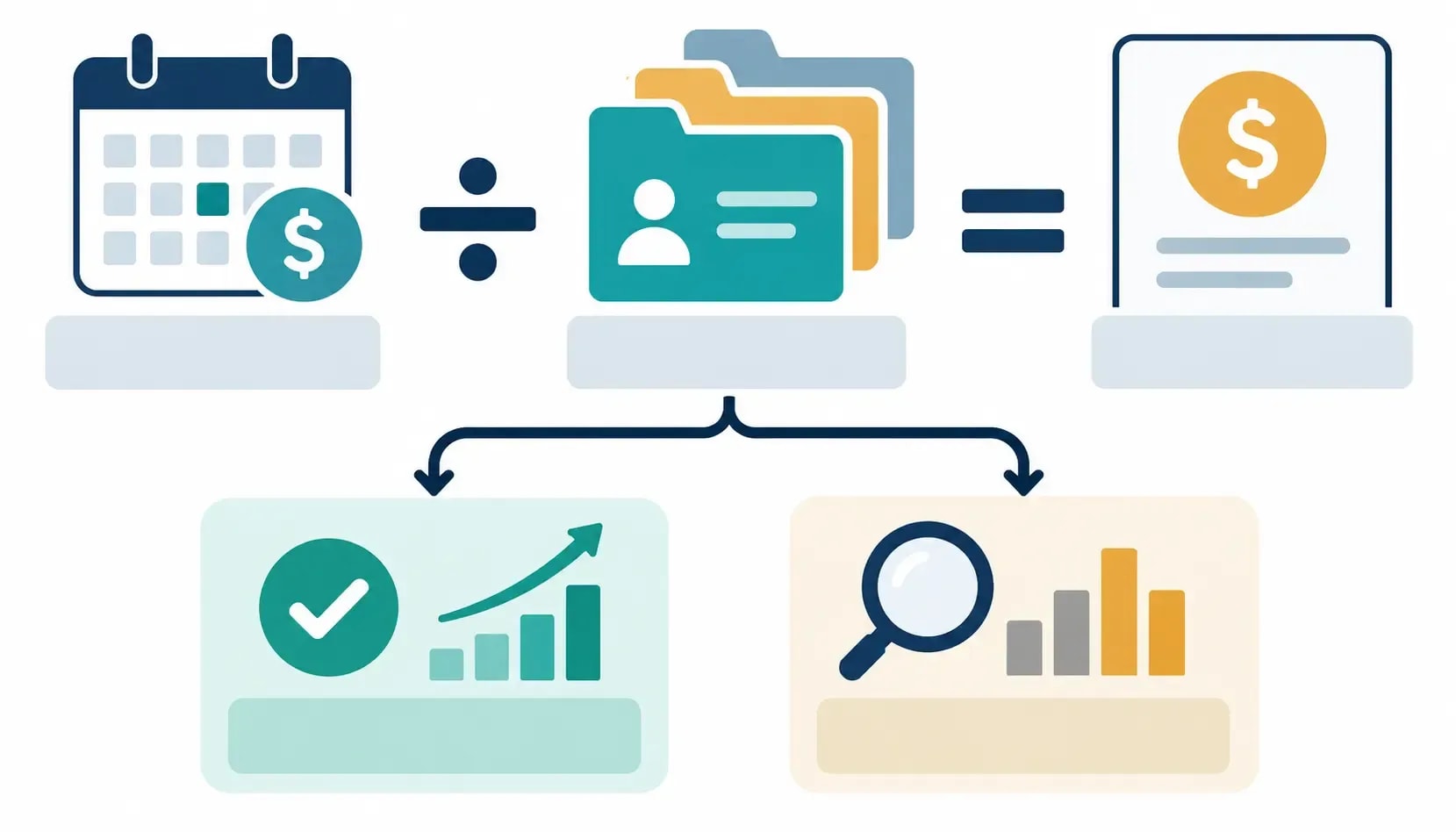
Then compare that number with the time saved and the fee charged. Do not count features that never appear in a deliverable.
4. Check the limiting resource
Plans often restrict credits, projects, unverified domains, tracked keywords, rows per report, exports, seats, or crawl pages. Find the first limit your workflow will hit. That is the real plan boundary.
5. Set a cancellation review
Review the subscription after 60 or 90 days. Keep it if it supports recurring paid work. Downgrade or cancel it if most research still happens elsewhere.
Common keyword-tool mistakes
Treating difficulty as a fact
Two vendors can score the same query differently because their indexes and formulas differ. Use difficulty to sort inside one platform, then inspect the live SERP and the type of evidence the query rewards.
Comparing prices without limits
A $29 plan with no exports is not equivalent to a $29 plan with client-ready CSV exports. Compare the specific constraint that affects the work.
Buying overlapping subscriptions
Several tools may provide keyword ideas, rank tracking, and basic site checks. Paying for all of them rarely improves the final strategy. Give each subscription one defined job.
Researching volume without intent
A high-volume query can be useless if the results serve a different audience or page type. Group terms by the reader's task, then decide whether they belong on one page or separate pages.
Ignoring first-party data
Third-party estimates are useful for discovery. Once a page has impressions, Search Console shows the site's actual query exposure and should inform refresh decisions.
Calling AI suggestions research
An AI-generated keyword list is a starting hypothesis. It still needs demand context, intent classification, competitor review, and deduplication. If you need a wider stack for content and optimization work, compare the free SEO tools for bloggers before adding another paid platform.
Final recommendation
To shortlist keyword research tools, begin with Search Console and Keyword Planner. Add Keywords Everywhere when browser-based lookups save enough time to matter. Choose LowFruits for focused long-tail screening, or Mangools/Ubersuggest for a broader lower-cost toolkit. Move to Ahrefs or Semrush when their competitor, backlink, tracking, audit, export, and reporting features are part of work clients already pay for.
Ask which platform helps you produce a better decision or client deliverable without wasting margin. Once that answer is clear, buy the smallest plan that clears the constraint.
Some links on Anobee may be affiliate links. If a purchase qualifies, Anobee may earn a commission at no additional cost to the buyer; the affiliate disclosure explains the policy.
Frequently Asked Questions
What is the best keyword research tool for a new freelancer?
Start with Google Search Console for verified client or personal sites and Google Keyword Planner for new-topic research. If you need quicker browser-based lookups, Keywords Everywhere is a modest first upgrade. Buy a larger suite only when a real client deliverable requires it.
Is Ahrefs worth it for freelancers?
Ahrefs can be worth its price when competitor, backlink, content-gap, rank-tracking, or site-audit work is part of several paid projects. The $29 Starter plan offers a limited entry point, while Lite starts at $129 per month. Check current limits before deciding [[8]](#ref-8).
Should a freelancer choose Ahrefs or Semrush?
Choose from the work you sell. Ahrefs is a focused option for keyword, competitor, backlink, and content research. Semrush combines keyword research with tracking, auditing, SEO ideas, and scheduled reports. Test the exact workflow and export limits you need before committing.
Can Google Search Console replace a paid keyword tool?
It can replace part of one. Search Console shows the queries for which a verified site already appears, with clicks, impressions, CTR, and position. It does not provide a complete discovery database for topics where the site has no visibility [[2]](#ref-2).
Are keyword difficulty scores accurate?
Keyword difficulty is a vendor model, not a Google metric. Use it to sort a list inside one tool, then inspect the current search results, intent, page quality, and your site's evidence before choosing a target.
Do freelancers need an AI keyword research tool?
Not necessarily. AI features can speed up grouping, suggestions, or summaries, but they do not remove the need to verify demand, intent, competitors, and source data. Choose the underlying research workflow first and treat AI assistance as an optional efficiency feature.
Sources and References
- Google Search Central — Guidance on third-party SEO tools, services, and advice ↩
- Google Search Console Help — Performance report common tasks and use cases ↩
- Google Ads Help — Use Keyword Planner ↩
- Keywords Everywhere — Compare plans ↩
- LowFruits — Plans and pricing ↩
- Mangools — Plans and pricing ↩
- Ubersuggest — Pricing plans ↩
- Ahrefs — Plans and pricing ↩
- Semrush — SEO Toolkit pricing and limits ↩
Was this guide helpful?
Your answer helps Anobee improve future updates.

Written by
Bibek Thapa
AI-Powered Digital Growth Strategist
Bibek Thapa works across AI workflows, SEO, AI search optimization, content strategy, website growth, and productivity systems. Anobee documents practical lessons, tools, experiments, and systems for improving digital presence.
- AI workflows
- Digital growth
- SEO
- GEO
- AEO
- Content strategy
- Website growth